4-16 Sun Fire X2100 Server User Guide • April 2007
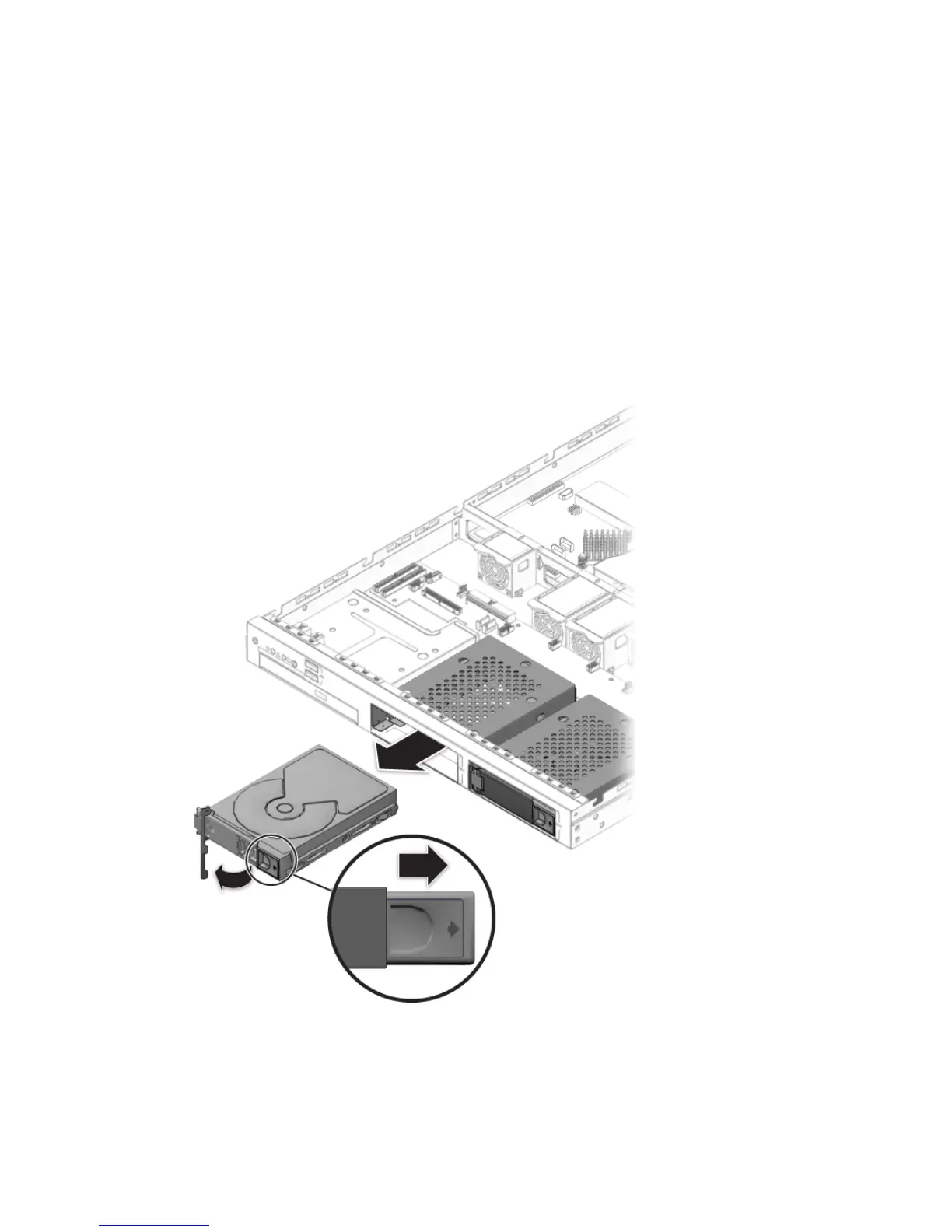
4.5.4.1 Removing an HDD and Carrier
Follow these steps to remove the HDD and carrier:
1. If you are not using an integrated-mirroring configuration, you must power off the
server before removing an HDD; it is not necessary to remove the cover. Power off
the system as described in Section 4.3, “Powering Off the Server and Removing the
Cover” on page 4-3.
If you are using an IM configuration, start with Step 2.
2. Squeeze the release latch and carefully swing the arm to the left as far as it will
go.
FIGURE 4-12 Removing a Hard Disk Drive












 To Next Page