Chapter 4 Maintaining the Sun Fire X2100 Server 4-25
4.5.7 Power Supply
The following procedure describes how to replace the power supply.
4.5.7.1 Removing a Power Supply
Follow these steps to remove the power supply:
1. Power off the system and remove the cover as described in Section 4.3, “Powering
Off the Server and Removing the Cover” on page 4-3.
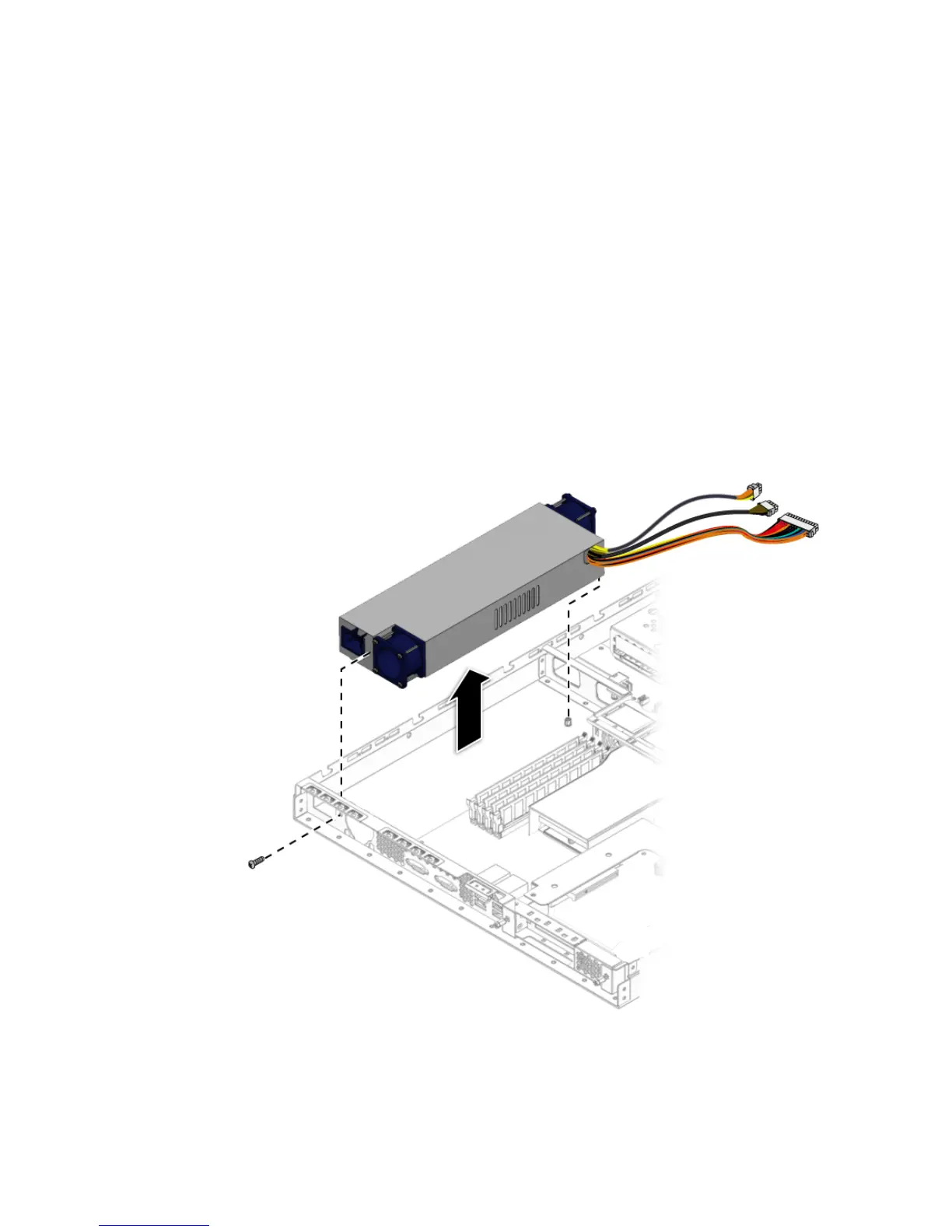
2. Disconnect the three power-supply cables from the motherboard (see
FIGURE 4-20).
3. Unfasten the screw securing the power supply to the chassis and the screw
securing the power supply to the back panel.
FIGURE 4-20 Removing the Power Supply












 To Next Page