4-42 Sun Fire X2100 Server User Guide • April 2007
4.5.12.2 Installing a CPU and Heatsink
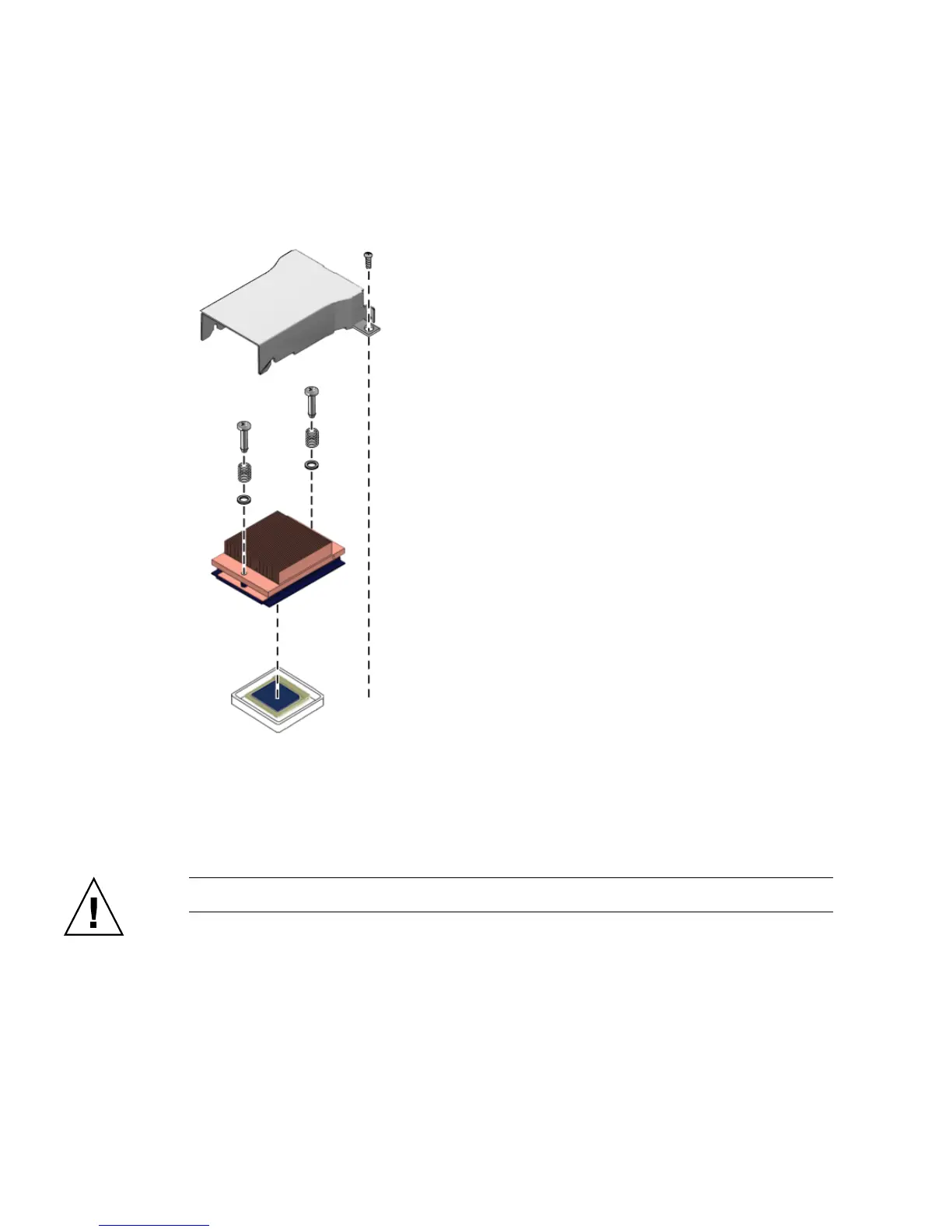
The following illustration shows the order of hardware installation for the CPU and
heatsink:
FIGURE 4-33 Hardware Order for CPU and Heatsink Installation
Follow these steps to install a CPU and heatsink:
1. Unpack the new CPU.
Caution – Observe the appropriate ESD precautions.
2. Ensure that the socket release lever is in the fully open, perpendicular position
(see
FIGURE 4-34).
3. Align the small triangle, on the corner of the CPU, with the triangle on the corner
of the socket.












 To Next Page