4-50 Sun Fire X2100 Server User Guide • April 2007
4.5.14.1 Removing the Motherboard
Follow these steps to remove the motherboard:
1. Power off the system and remove the cover as described in Section 4.3, “Powering
Off the Server and Removing the Cover” on page 4-3.
2. Remove the PCIe card riser installed on the motherboard (see Section 4.5.3, “PCIe
Card” on page 4-12) and the air baffle (see Section 4.5.12, “CPUs” on page 4-39).
3. Disconnect all cables attached to the motherboard.
Note – Do not remove the four screws that secure the CPU heatsink assembly to the
motherboard.
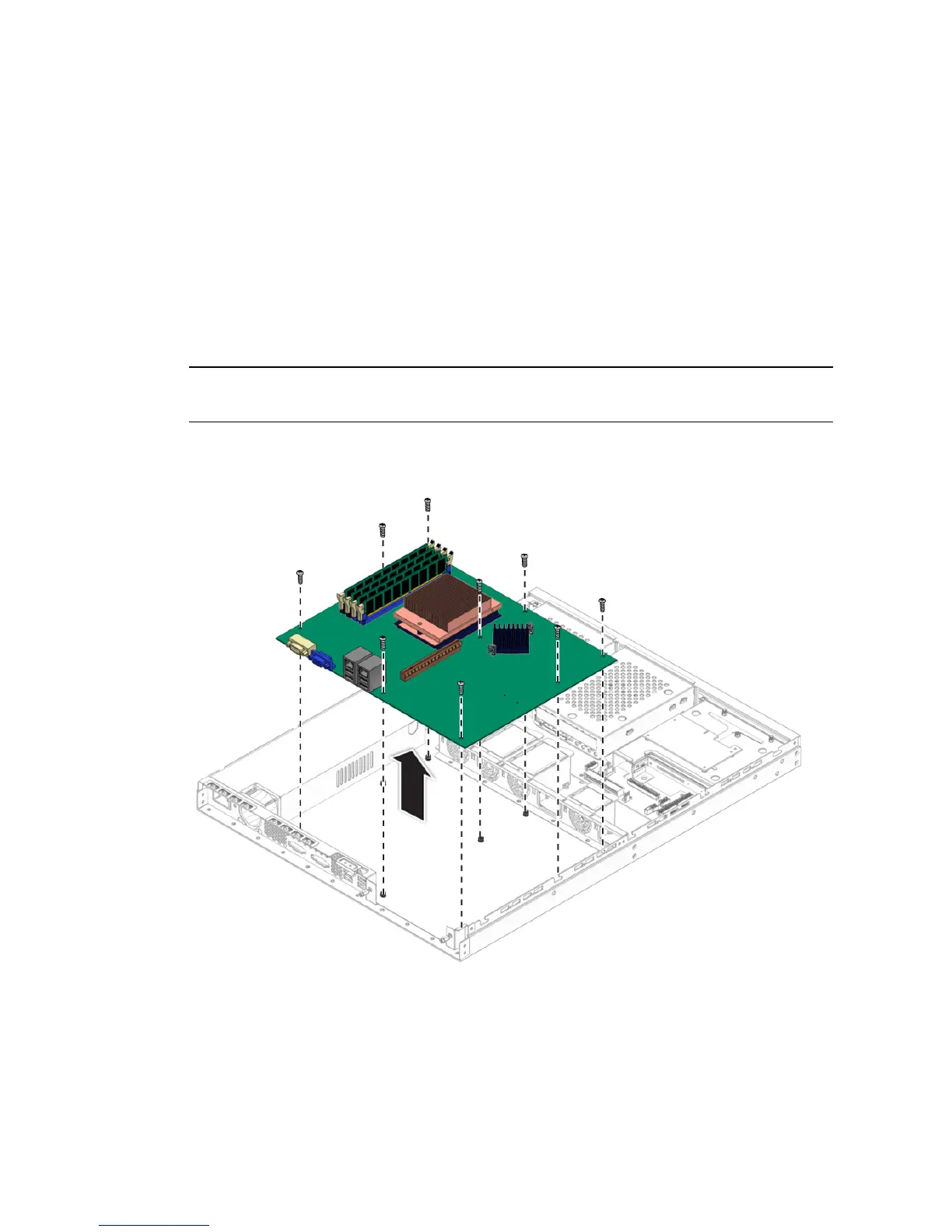
4. Remove the nine Phillips screws that fasten the motherboard to the chassis.
FIGURE 4-40 Removing the Motherboard
5. Pull the motherboard away from the chassis.












 To Next Page