4-20 Sun Fire X2100 Server User Guide • April 2007
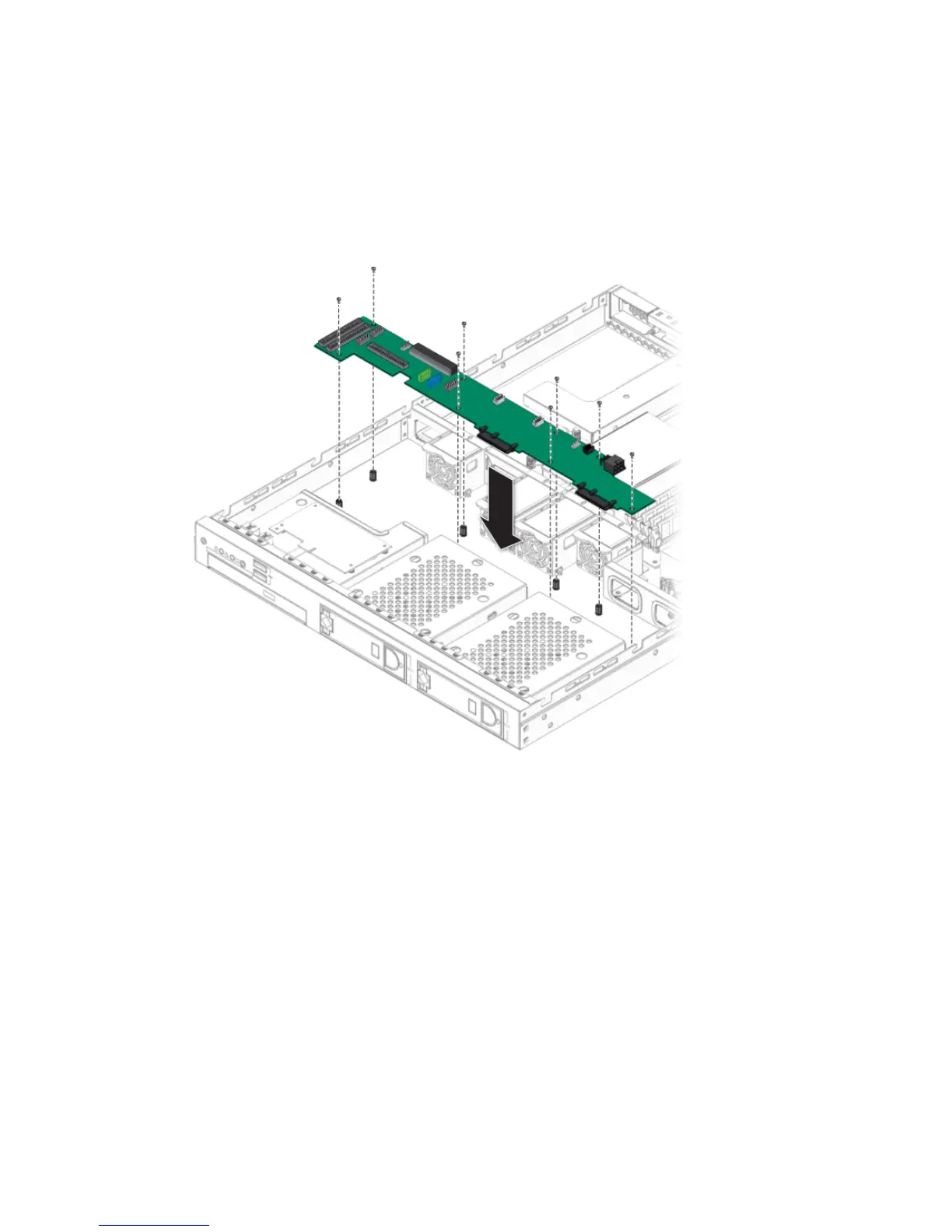
4.5.5.2 Installing the SATA Backplane
Follow these steps to install the SATA backplane:
1. Place the new SATA backplane in the chassis.
FIGURE 4-15 Installing the SATA Backplane
2. Fasten the screws that secure the backplane to the chassis.
3. Reconnect the power, SATA, fan, and DVD and IDE cables to the SATA
backplane.












 To Next Page