Chapter 4 Maintaining the Sun Fire X2100 Server 4-7
4.5.1 I/O Board
The following procedure describes how to remove and replace an IO board.
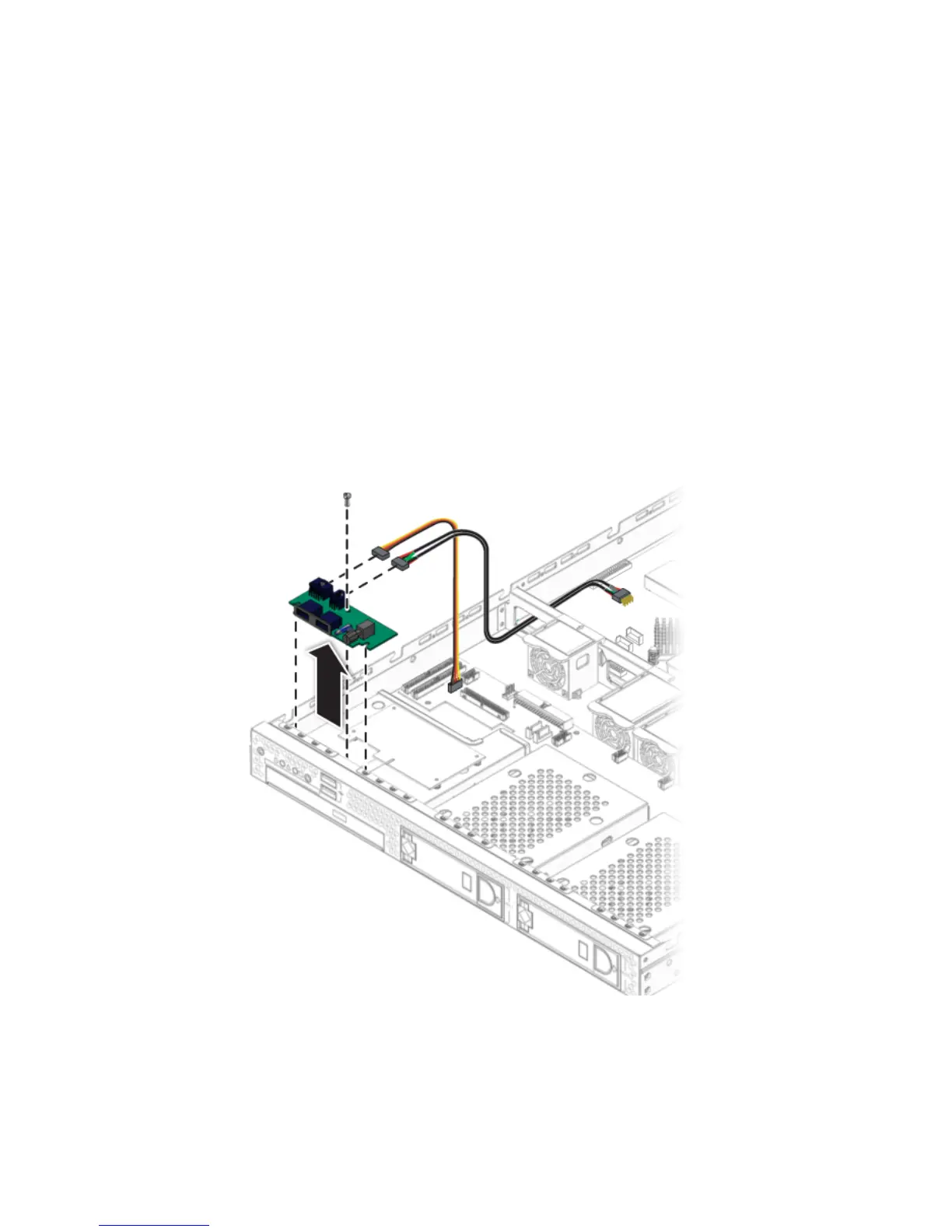
4.5.1.1 Removing an I/O Board
Follow these steps to remove the I/O board:
1. Power off the server and any attached peripherals, and disconnect the power cord
for the server. Refer to Section 4.3, “Powering Off the Server and Removing the
Cover” on page 4-3.
2. Remove all cables connected to the I/O board.
3. Remove the screw securing the I/O board to the DVD cage.
FIGURE 4-3 Removing the I/O Board












 To Next Page