Chapter 4 Maintaining the Sun Fire X2100 Server 4-27
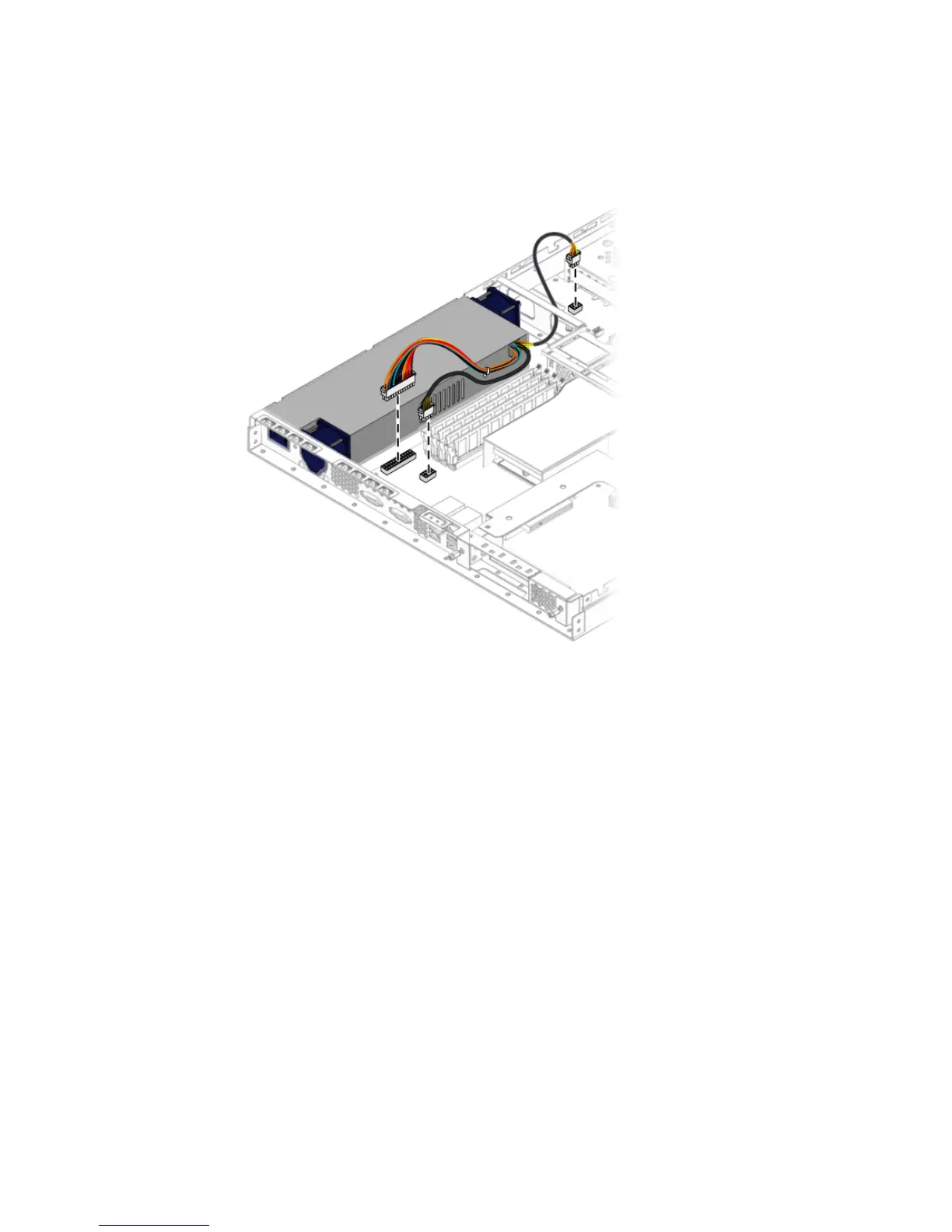
4. Connect two of the power supply cables to the motherboard and one cable to the
SATA backplane.
FIGURE 4-22 Connecting the Power Supply Cables
5. Check the routing of all cables for obstructions, and then install the cover.
4.5.8 Cooling Fans
The following procedures describes how to replace a system fan module.
4.5.8.1 Removing the Fans
Follow these steps to remove a system fan module:
1. Power off the system and remove the cover as described in Section 4.3, “Powering
Off the Server and Removing the Cover” on page 4-3.
2. Identify the fan(s) to be replaced.
3. Push the fan module forward in the direction of the arrows and simultaneously
pull the fan upward.












 To Next Page