Chapter 4 Maintaining the Sun Fire X2100 Server 4-23
3. Pull the latch on the back of the DVD drive case away from the drive bay, until
the DVD drive springs forward out of the chassis.
4. Pull the DVD drive out the front of the chassis.
Caution – Move the assembly by grasping it by its sides. Do not push on the
DVD-ROM tray.
4.5.6.2 Installing the DVD Drive Assembly
Follow these steps to install the DVD drive assembly:
1. (If necessary) remove the filler panel in front of the DVD drive slot on the front
panel.
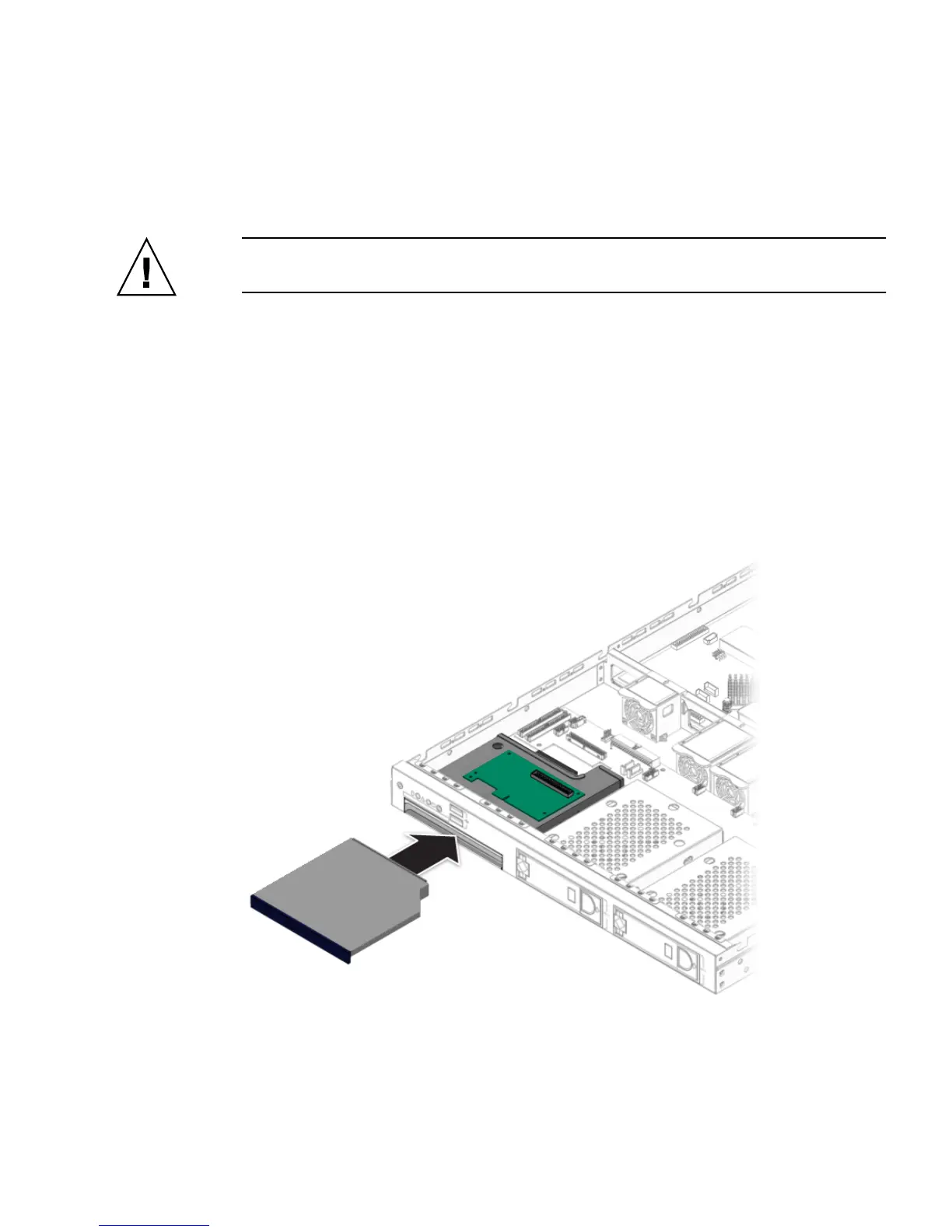
2. Position the DVD drive in front of the DVD drive slot on the front panel.
3. Push the DVD drive into the drive slot until the drive clicks into place.
FIGURE 4-18 Installing the DVD Drive Assembly
4. Install the DVD drive cable.












 To Next Page