Chapter 4 Maintaining the Sun Fire X2100 Server 4-11
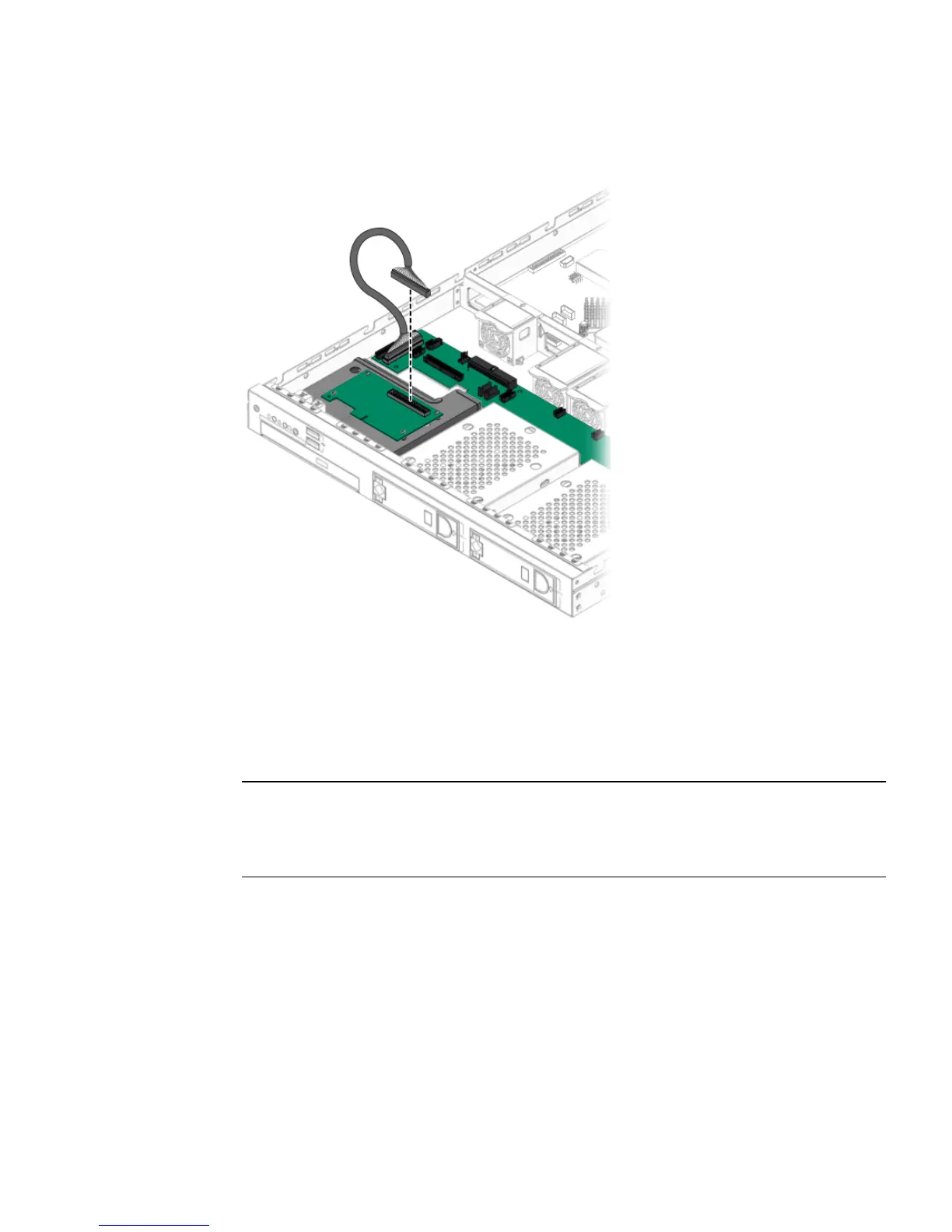
3. Connect the data cable to the back of the SP card.
FIGURE 4-7 Connecting the Cable to the SP Card
Flashing the BIOS
After installing the optional SMDC service processor, you need to manually flash the
BIOS to rebuild the dmi table. To manually flash the BIOS, do the following:
Note – For known issues and late-breaking information on BIOS, hardware, and
software, see the latest release of The Sun Fire X2100 Server Release Notes, 819-3722.at
the following URL: http://www.sun.com/products-n-
solutions/hardware/docs/Servers/x64_servers/x2100/index.html
1. Boot the server with the Supplemental CD.
2. From the main menu, select option 4, Exit to DOS.
3. Type the following commands to flash the BIOS.
cd \flash\bios\latest
awdflash.exe aqua1110.bin /py /sn /cc /cd












 To Next Page