4-34 Sun Fire X2100 Server User Guide • April 2007
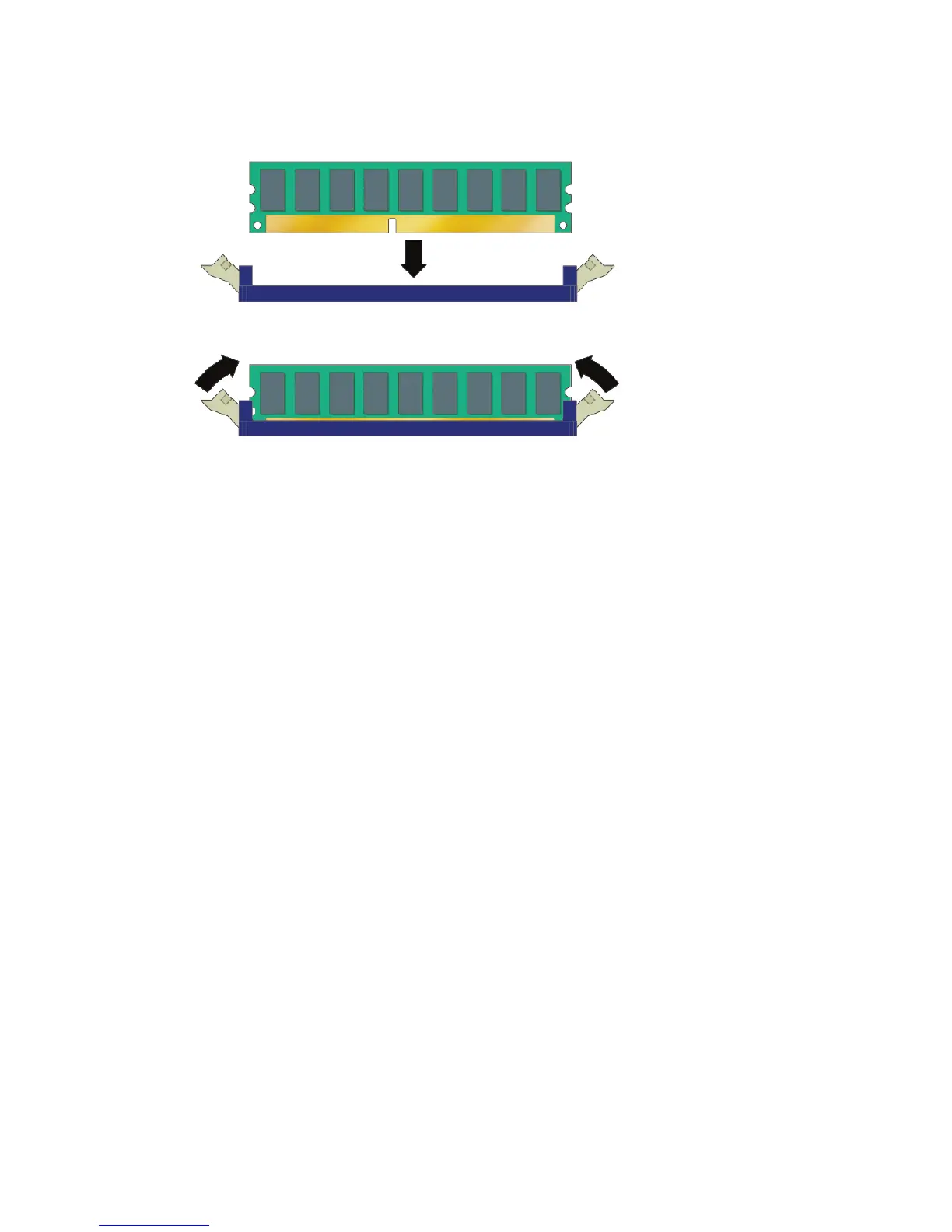
FIGURE 4-27 Installing a DIMM
4. Using both thumbs, press the DIMM straight down into the DIMM slot until both
ejector levers click, locking the DIMM in the DIMM slot.
■ The DIMM must be inserted evenly in the DIMM slot until it locks into place.
■ The DIMM is seated when you hear a click and the DIMM ejector levers are in the
vertical position.
5. Check the routing of all cables for obstructions, and then install the cover.
4.5.10 CMOS Data
CMOS is a type of chip on the motherboard that stores system-specific data, such as,
the date and time, and the user and supervisor passwords. The data stored on the
CMOS chip is maintained by the system battery. If the system battery fails, or if it is
removed, the CMOS system-specific data will be cleared and default values used
instead.
Sometimes it is necessary to clear or reset the CMOS, for example, while
troubleshooting, or to reset the passwords. The CMOS chip can be cleared by:
■ Using the Clear CMOS jumper
■ Removing and Installing the System Battery












 To Next Page