4-40 Sun Fire X2100 Server User Guide • April 2007
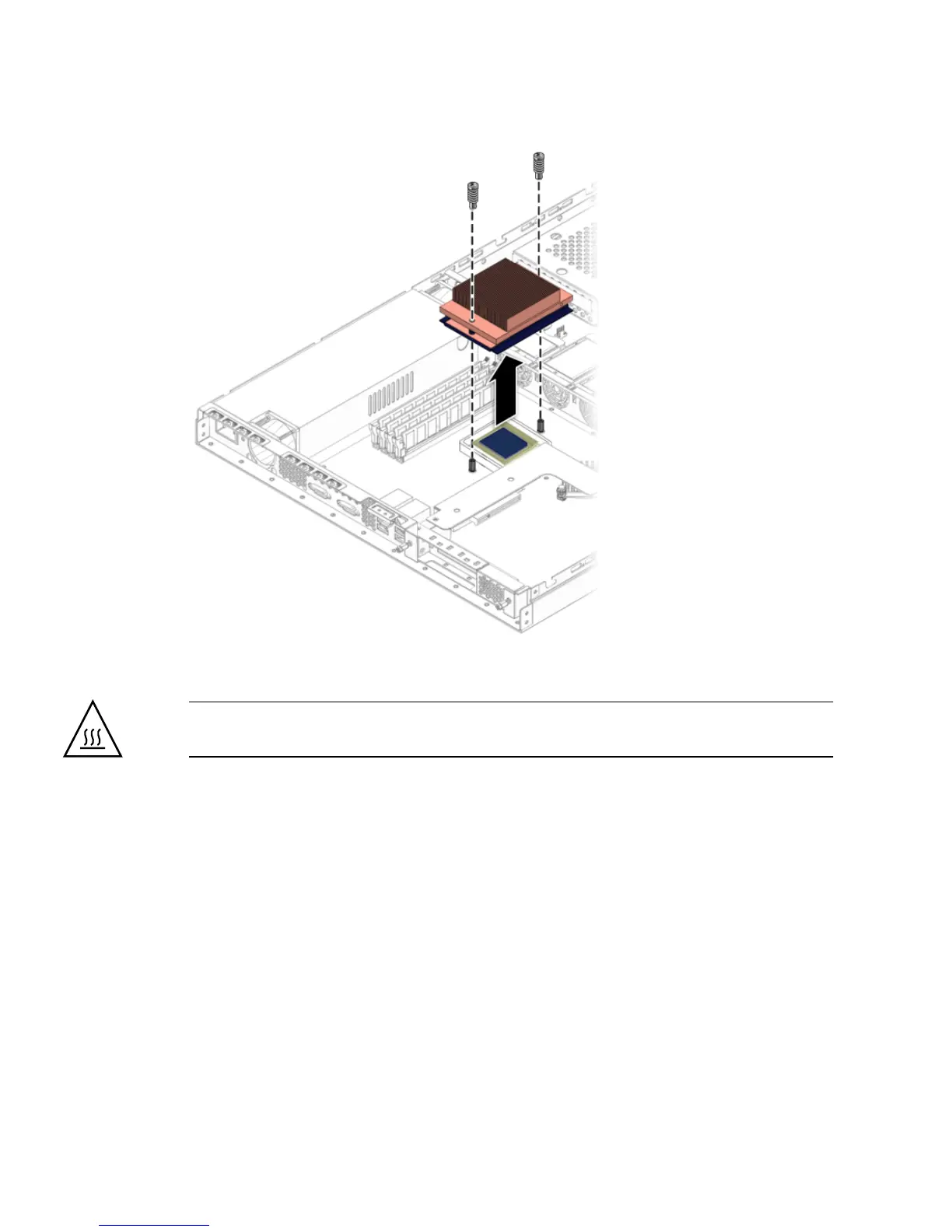
FIGURE 4-31 Removing the Heatsink
Caution – The heatsink can become extremely hot. Be sure it has had sufficient time
to cool before handling.
4. Twist the heatsink slightly to the right or left to break the seal with the thermal
grease.
5. Lift the heatsink away from the CPU.
6. Place the heatsink upside-down on a flat surface to prevent the thermal grease
from contaminating other components.
7. Pull the socket release lever up to the fully open, perpendicular position.












 To Next Page