24 Sun Fire X4170, X4270, and X4275 Servers Installation Guide • December 2009
▼ Remove the Top Cover From the Sun Fire X4170
and X4270 Servers
1. Ensure that the AC power cords are disconnected from the server power
supplies.
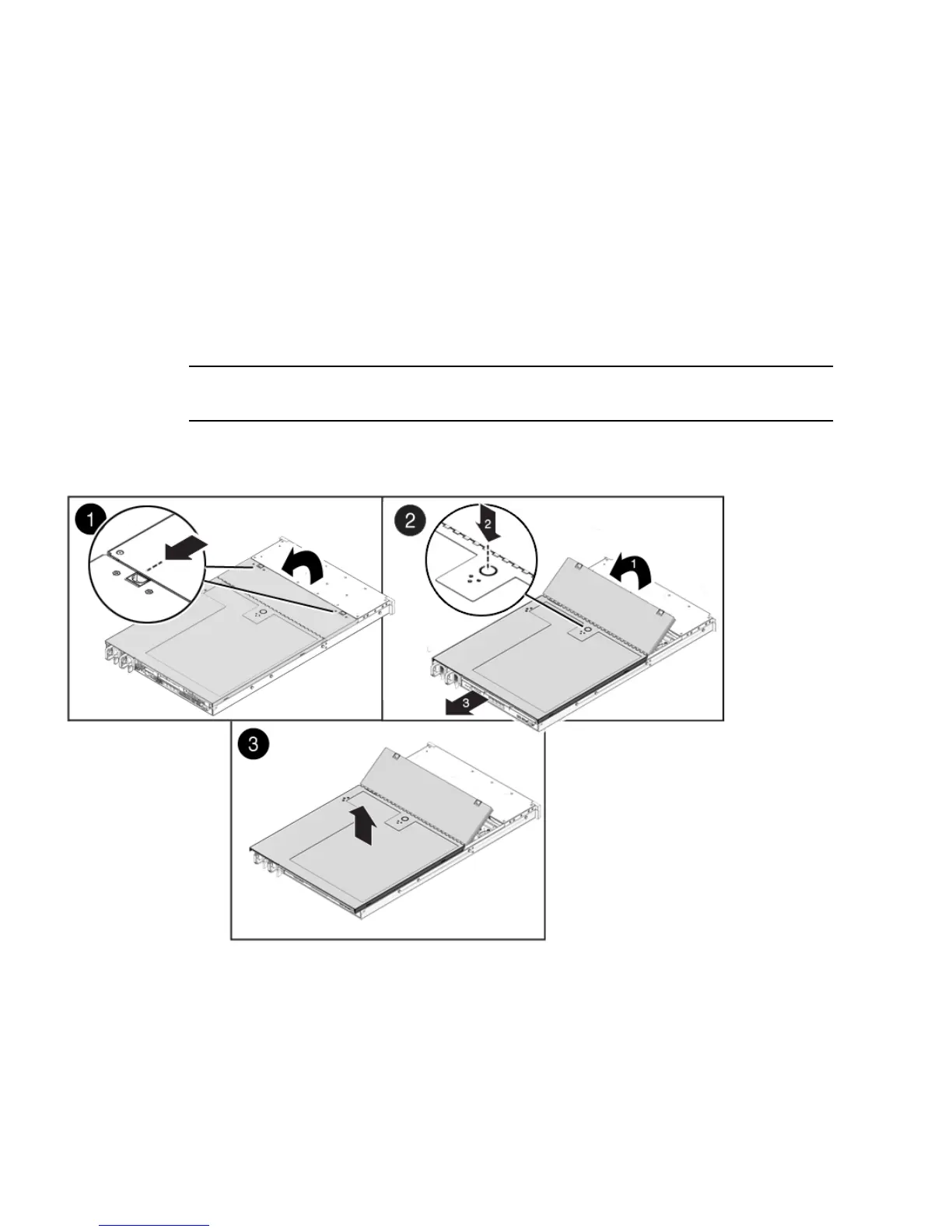
2. Unlatch the fan module door (
FIGURE 2-1 [1]).
Pull the two release tabs back to release the door. Rotate the fan door to the open
position and hold it there.
Note – FIGURE 2-1 shows the Sun Fire X4170 Server, not the Sun Fire X4270 Server;
however, the procedure for removing the top cover is the same for both servers.
FIGURE 2-1 Removing the Sun Fire X4170 or X4270 Server Top Cover
3. Press the top cover release button and slide the top cover toward the rear of the
server about 0.5 inch (12 mm) [2].
4. Lift up and remove the top cover [3].















 To Next Page