34 Sun Fire X4170, X4270, and X4275 Servers Installation Guide • December 2009
Caution – If the heatsink assembly is moved too much during its installation, the
layer of thermal grease may not be distributed evenly, leading to component
damage.
f. Tighten the screws alternately one-half turn until fully seated.
5. Install the top cover.
See “Installing the Server Top Cover” on page 48.
Installing Hard Disk Drives
The following topics are covered in this section:
■ “Server Hard Drive Locations” on page 34
■ “Server Hard Disk Drive Configuration Rules” on page 36
■ “Installing a Hard Disk Drive” on page 37
Server Hard Drive Locations
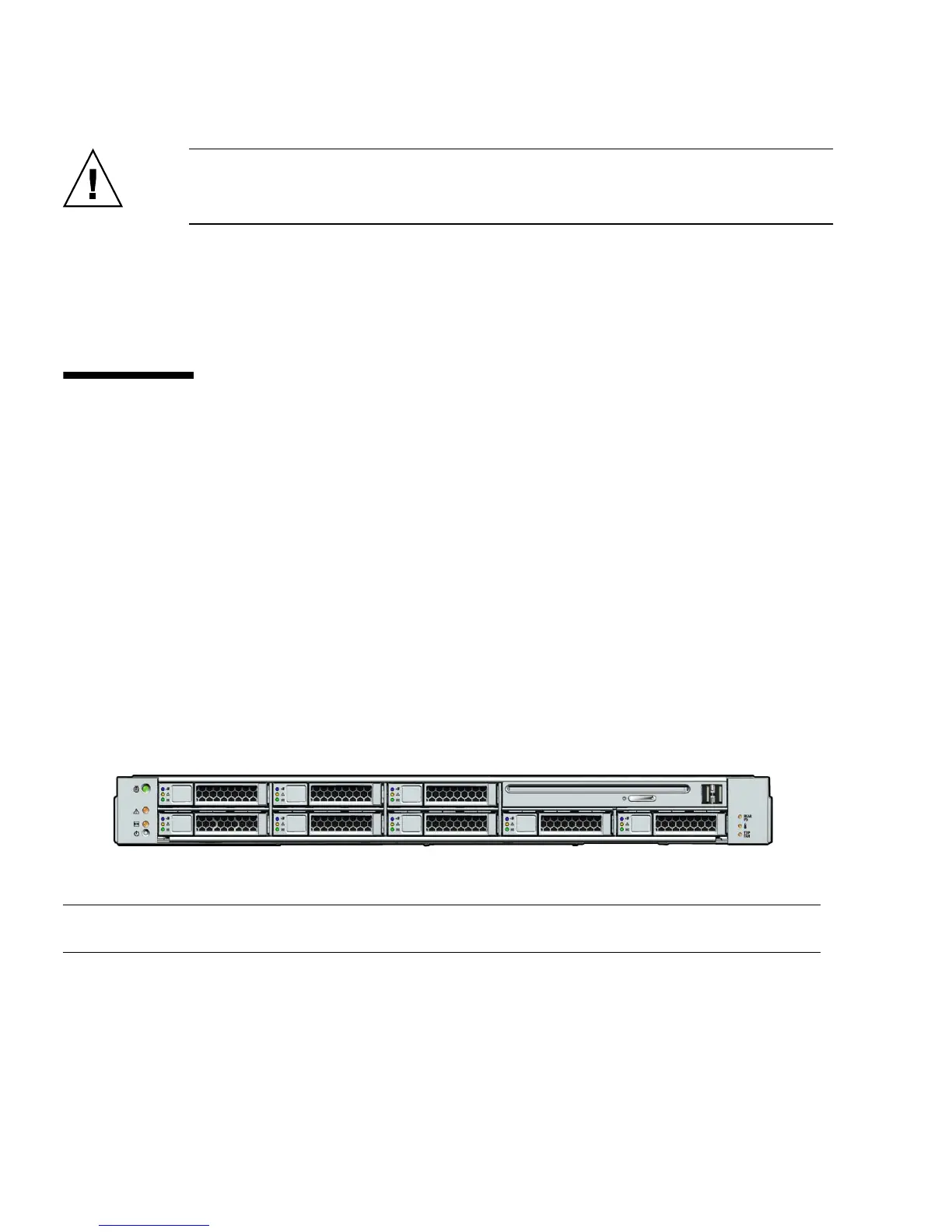
FIGURE 2-6 show the physical drive locations for a Sun Fire X4170 Server with eight 2.5-
inch hard drives.
FIGURE 2-6 Sun Fire X4170 Server Front Panel
FIGURE 2-7 shows the physical drive locations for the Sun Fire X4270 Server with 16
2.5-inch hard drives.
Figure Leg end
HDD1 HDD3 HDD5 DVD drive and USB Connectors (2)
HDD0 HDD2 HDD4 HDD6 HDD7















 To Next Page