74 Sun Fire X4170, X4270, and X4275 Servers Installation Guide • December 2009
Connecting the Cables
Connect the power and data cables to the server back panel.
Connector Locations
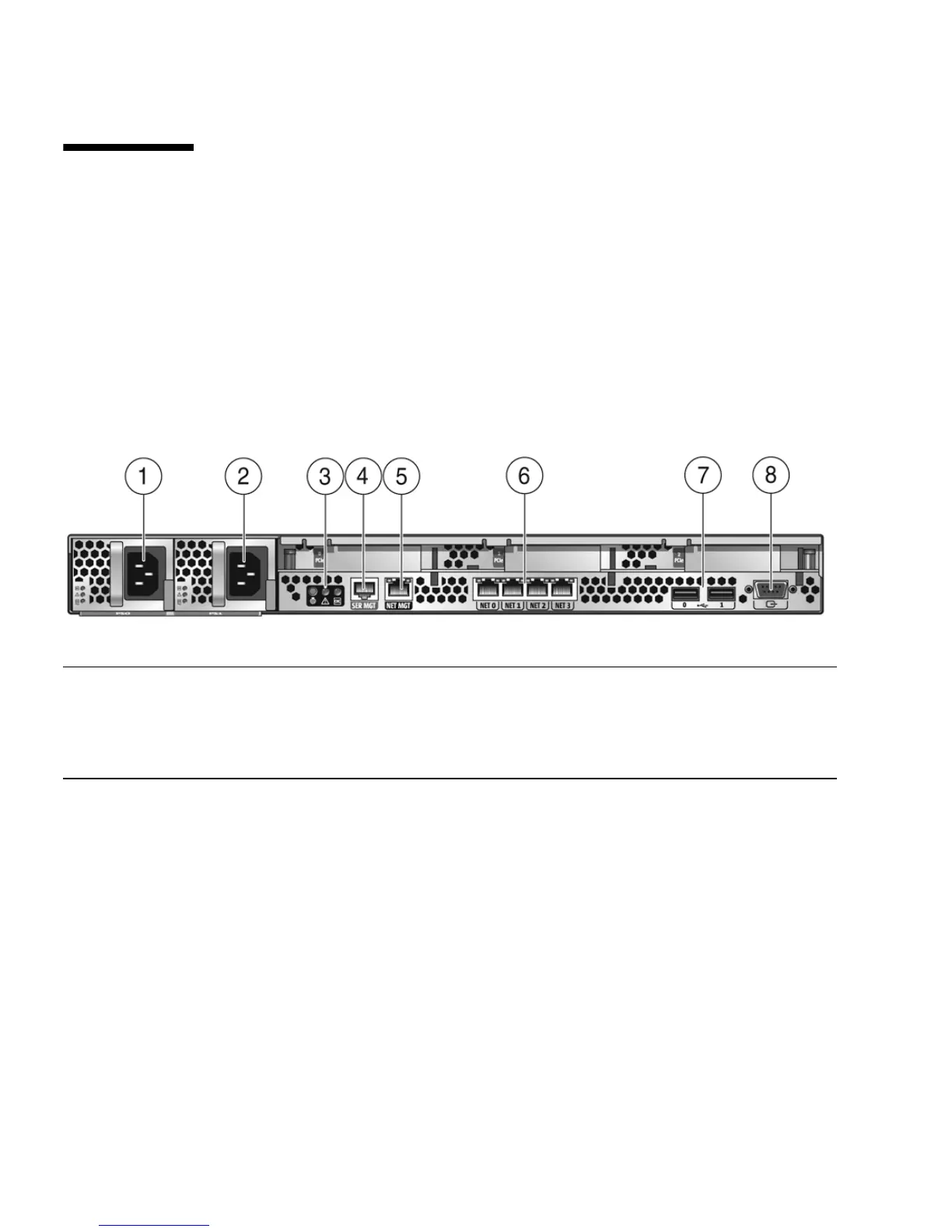
FIGURE 4-1 shows and describes the locations of the Sun Fire X4170 Server back panel
connectors
.
FIGURE 4-1 Sun Fire X4170 Server Back Panel Connectors
Figure Leg end
1 Power supply unit 0 connector 5 Service processor (SP) network management (NET
MGT) Ethernet port
2 Power supply unit 1 connector 6 Gigabit Ethernet ports NET-0, 1, 2, 3
3 System status LEDs 7 USB 2.0 ports (0, 1)
4 Serial management (SER MGT)/RJ-45 serial port 8 HD15 video connector (analog VGA)















 To Next Page