Chapter 2 Installing Server Options 33
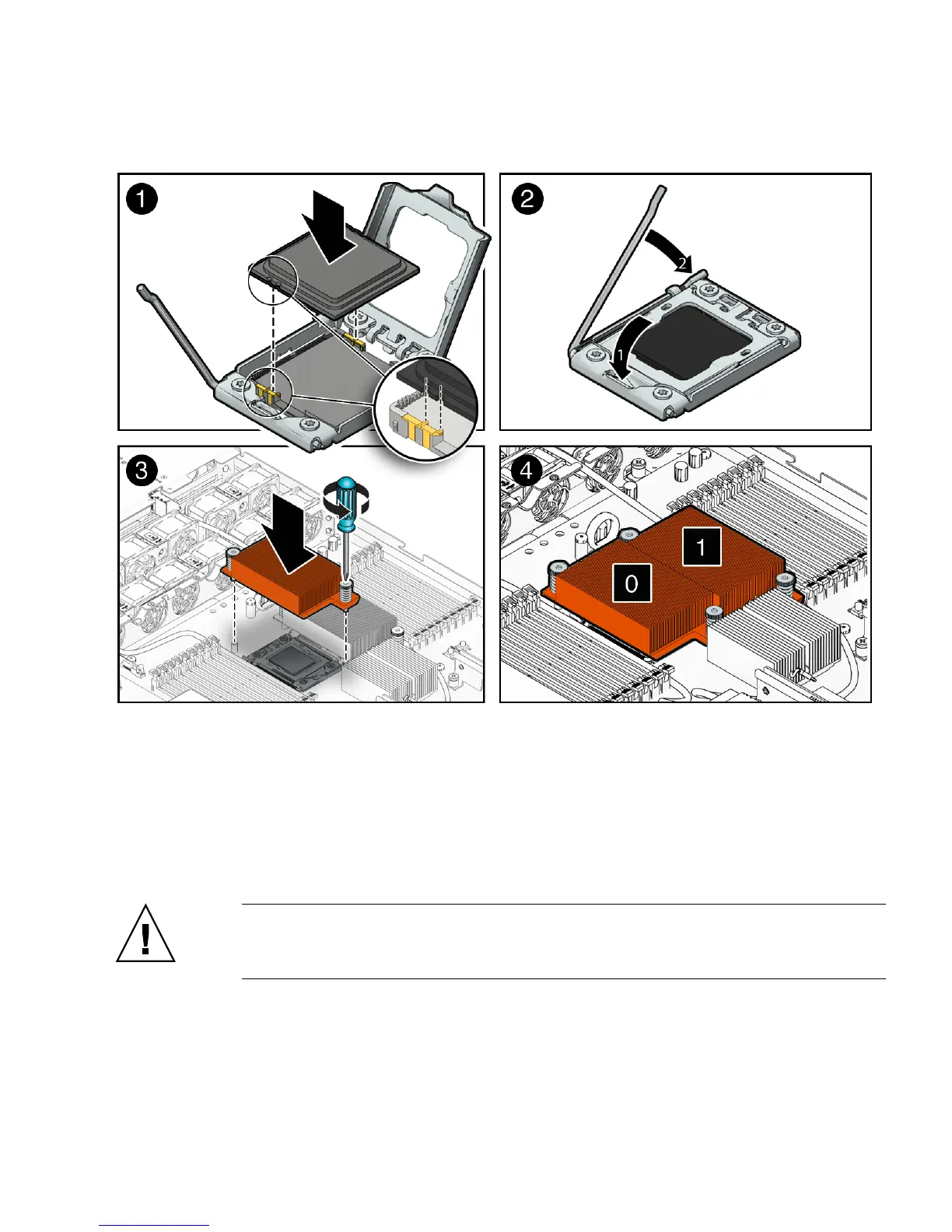
FIGURE 2-5 Installing the CPU
b. Lower the pressure frame.
Ensure that the pressure frame sits flat around the periphery of the CPU.
c. Engage the release lever by rotating it downward and slipping it under the
catch [2].
d. Orient the heatsink so that the two screws line up with the mounting studs
[3].
Caution – When handling the heatsink, be careful not get the thermal grease on
your fingers so as not to transfer the grease to other server components. To do so
could cause component contamination and/or damage.
e. Carefully position the heatsink on the CPU, aligning it with the mounting
posts to reduce movement after it makes initial contact with the layer of
thermal grease [3].















 To Next Page