46
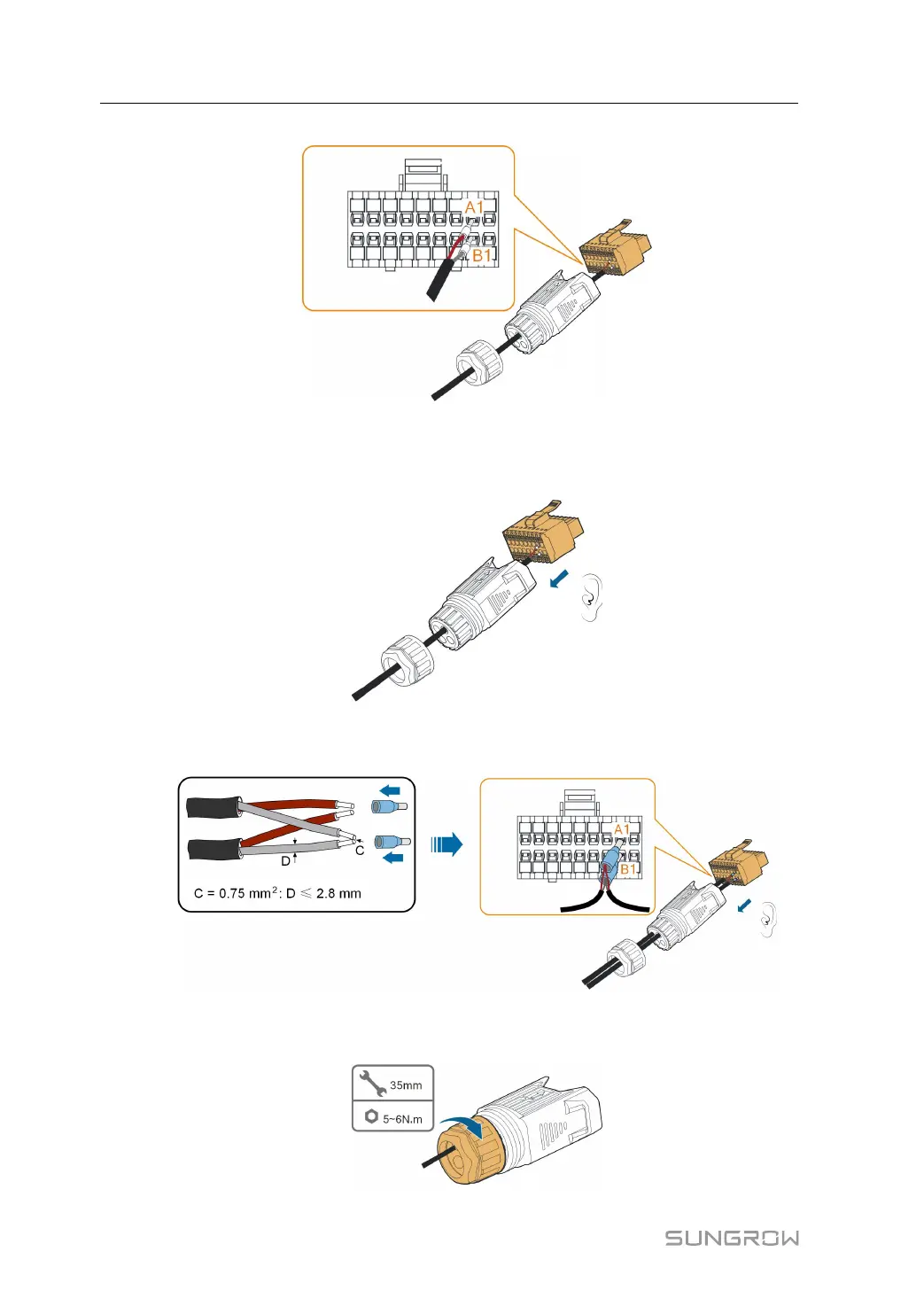
FFiigguurree 55--88 A1, B1 connection
Step 7 Ensure that the wires are securely in place by slightly pulling them and insert the
terminal plug into the housing until there is an audible click.
Step 8 FFoorr RRSS448855 ddaaiissyy cchhaaiinn:: Crimp two wires A to a two-wire core end terminal and two
wires B to another terminal. Plug the terminals to A1 and B1 respectively.
FFiigguurree 55--99 RS485 daisy chain connection
Step 9 Fasten the swivel nut.
5 Electrical Connection User Manual



 To Next Page