49
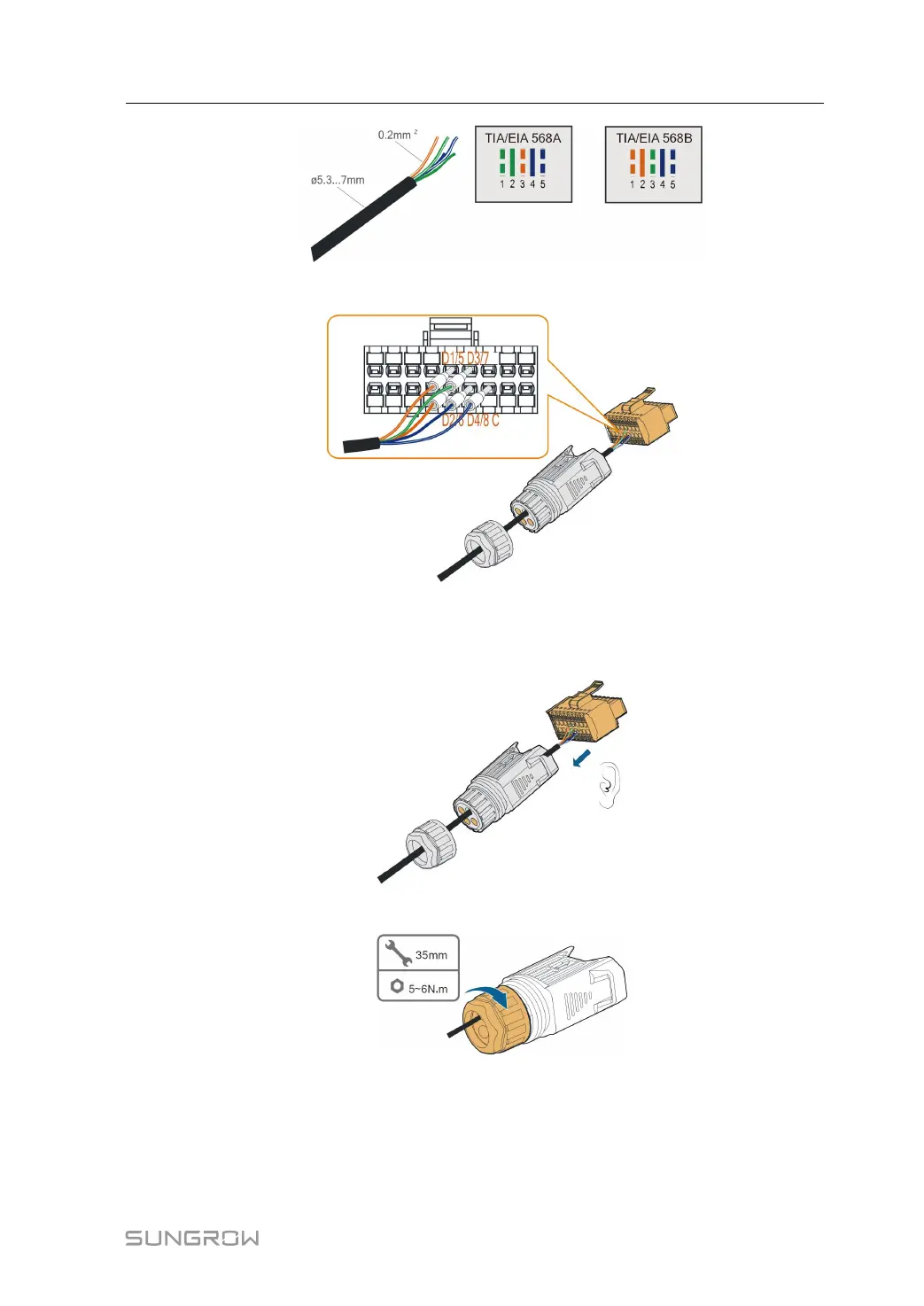
Step 5 Plug the wires into the corresponding terminals as shown in the following figure.
FFiigguurree 55--1100 DI connection
Step 6 Ensure that the wires are securely in place by slightly pulling them and insert the
terminal plug into the housing until there is an audible click.
Step 7 Fasten the swivel nut.
Step 8 Refer to section "5.9.3 Installing the COM Connector" to install the connector.
-- -- EEnndd
User Manual 5 Electrical Connection



 To Next Page