2-66
SMT IPMI User's Guide
2.11.1 Maintenance - Firmware Update
Firmware Update
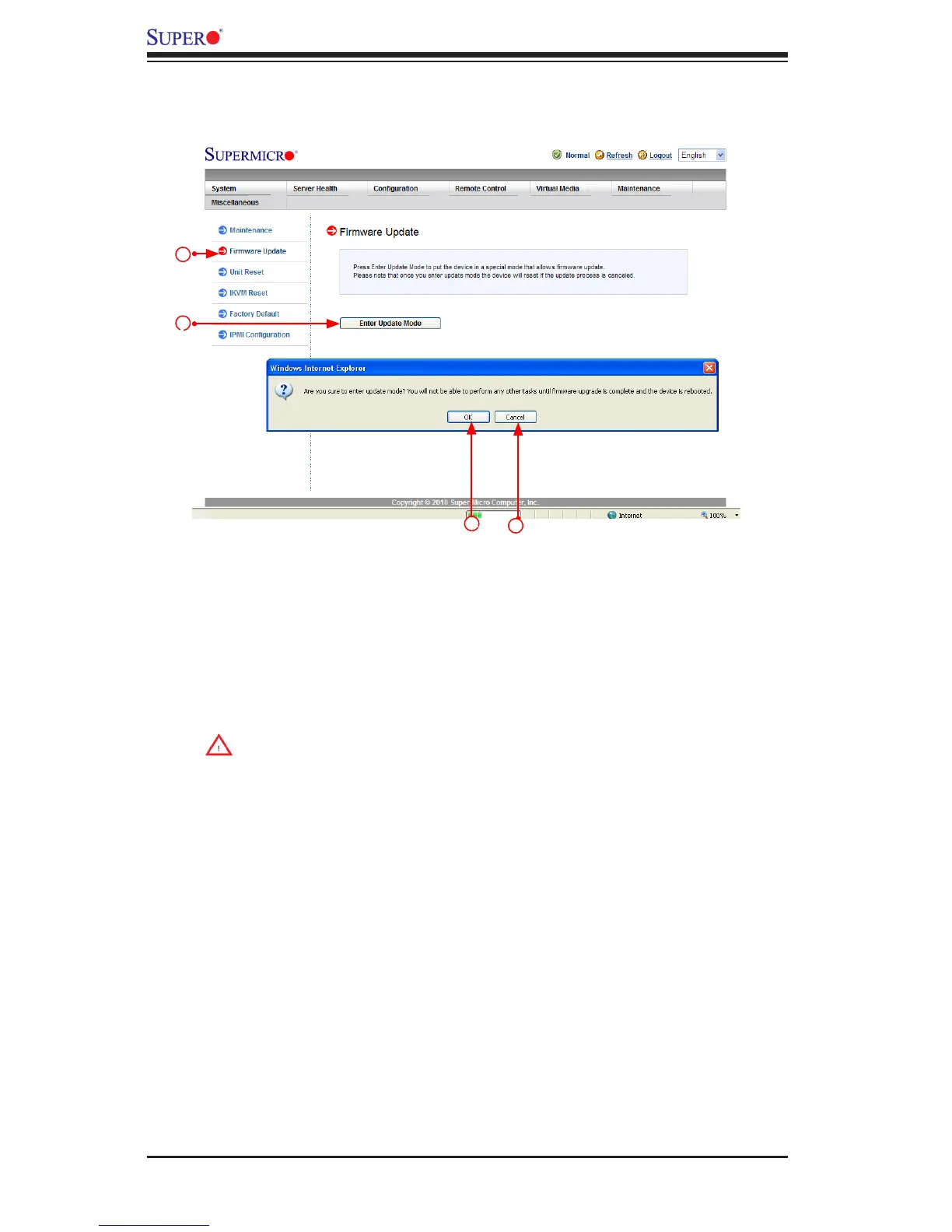
To update IPMI Firmware, follow the instructions below.
1. Click <Firmware Update> in the Options Window.
2. Click <Enter Update Mode> to enter the update mode. A warning message
will display.
Warning: Once the server is in the rmware update mode, the device will
be reset, and the server will reboot even if you cancel rmware updat-
ing.
3. Click <OK> to update your IPMI rmware. Once you've clicked OK to update
the rmware, the Firmware Upload screen will display as shown on the next
page.
4. Click <Cancel> to cancel rmware updates.
2
3
1
4


 To Next Page
 Loading...