PERATING DVD
Searc
Function
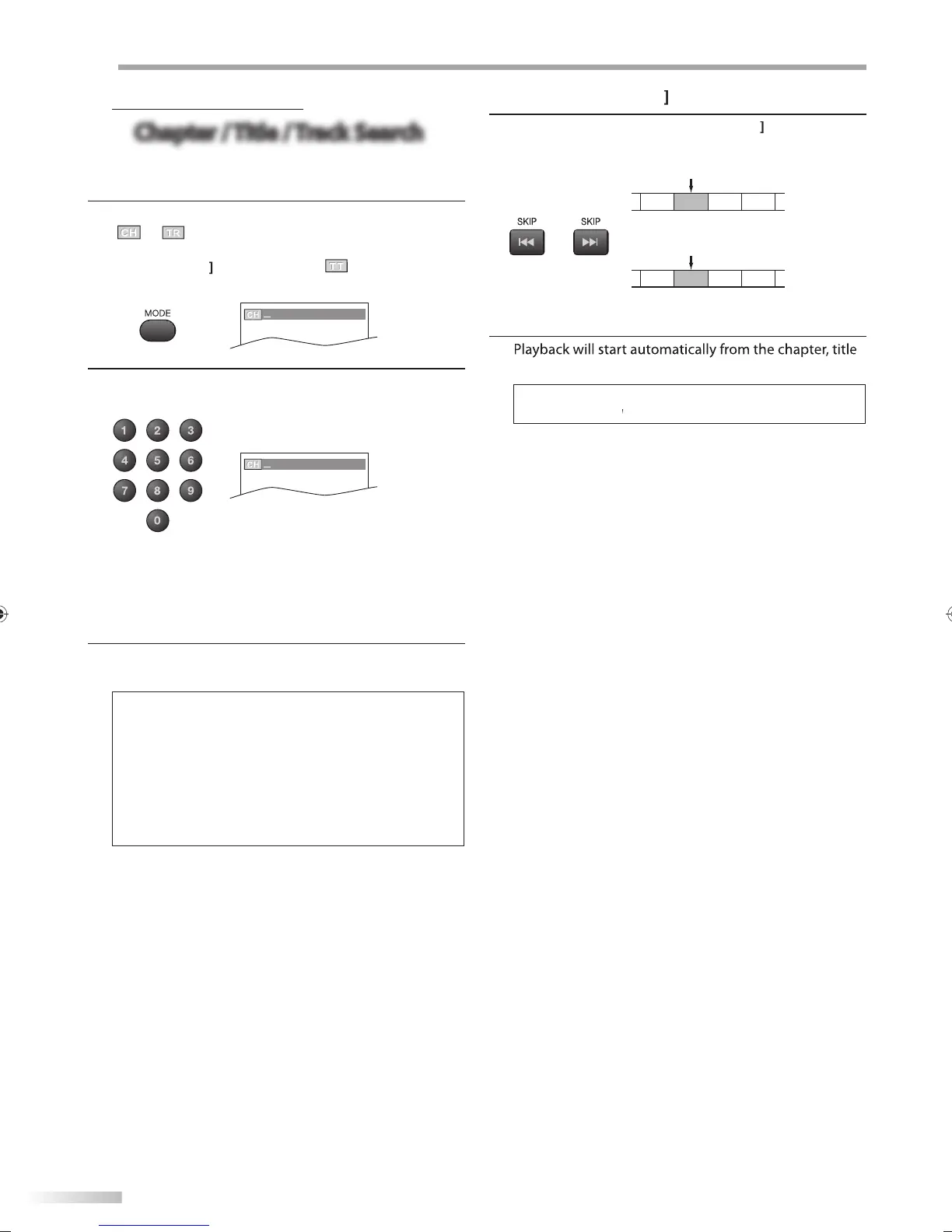
Chapter / Title / Track Search
Chapter / Title / Track Search
You can se
ect c
apters, tit
es or trac
s on t
e
isc
1
uring p
ay
ac
, press
MODE
repeate
y unti
/
• I
you want to per
orm the title search, use
Cursor
repeate
y unti
e.g.
V
/12
(
SEARCH
)
2
r
the Number buttons
to select
our desired
cha
ter, title or track within 60 seconds
/12
(
SEARCH
)
o p
ay
ac
a sing
e-
igit c
apter, tit
e or trac
w
en
here are more than 10 cha
ters, titles or tracks,
ress
ENTER
a
ter entering the chapter, title or trac
n
m
r
3
la
back will start automaticall
rom the chapter, title
or track
ou selected
ote:
Chapter, title or track search can onl
be performed during
la
back or when the unit has kept the resume information.
It cannot be
erformed in the sto
mode.
The total number of chapters / titles / tracks in
our disc
ith less than 10 cha
ters / titles / tracks,
ress the cha
ter /
itle / track number directl
. To pla
a double-digit chapter
itle / track,
ress the cha
ter / title / track number
Track search is not available for pro
rammed or random
la
back.
sing [SKIP
1
During pla
back, press
SKIP
repeatedl
unti
a
esire
c
apter, tit
e or trac
wi
e se
ecte
CH/TR 1 CH/TR 2 CH/TR 3 CH/TR 4
[SKIP H] [SKIP G]
TT 1 TT 2 TT 3 TT 4
[SKIP H] [SKIP G]
2
or trac
you se
ecte
SKIP
are not available when playback is stopped.
I
the disc has no chapter.)
current c
apter/trac
CH
urrent tit
e
TT
TR
A9DF1UH_LD320SS1_EN_v1.indd 38A9DF1UH_LD320SS1_EN_v1.indd 38 2010/01/22 17:13:372010/01/22 17:13:37













 To Next Page