9 - 2 LS7708 Scanner Product Reference Guide
Interface cables vary depending on configuration. The connectors may be different from the examples
illustrated, but the steps to connect the scanner are the same. See Chapter 1, Getting Started for
connection information.
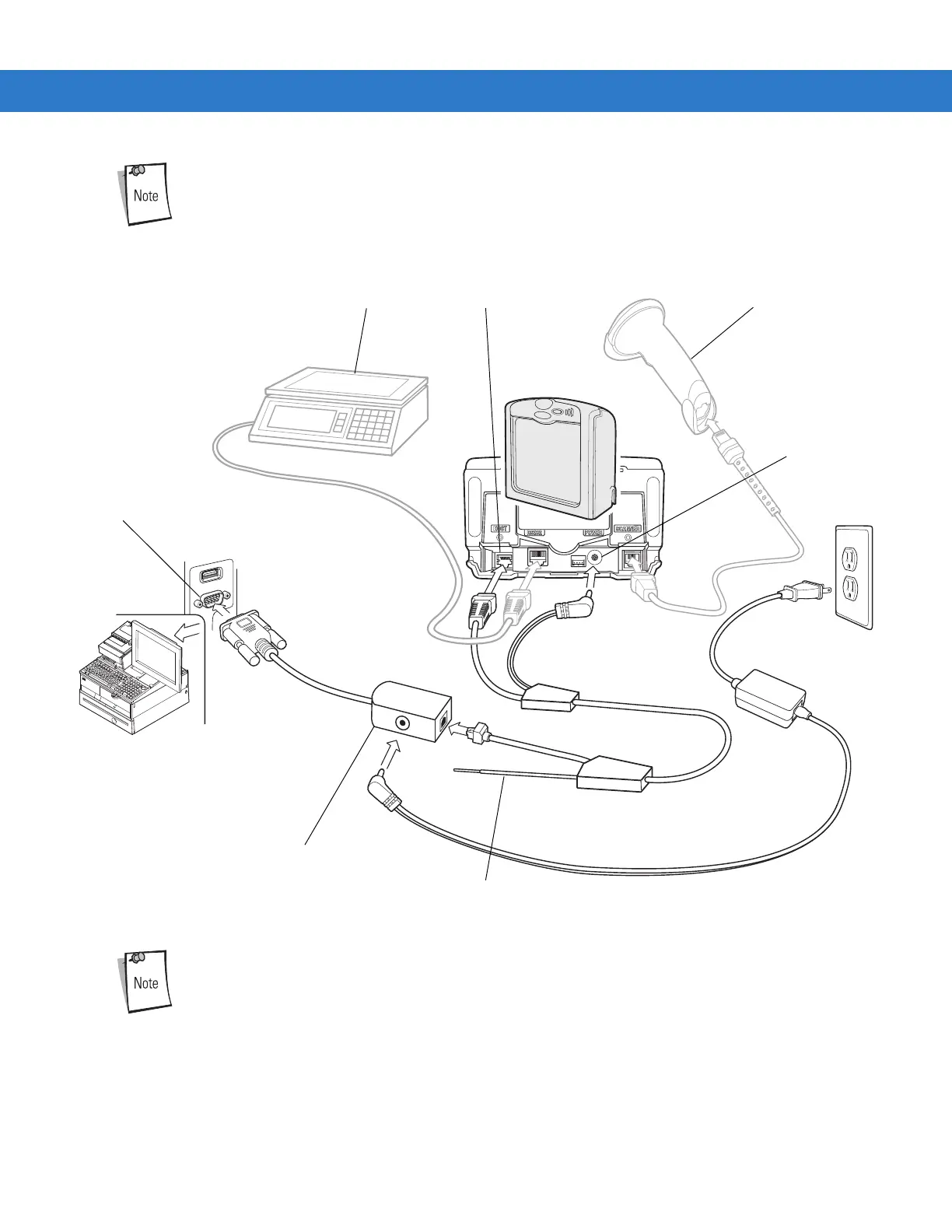
Figure 9-25 Synapse Connection With Peripherals - Power Supplied Externally via Y-Cable
See Figure 1-4 on page 1-7 for correct cable routing options when using a Y-connector cable.
RS-232 Auxiliary Device
Host
To EAS (optional)
Synapse Smart Cable
Host Port Hand-Held Scanner
Power Port



 To Next Page