Getting Started 1 - 11
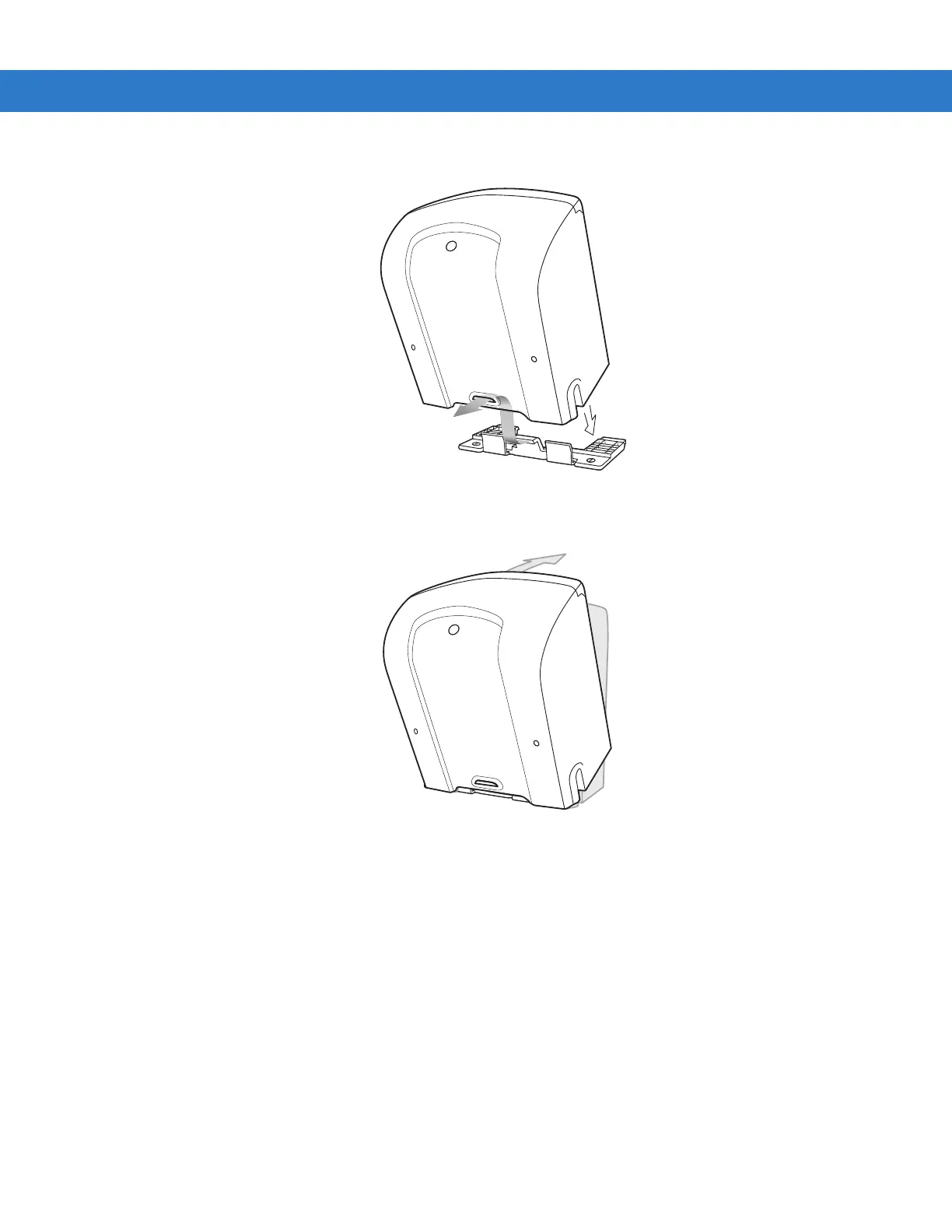
7. Align the slot at the back of the scanner with the plastic tab on the mounting bracket.
8. Angle the scanner slightly to allow the bracket hook to slide into the slot.
9. Push the scanner towards the plastic tab on the mounting bracket and rotate it so that it is perpendicular to the mounting
surface.
10. Release pressure on the scanner. The bracket locks into place.
Detaching the Scanner from the Mounting Bracket
To detach the scanner:
1. Grasp the scanner firmly on both sides.
2. Squeeze the back of the scanner slightly while pushing the scanner in the direction of the slot on the back.
3. Rotate the front of the scanner away from the mounting bracket until the bracket pops out of the slot.



 To Next Page