1 - 10 LS7708 Scanner Product Reference Guide
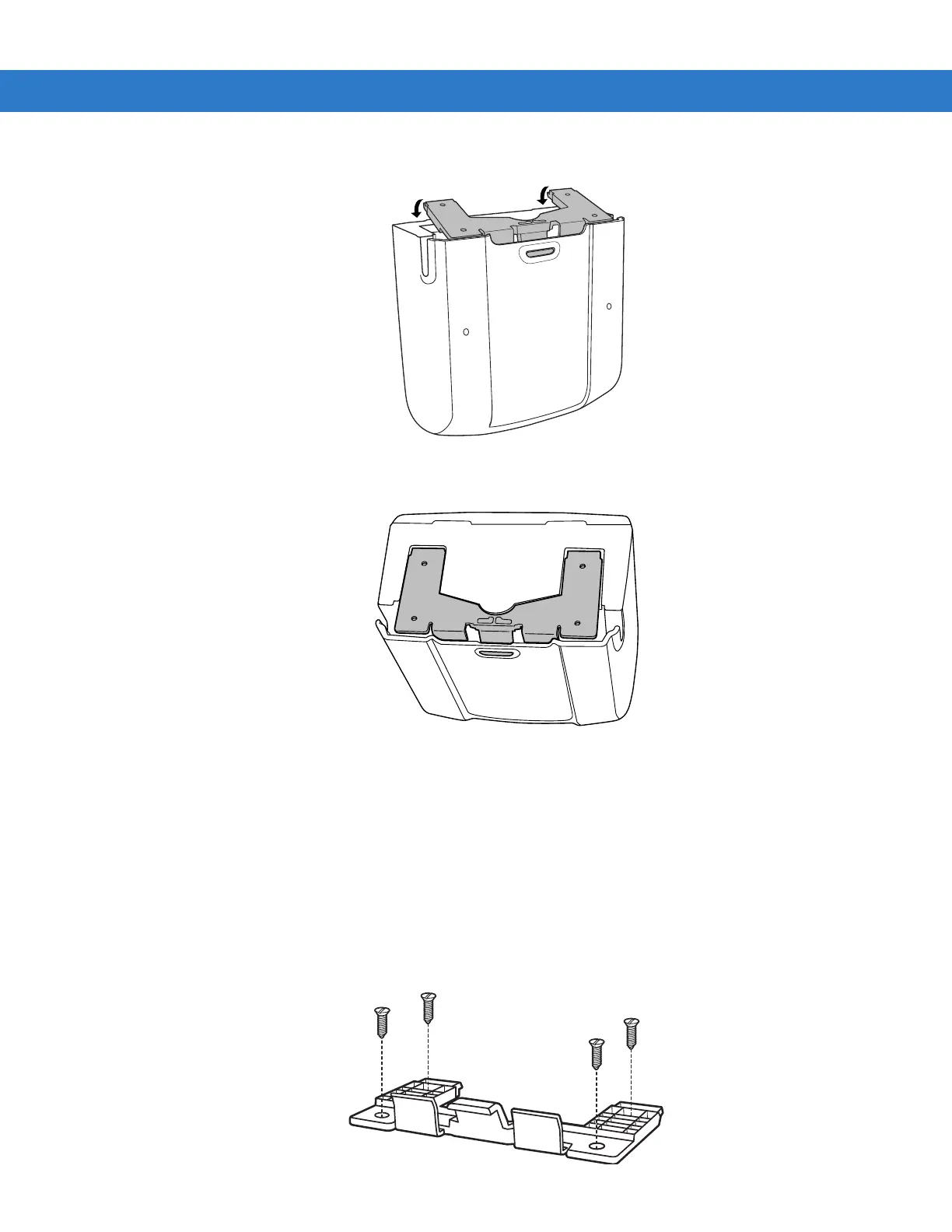
5. When the bracket is flat against the scanner bottom, release pressure so that the feet slide forward into the front of
the scanner.
Attached Configuration
To attach the scanner to a mounting surface:
1. Determine the location for mounting the scanner.
2. Remove the square rubber feet that cover the screw holes on the mounting bracket.
3. Remove the two oblong-shaped bumpers on the scanner.
4. Use a pencil to mark the position of the mounting holes. (A mounting template is provided on page E-1 in Appendix E,
Mounting Template.)
5. Place the mounting bracket in position over the drilled holes with its flat surface facing the mounting surface.
6. Insert screws through the holes and fasten to the mounting surface.



 To Next Page