1 - 2 LS7708 Scanner Product Reference Guide
symbologies and has multi-interface capability to interface to all popular POS devices. The scanner mounts on a counter top or
vertical surface such as a wall.
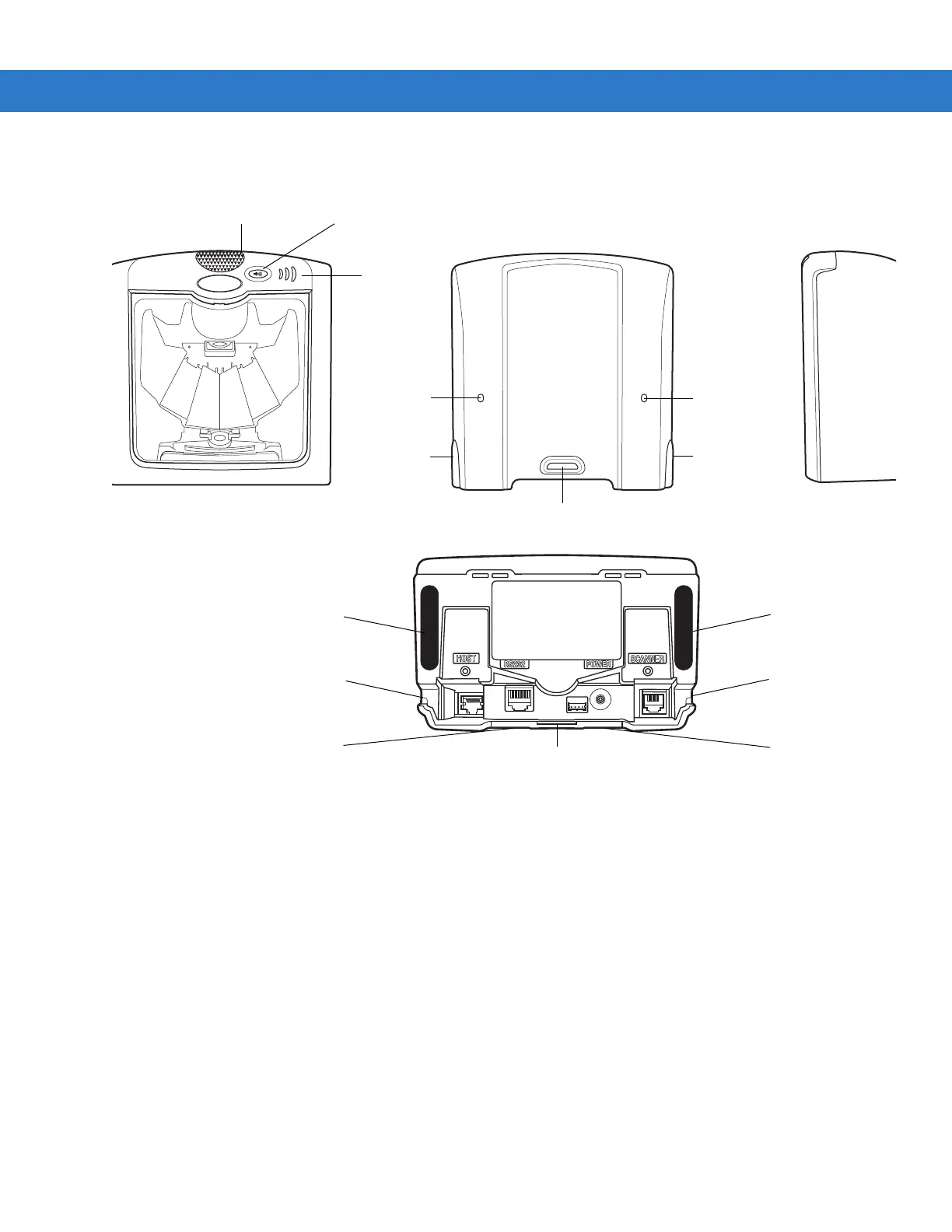
Figure 1-1LS7708 Scanner Views
The LS7708 scanner supports the following interfaces:
• TTL-level RS-232 connection to a host. Set up communication between the scanner and the host either by scanning bar
code menus or using the Windows-based programming tool 123Scan.
• Keyboard Wedge connection to a host. The host interprets scanned data as keystrokes.
International keyboards supported:
• Windows™ environment: North American, German, French, Spanish, Italian, Swedish, UK English, Brazilian/
Portuguese, and Japanese.
• Windows XP/2000™ environment: French Canadian
• Windows 95/98 environment: French Canadian
• Connection to IBM 468X/469X hosts. Set up communication between the scanner and the IBM terminal either by
scanning bar code menus or using the Windows-based programming tool 123Scan.
• USB connection to a host. The scanner autodetects a USB host and defaults to the HID keyboard interface type. To select
other USB interface types, scan programming bar code menus or use the Windows-based programming tool 123Scan.
• International Keyboards supported (for Windows™ environment): North America, German, French, French
International, Spanish, Italian, Swedish, British, and Japanese.
LED Volume Control & Wakeup Button
Speaker
Mounting Bracket Slot
Channel
Outgoing
Cable
Release
Hole
Cable
Release
Hole
Channel for
Outgoing Cables
Channel for
Outgoing Cables
Channel for
Outgoing Cables
Channel for
Outgoing Cables
Rubber Foot
Rubber Foot
Mounting Bracket Slot
Channel for
Outgoing Cables
Channel for
Outgoing Cables



 To Next Page