3 - 2 LS7708 Scanner Product Reference Guide
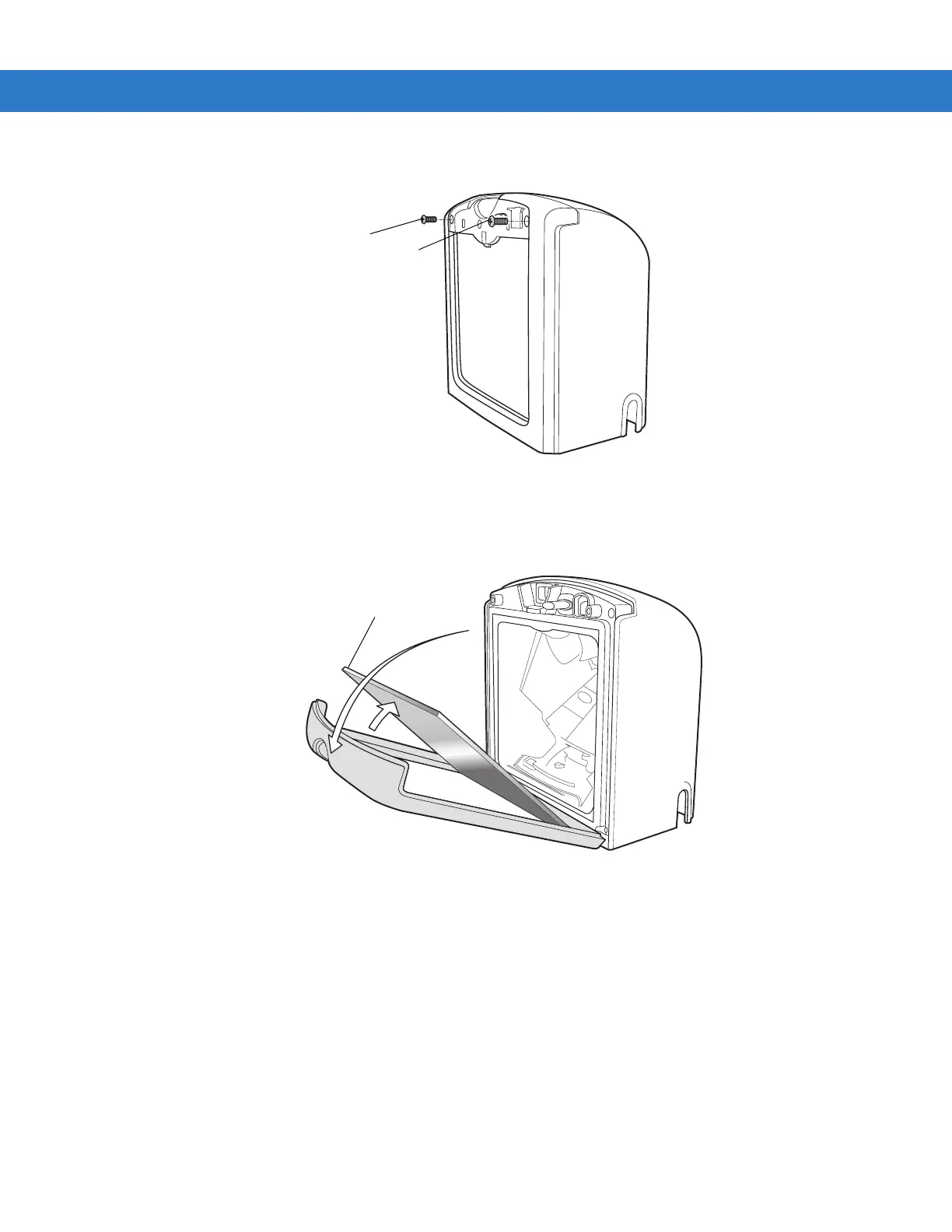
2. Unfasten the screws behind the panel that secure the window frame.)
Figure 3-11 Unfastening the Screws that Secure the Window Frame
3. Tilt the loosened window frame forward far enough to gain access to the exit window.
4. Carefully remove the exit window from the window frame.
Figure 3-12 Removing and Replacing the Window Glass
5. Insert a new, clean exit window.
6. Tilt the window frame back into position.
7. Secure the window frame to the scanner using two screws.
8. Snap the front panel back into position.



 To Next Page