2 – Names and Functions of Parts
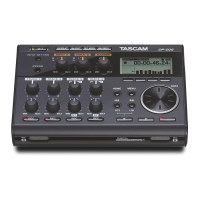
Top panel
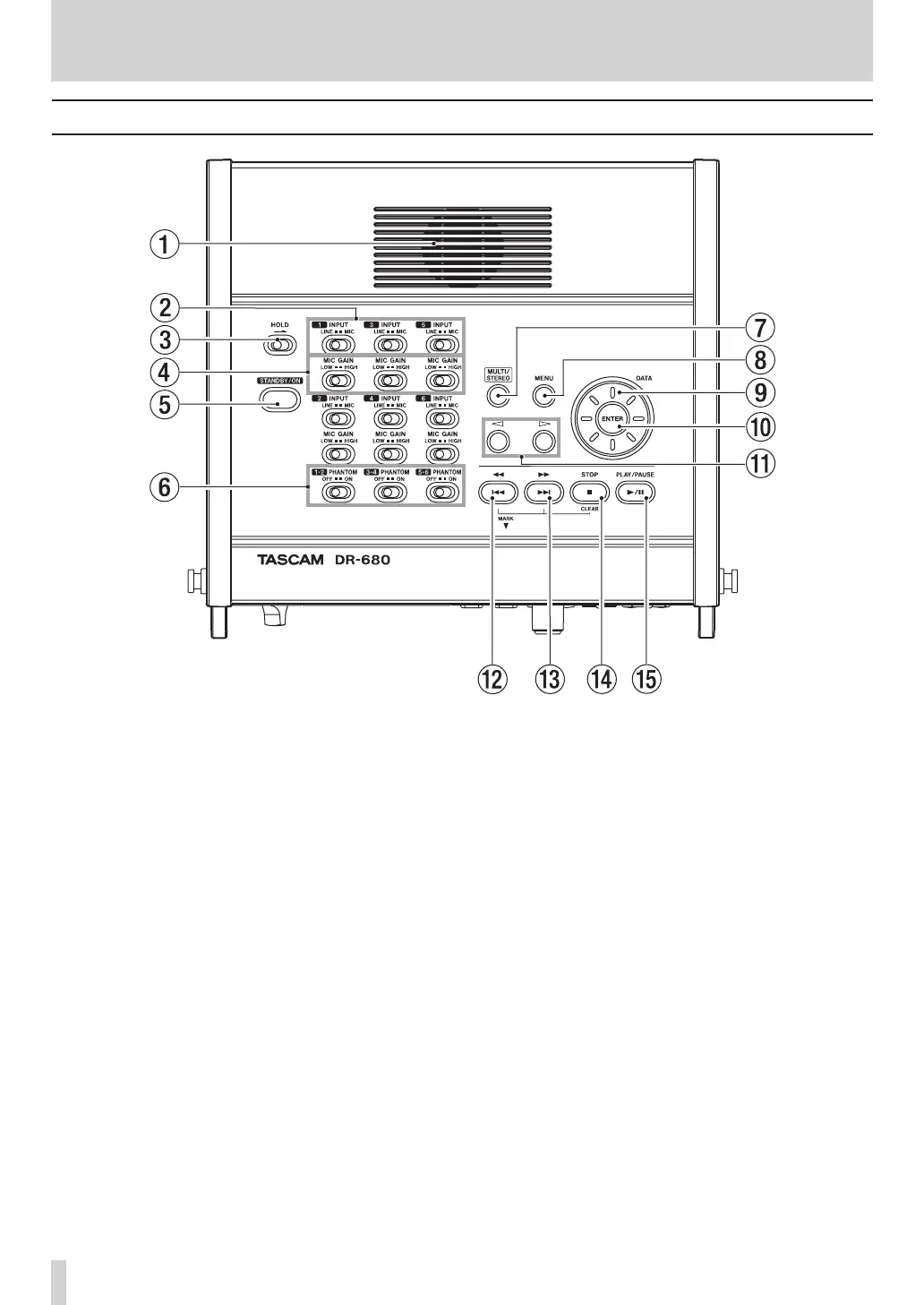
1 Built-in monaural speaker
Use this built-in speaker for monitoring. Use
the PHONES knob to adjust the volume. When
headphones are connected, no sound is output from
this speaker.
2 INPUT switches
Use these to set the inputs to LINE or MIC.
3 HOLD switch
Slide this in the direction of the arrow to disable
the STANDBY/ON button to prevent the power
from accidentally being cut.
4 MIC GAIN switches
Use these to adjust the gain of the mic inputs.
5 STANDBY/ON button
Press this to switch the unit power between ON and
STANDBY.
6 PHANTOM switches
Use these to turn phantom power ON or OFF for
input pairs 1/2, 3/4 and 5/6.
7 MULTI/STEREO
Press to select whether the stereo track or the multi-
track (6-track) is played back.
8 MENU key
Press this key when the Home Screen is open to
open the
MENU
screen.
Press this key when the
MENU
screen is open to
return to the previous menu level.
9 DATA wheel
Use this to select items and change values on
various settings screens.
When the Home Screen is open, use the DATA
wheel to move the playback position in the take.
0 ENTER key
Use this to confirm selections, advance to the next
level in a menu and respond “YES” to confirmation
pop-up messages on various settings screens.


 To Next Page