Preparing an SD card for use
An SD card must be formatted by this unit to be used
with the unit.
CAUTION
Formatting erases all data on the card.
•
When formatting, use the included AC adaptor
•
(PS-1225L) or confirm that the remaining battery
charge is sufficient.
1 Confirm that the SD card is inserted and turn
the power ON.
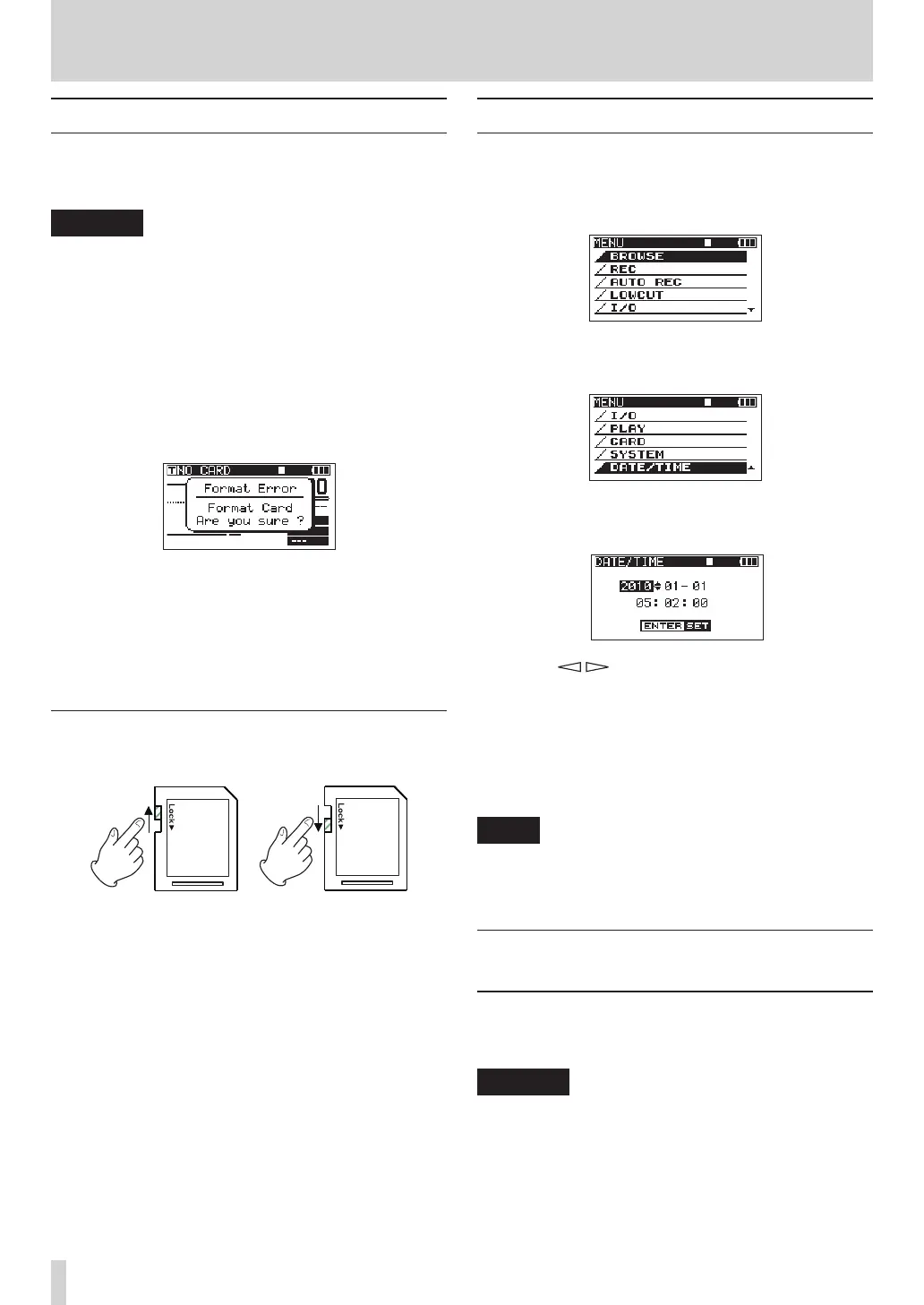
2 If a new card or a card that has been formatted
by a device other than this unit has been inserted,
the following pop-up message appears.
3 Press the ENTER key to start formatting.
4 When formatting is complete, the Home Screen
opens.
You can reformat a card at any time with this unit.
(See “Reformatting SD cards” on page 49.)
Card write-protection
SD cards have lock (write-protection) switches.
Slide the switch in the direction of the Lock arrow to
preventtherecordingandeditingoflesonthecard.
Torecord,eraseorotherwisechangelesonacard,
disable the write-protection.
Setting the date and time
This unit adds date and time information to recorded
lesusingitsinternalclock.
1 Press the MENU key to open the
MENU
screen.
2 Use the DATA wheel to select the
DATE/TIME
menu
item.
3 Press the ENTER key to open the
DATE/TIME
screen.
4 Use the / keys to move the cursor and use
the DATA wheel to change the values.
5 Press the ENTER key to confirm and return to
the
MENU
screen.
6 Press the MENU or HOME/FUNC key to return to
the Home Screen.
NOTE
You can add the date and time set here to the take
name. (See “Setting the name given to recording takes”
on page 26.)
Monitoring playback with the built-in
speaker
To monitor playback using the built-in speaker, adjust
the volume using the PHONES knob.
CAUTION
Before using the built-in speaker, turn the PHONES knob
to the minimum volume. Failure to do so could cause
sudden loud noises to occur, which might damage your
hearing or equipment.
3 – Preparations



 To Next Page