When the Home Screen is open, use the  and
¯ keys to select the take that you want to play. You
can only select takes within the playback area that is
currently set. When there are lots of takes on a card,
for example, setting the play area to a limited number
of takes can make selection easier. You can set the
playback area to a single take, the current folder or all
accessible takes on the SD card on the
PLAY
menu.
You can also set a folder for playback on the
BROWSE
screen.
NOTE
On the BROWSE screen, regardless of the current
playback area setting, you can select and play any take
on the card.
Playback
Starting playback
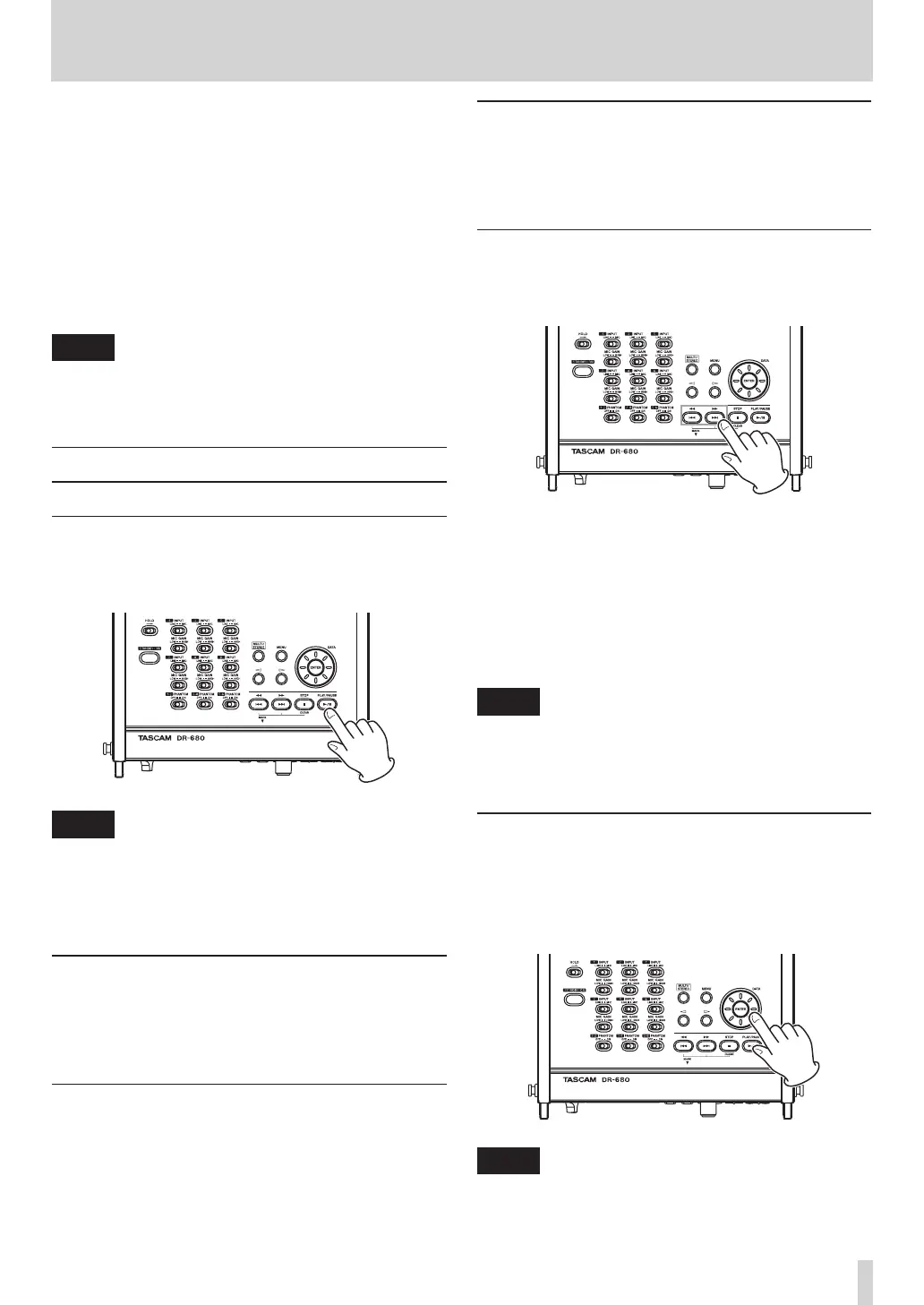
On the Home Screen, when the unit is stopped, press
the PL AY/PAUSE key to start playback.
NOTE
Only takes in the playback area can be played. (See
•
“Setting the playback area” on page 41.)
You can also start playback by selecting a take on the
•
BROWSE screen.
Stopping playback
On the Home Screen, press the STOP key during
playback to stop playing a take and return to its
beginning.
Pausing playback
On the Home Screen, press the PL AY/PAUSE key
during playback to pause playback at the current
position in the take.
Press the PL AY/PAUSE key again to restart playback
from that position.
Searching forward and backward
On the Home Screen, when stopped or during
playback, press and hold the  key or ¯ key to
search backward or forward.
Selecting a take for playback
On the Home Screen, use the  and ¯ keys to
select a take for playback.
When in the middle of a take, press the  key to
return to the beginning of that take.
When stopped at the beginning of a take, press the
 key to skip to the beginning of the previous take.
When at the beginning of or in the middle of a take,
press the ¯ key to skip to the beginning of the next
take.
NOTE
Only takes in the playback area can be played.
•
Information about the take being played, including
•
the name, is shown.
Changing the playback position
(scrubbing)
On the Home Screen, when stopped or during
playback, use the DATA wheel to change the playback
position.
NOTE
No sound is output while you are turning the DATA
•
wheel.
6 – Playback


 To Next Page