Repeat playback
You can set the unit to repeatedly play a single take or
all takes in a folder.
1 When the Home Screen is open, press the HOME/
FUNC key to open the Functions Screen.
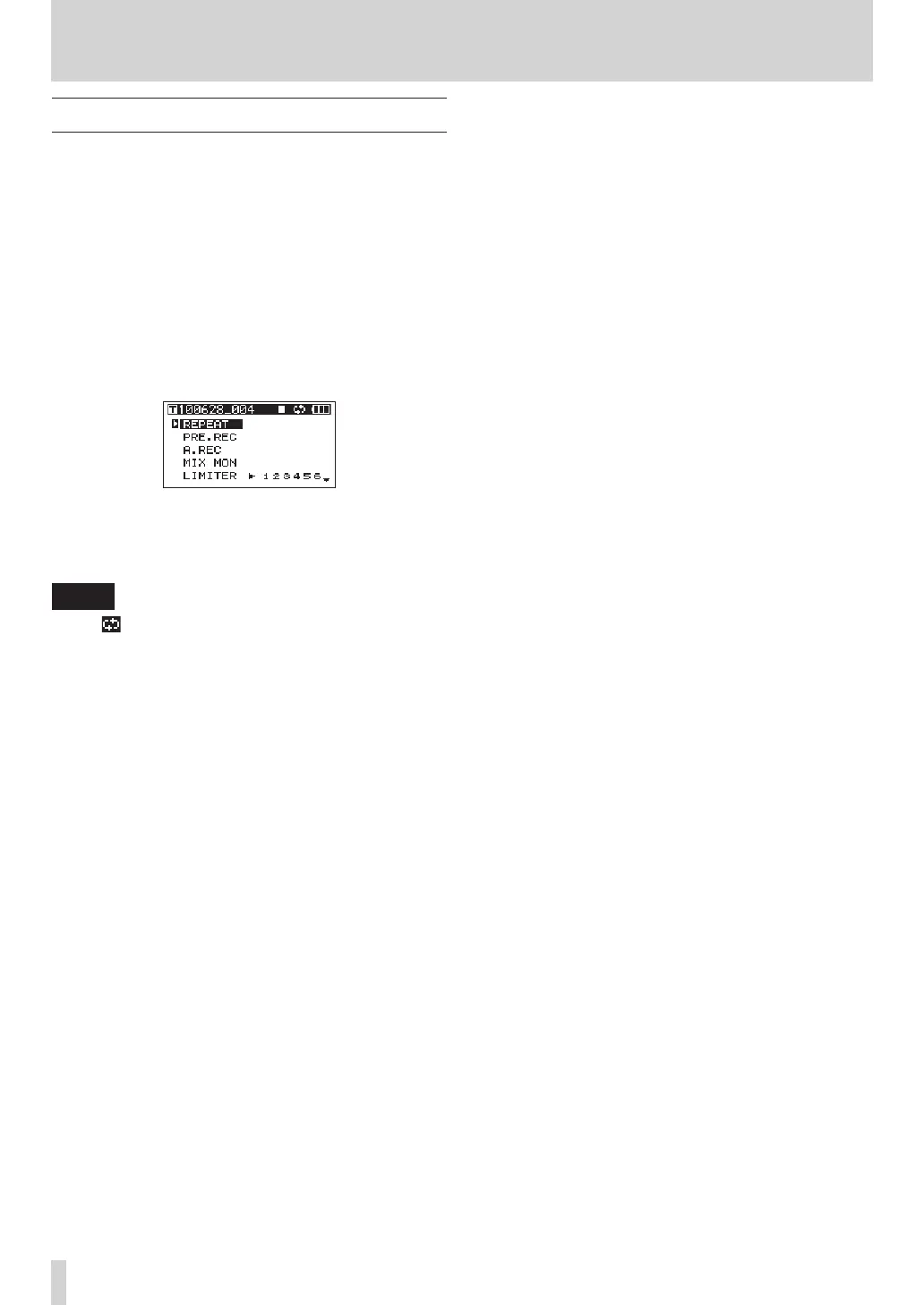
2 Use the VALUE knob to move the cursor and
select the
REPEAT
menu item.
3 Press the VALUE knob to turn the repeat
playback ON or OFF.
If the repeat has been turned ON, the
REPEAT
indicator appears with a dark background.
4 When you have finished making the settings,
press the HOME/FUNC key to return to the Home
Screen.
NOTE
The
•
icon appears on the Home Screen when the
repeat function is ON.
The takes in the currently set playback area are
•
repeated. (See “Setting the playback area” on page
41.)
6 – Playback


 To Next Page