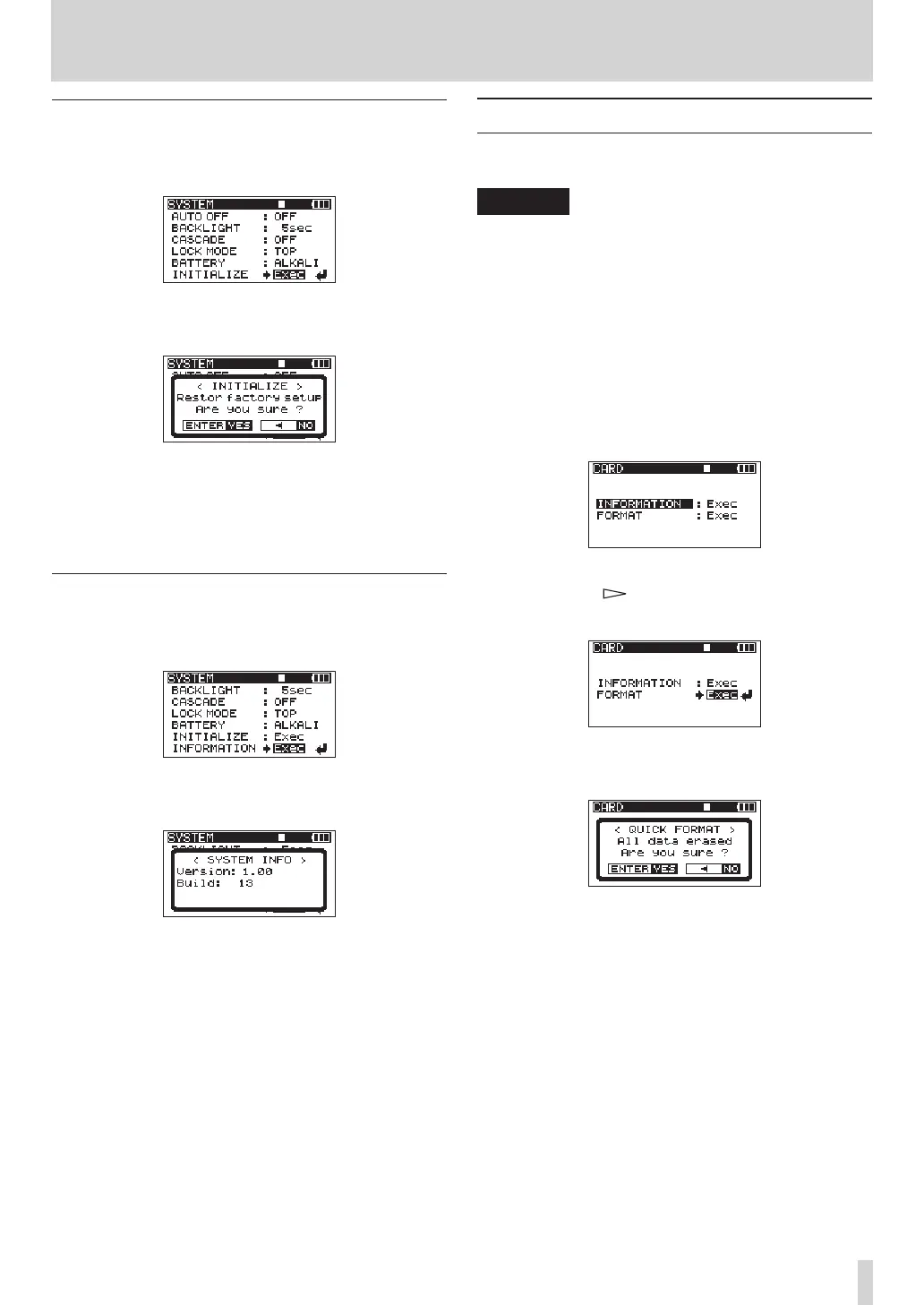
Initializing the unit
Use the
INITIALIZE
item to restore the various
settings of this unit to their initial settings.
When selecting
Exec
item, press the ENTER key
to open a confirmation screen.
Press the ENTER key to initialize the unit. Press
the STOP key to cancel initialization.
After completing or canceling initialization, the
SYSTEM
menu screen reopens.
Viewing system information
Use the
INFORMATION
item to view information about
theunit’ssystemsettingsandthermwareversion.
Press the ENTER key to open the system infor-
mation screen.
This page shows information about the system
firmware version.
When the
INFORMATION
screen is open, press the
ENTER key to return to the
SYSTEM
screen.
Reformatting SD cards
You can reformat an SD card that is in the unit.
CAUTION
If you format a card, all information, including takes
•
and folders, on it is erased.
When formatting, use the AC adaptor or confirm
•
that the remaining battery charge is sufficient. If the
batteries run out of power during this operation, the
formatting might not be completed correctly.
1 Press the MENU key to open the
MENU
screen.
2 Use the DATA wheel to select the
CARD
menu item,
and press the ENTER key to open the
CARD
menu
screen.
3 Use the DATA wheel to select the
FORMAT
item,
and press the
key or
ENTER key to open the
following screen.
4 Press the ENTER key to open a confirmation
screen.
5 Press the ENTER key again to start formatting.
6 When formatting completes, the
CARD
screen
reopens.
9 – Other Settings and Information Display



 To Next Page