Recording a take
Before starting the following procedures, input
selection and level adjustment for each track should be
completed, and the Home Screen should be open.
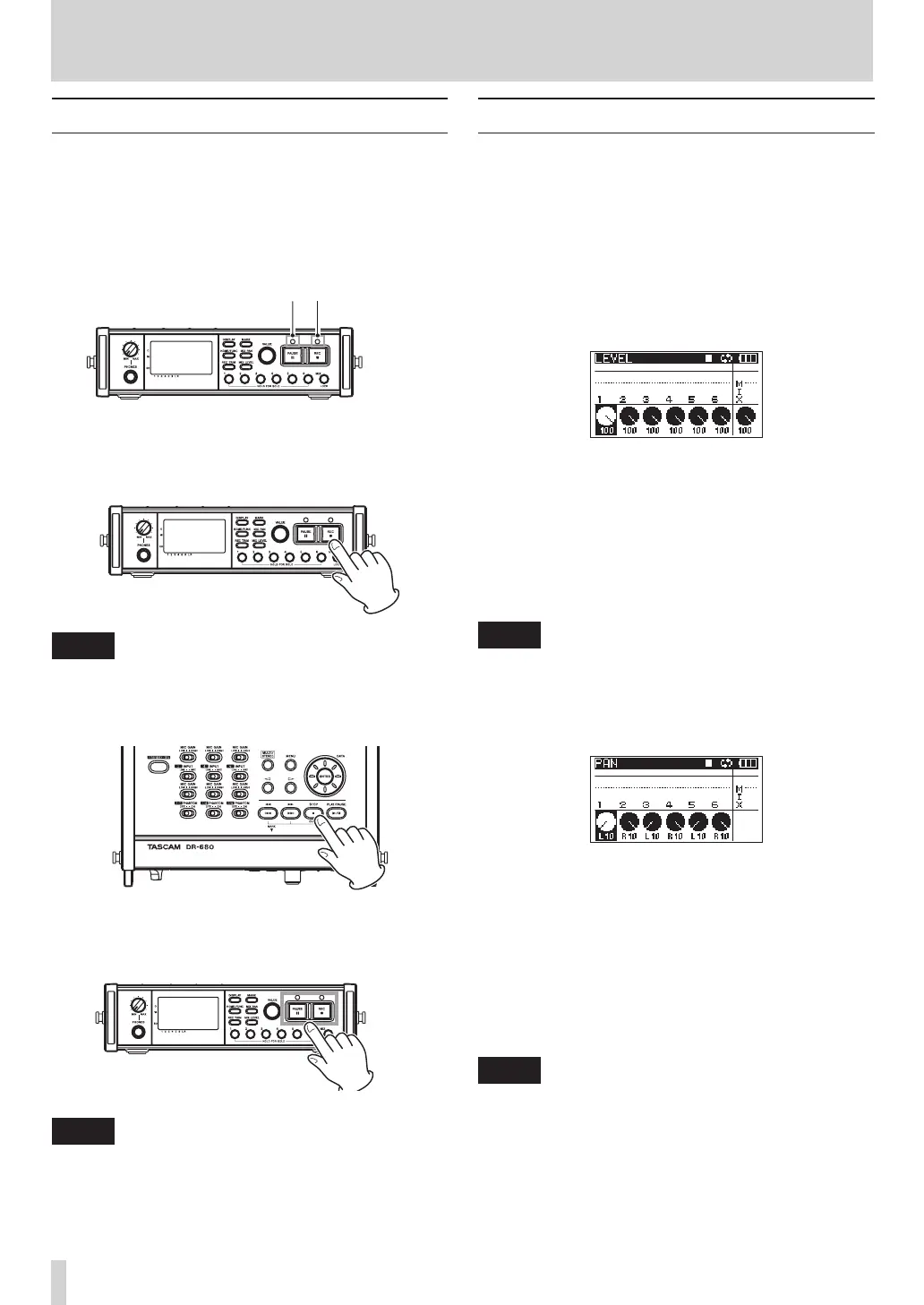
1 Press the PAUSE key to start recording standby.
The PAUSE and REC indicators light.
PAUSE indicator
REC indicator
2 Press the REC key to start recording. During
recording, the REC indicator lights, and the
elapsed recording time or remaining recordable
time appear on the display.
NOTE
You can also start recording by pressing the REC key first
without pushing the PAUSE key beforehand.
3 Press the STOP key to stop recording.
Press the PAUSE key to pause recording. When
paused, you can press the REC key again to
restart recording.
NOTE
You can set whether recording continues in the same
take or a new take is created when you start recording
again after pausing. (See “Creation of new takes when
restarting recording” on page 26.)
Recording a stereo mix
With this unit, in addition to recording up to 6 discrete
tracks from the 6 inputs, these inputs can also be
mixed internally and recorded as a stereo track.
Before starting the following procedures, input
selection and level adjustment for each track should be
completed, and the Home Screen should be open.
1 Press the MIX LEVEL key to open the
LEVEL
screen.
2 On this screen you can adjust the mix levels of
each input channel and the recording level of the
stereo track. Use the 1–6 and MIX keys to select
the channels that you want to adjust.
3 Use the VALUE knob to adjust each to a suitable
recording level in a range from 0–100 (default
value: 100).
NOTE
Adjust the levels so that overload indicators do not
appear at the tops of the meters.
4 Next, press the MIX PAN key to open the
PAN
screen.
5 On this screen you can adjust the pan (stereo
position) of each channel. Use the 1–6 keys to
select the channel that you want to adjust.
6 Use the VALUE knob to adjust each to a suitable
stereo position using values ranging from L10–L1
(left) to C (center) and R1–R10 (right).
(Odd number channels are set to L10 and even
number channels are set to R10 by default.)
NOTE
Adjust the pan settings of the channels so that the mix is
balanced as desired. You can check the balance with the
MIX meters at the far right.
7 When you have finished making the settings,
press the HOME/FUNC key to return to the Home
Screen.
4 – Recording



 To Next Page