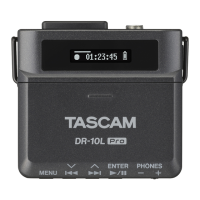
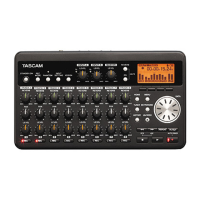
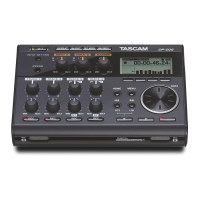
This unit can record in the following formats.
WAV/BWF (16/24-bit, 44.1/48/96 kHz)•
6 tracks and a stereo mix
WAV/BWF (16/24-bit, 192 kHz)•
2 tracks
MP3 (96/128/192/320 kbps, 44.1/48 kHz)•
4 tracks
2 tracks and a stereo mix
Files and takes
Withthisunit,agroupofaudiolesthatarerecorded
at the same time are collectively called a “take.”
Dependingonthelerecordingmodesetting,theles
included in the recorded take will be as follows.
Example 1: 6 tracks and a stereo track recorded
MONO format set: 6 mono WAV files and a stereo •
WAV file
STEREO format set: 3 stereo WAV files of inputs •
pairs 1-2, 3-4 and 5-6 and a stereo WAV file of the
mix
6ch format set: a 6-channel WAV file and a stereo •
WAV file
Example 2: 4-track recording in MP3 format
MONO format set: 4 mono MP3 files•
STEREO format set: 2 stereo MP3 files•
AnSDcardinthisunitcanhaveupto5000lesand
folders and 1000 takes.
When using a folder that contains a large number of
les,startingrecordingcantaketimeandthebegin-
nings of recordings might be cut off. To prevent this,
use a folder that contains as few takes as possible or
put the unit in recording standby before recording.
Moreover,ifafoldercontainsalargenumberofles,
the same issues can occur when starting a new take
while continuing to record. This occurs when you
press the REC key during recording and automatically
ifthemaximumlesizeisexceeded.Fordetails,see
“Starting a new take and continuing to record” on page
32.
NOTE
You should use a folder that contains as few takes as
•
possible when creating new takes while recording or
when expecting to do so.
The maximum number of takes in a folder is about
•
100.
Recording settings
Setting the recording file format
Youcansettherecordingleformat(BWF/WAV/
MP3) and bit depth (BWF/WAV) or bit rate (MP3).
NOTE
WAV format recordings have a higher audio quality
•
than MP3 format recordings.
BWF, which is the broadcast wave format, has the
•
same sound quality as the standard wave (WAV)
format.
MP3 format allows greater recording time than WAV
•
format.
With MP3 formats, higher bit rates record with better
•
audio quality.
For information about recording times, see “Recording
•
times” on page 36.
When the file format is set to MP3, the maximum
•
number of tracks is limited to 4 (4 mono, 2 stereo, or
2 mono and 1 stereo).
1 Press the MENU key to open the
MENU
screen.
2 Use the DATA wheel to select the
REC
menu item,
and press the ENTER key to open the
REC
screen.
3 Use the DATA wheel to select the
FORMAT
item,
and press the key.
4 Use the DATA wheel to select one of the following
options:
BWF-16bit
,
BWF-24bit
,
WAV-16bit
(default value),
WAV-24bit
,
MP3-96kbps
,
MP3-128kbps
,
MP3-192kbps
, or
MP3-320kbps
.
5 Press the key to return to the selection of
items on the
REC
screen.
4 – Recording


 To Next Page