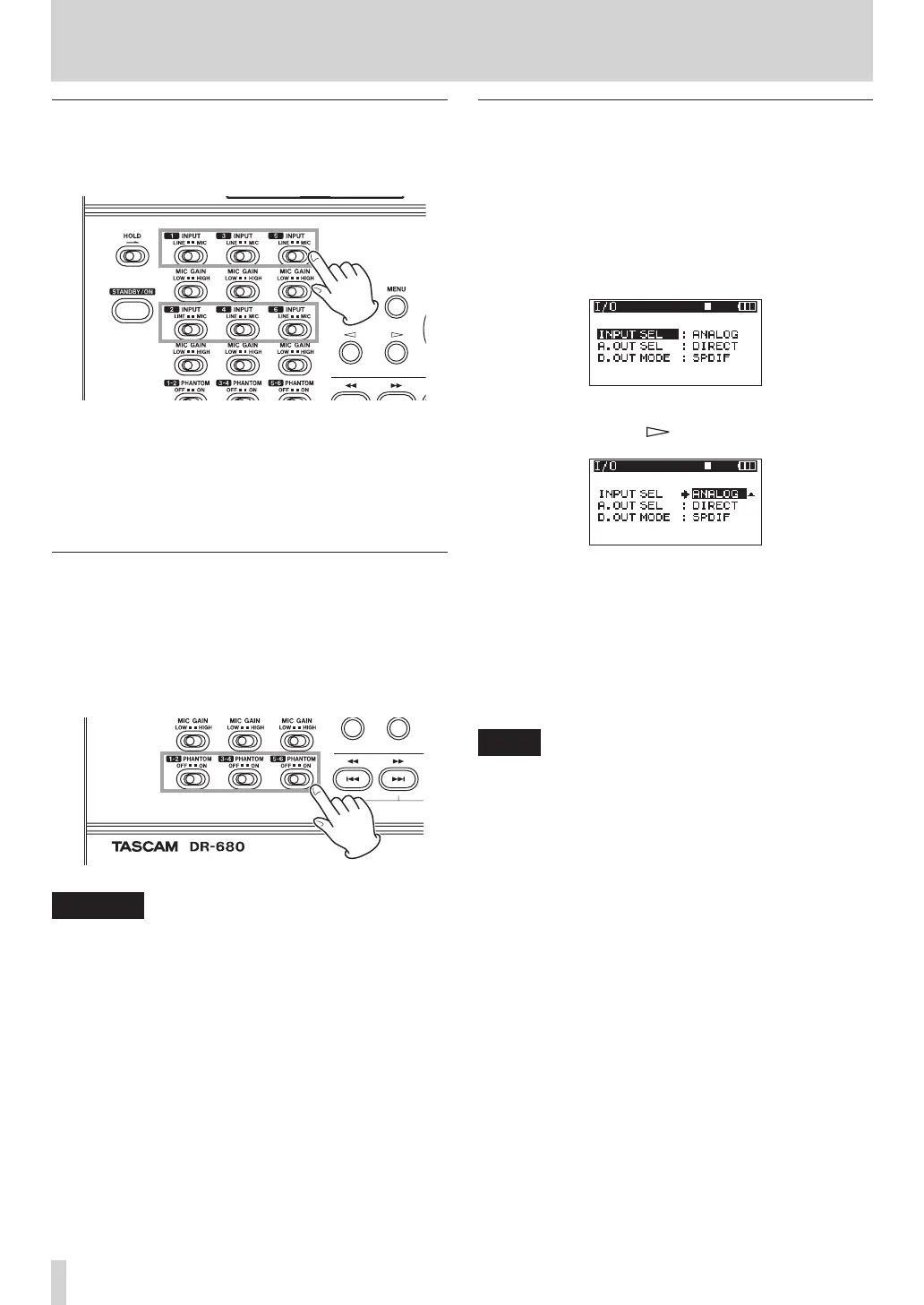
Setting the input sources
Use the INPUT switches on the top panel to set the
type of input for each track to either mic or line.
LINE: Set the switch to LINE when the line output jack
of an external device is connected to the analog
input on this unit.
MIC: Set this switch to MIC when a microphone is
connected to this unit.
Phantom power
This unit can supply +48 V phantom power to
condenser microphones.
Use the PHANTOM switches on the top panel to turn
the phantom power supply ON or OFF for mic input
pairs 1/2, 3/4 and 5/6.
CAUTION
Confirm that phantom power is OFF before connecting
•
a line level device to a MIC/LINE INPUTS jack. If you
connect a line level device while phantom power is
being supplied, that device and this unit could be
damaged.
When using a condenser microphone, before
•
connecting it to and disconnecting it from a MIC/LINE
INPUTS jack, confirm that the phantom power for that
jack is OFF. If you connect or disconnect a mic while
phantom power is being supplied, that mic and this
unit could be damaged.
Do not connect an unbalanced dynamic mic to a mic
•
input when phantom power is being supplied. Doing
so could damage that mic and this unit.
Selecting the inputs for recording to tracks
5 and 6
Tracks 5 and 6 can be used to record either analog mic/
line inputs or the digital input.
1 Press the MENU key to open the
MENU
screen.
2 Use the DATA wheel to select the
I/O
menu item,
and press the ENTER key to open the
I/O
screen.
3 Use the DATA wheel to select the
INPUT
SEL
menu
item, and press the key or ENTER key.
4 Use the DATA wheel to select
ANALOG
(default
value) or
DIGITAL
.
ANALOG
: Record the signals of analog inputs
5 and 6 to tracks 5 and 6.
DIGITAL
: Record the digital input signal to
tracks 5 and 6.
NOTE
If the ST REC item is set to DIN, this setting has no effect.
The unit will operate as though set to ANALOG.
4 – Recording



 To Next Page