Output settings
You can make settings related to analog and digital
output.
Analog output settings
You can set the analog outputs to output the sound of
each channel directly or the stereo signal mixed by the
internal mixer.
When set to output the MIX, the left and right
channels of the stereo track are output through the
analog output jack 1/2, 3/4 and 5/6 pairs.
1 Press the MENU key to open the
MENU
screen.
2 Use the DATA wheel to select the
I/O
menu item,
and press the ENTER key to open the
I/O
menu
screen.
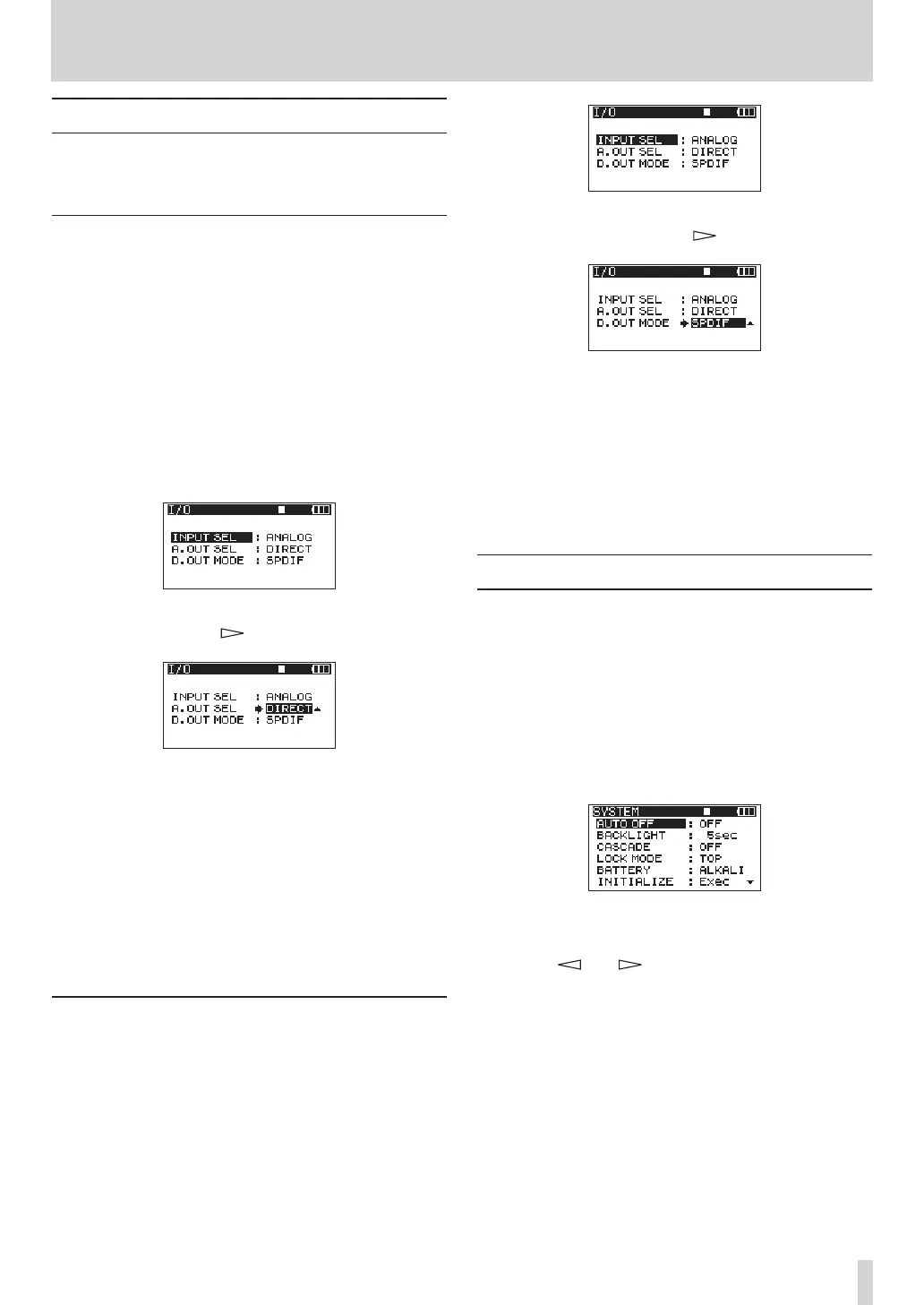
3 Use the DATA wheel to select the
A.OUT
SEL
menu
item, and press the key or ENTER key.
4 Use the DATA wheel to set it to
DIRECT
(default
value) or
MIX
.
DIRECT
: The sound of each channel is output
directly.
MIX
: The stereo signal mixed by the internal mixer
is output.
5 When you have finished making the setting,
press the HOME/FUNC key to return to the Home
Screen.
Digital output settings
You can set the digital output format to SPDIF or
AES/EBU.
1 Press the MENU key to open the
MENU
screen.
2 Use the DATA wheel to select the
I/O
menu item,
and press the ENTER key to open the
I/O
menu
screen.
3 Use the DATA wheel to select the
D.OUT
MODE
menu item, and press the key or ENTER key.
4 Use the DATA wheel to select
SPDIF
(default
value) or
AES/EBU
.
SPDIF
: Output in SPDIF format.
AES/EBU
: Output in AES/EBU format.
5 When you have finished making the setting,
press the HOME/FUNC key to return to the Home
Screen.
System settings
Use the
SYSTEM
menu screen to make various settings
to suit the environment and conditions in which the
unit is to be used, as well as to view system infor-
mation.
1 Press the MENU key to open the
MENU
screen.
2 Use the DATA wheel to select the
SYSTEM
menu
item, and press the ENTER key to open the
SYSTEM
menu screen.
On the
SYSTEM
menu screen, you can make
various settings described below.
Use the and keys, ENTER key and the
DATA wheel to select each item.
3 When you have finished making the settings,
press the HOME/FUNC key to return to the Home
Screen.
9 – Other Settings and Information Display



 To Next Page