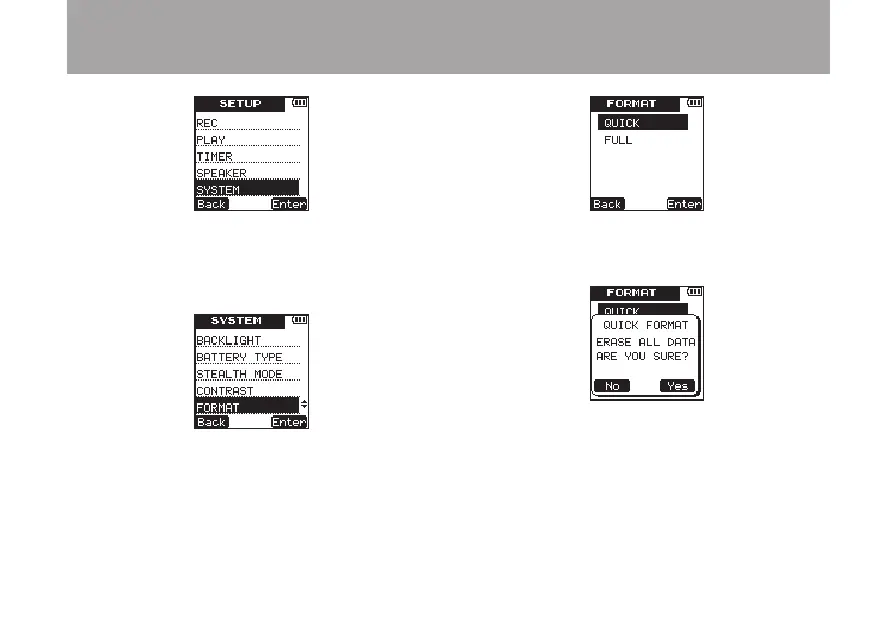
3 Press the ¯ (
Enter
) key to open the
SYS-
TEM
menu screen.
4 Use the +/– keys to select
FORMAT
.
5 Press the ¯ (
Enter
) key to open the
FOR-
MAT
screen..
6 Use the +/– keys to select
QUICK
.
7 Press the ¯ (
Enter
) key to open a
confirmation pop-up message.
8 Press the ¯ (
Yes
) key to start quick
formatting.
9 When the quick formatting finishes, the
FORMAT
menu screen reopens.
10 Press the HOME key to return to the Home
Screen.
8 – Various Settings and Information Display



 To Next Page