10
Run 1000 - Advanced LED display
Description of the control panel
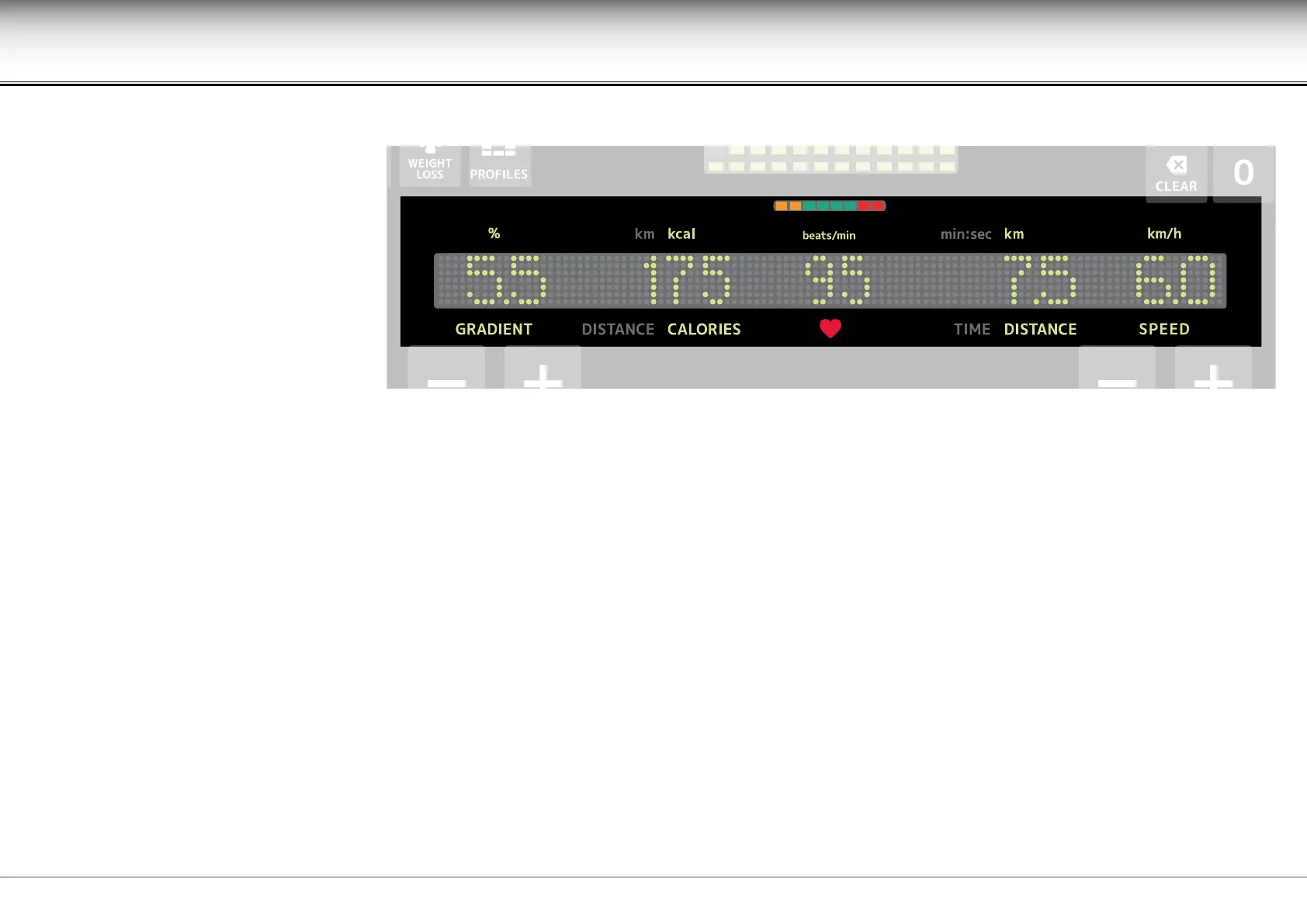
The following values are displayed during an exercise:
- gradient, expressed in percentage.
- distance covered in kilometres. If the count goes over the display maximum (99.99), it starts again from zero.
- calories burned, in kilocalories. If the count goes over the display maximum (9999), only the last four gures of the count are shown (e.g. 1234 for 11234).
- heart rate, expressed in number of beats per minute.
- time elapsed, in minutes and seconds. If the time goes over the display maximum (99:59), it will be shown in hours and minutes (e.g. 1 hour and 30 minutes
is shown as 1H:30).
- speed, expressed in kilometres per hour.
The second numerical value can indicate either distance or calories and the fourth numerical value either time or distance, depending on the type of workout
or the selected goal, as the value not shown on the alphanumeric display will be shown in the goal dial.
The alphanumeric display
The alphanumeric display alternates
between the display of the current
exercise numerical values and the display
of all the messages.











 To Next Page