STEP 600 XTPRO: Service & Maintenance Manual - rev. 1.1
Page 7.4
7.3. DISASSEMBLING THE CPU BOARD
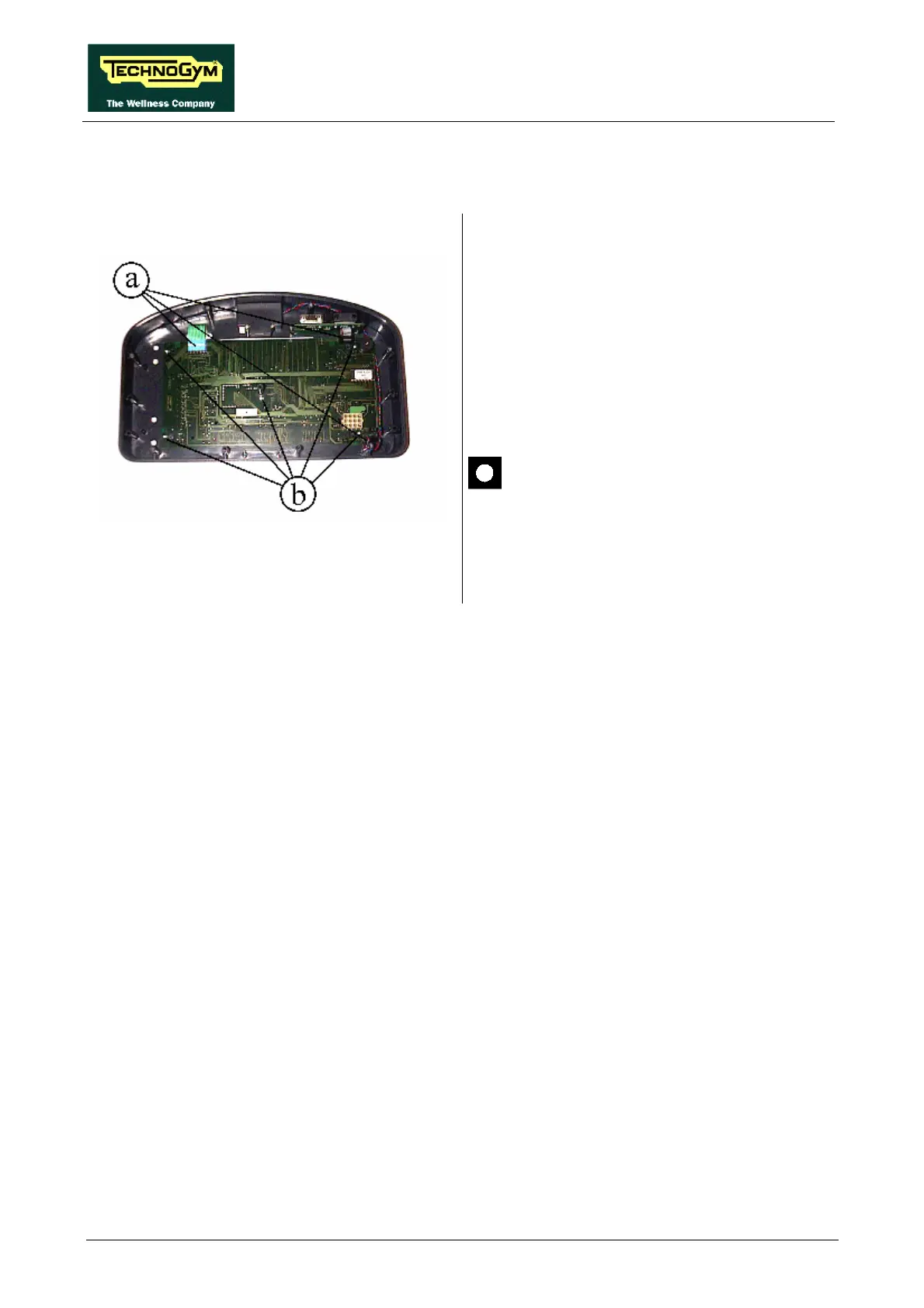
Figure 7.3-1
Carry out the procedures described in paragraph
7.1. “Disassembling the display”.
With the display placed on a work bench:
1. Disconnect the connectors a.
2. Remove the 5 screws b, using a small
Phillips screwdriver.
3. Remove the CPU board.
These procedures must be carried out on
a work bench.
To reassemble the CPU BOARD, carry out the
above steps in reverse order.










 To Next Page