ENGLISH
UPS EVO DSP PLUS Modular 73 User’s manual
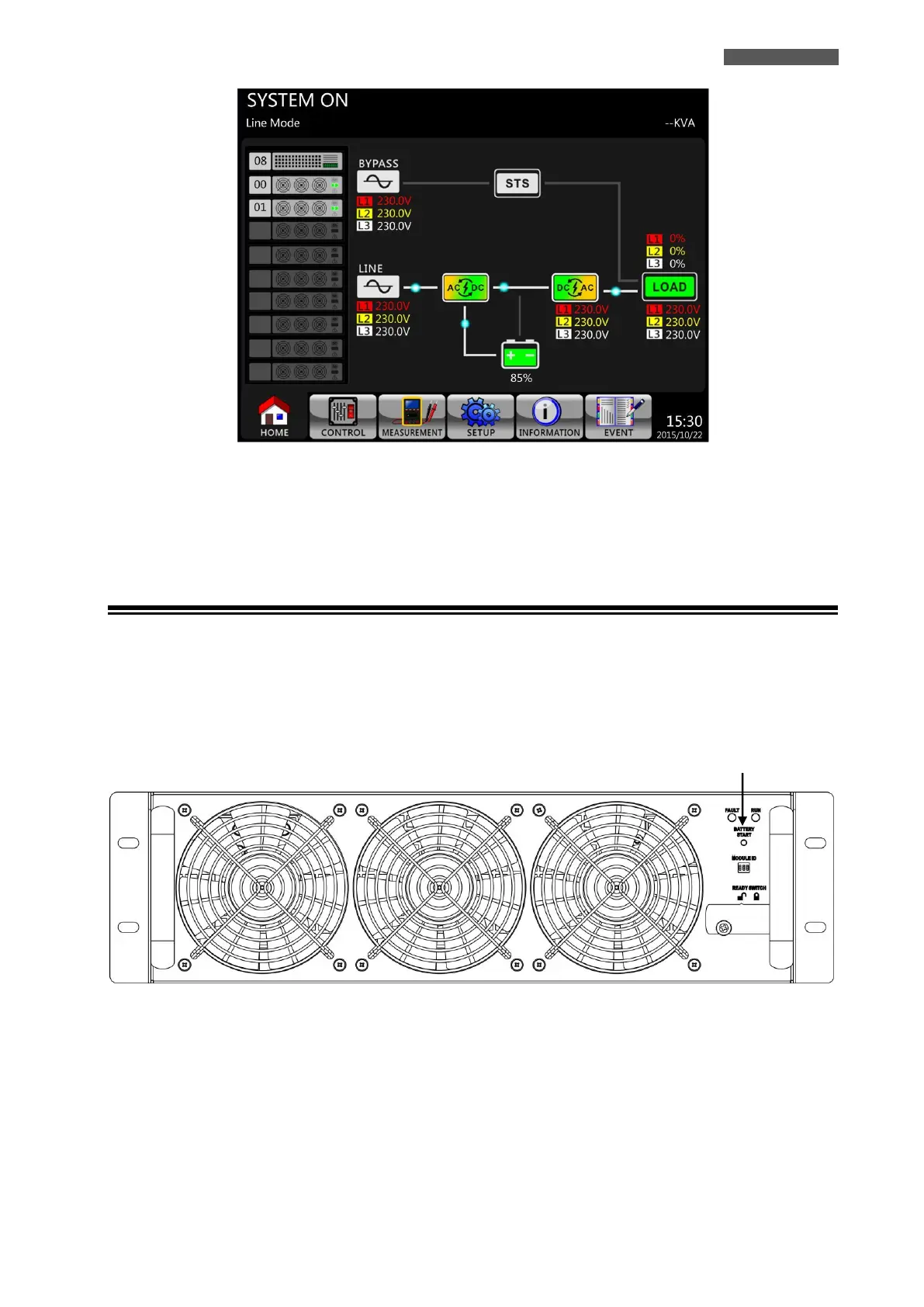
Figure 11.5 – LCD Panel indicates Line Mode
7. Switch ON the Output Breaker Q3 (except for 300 KVA cabinet).
Turn ON procedure is now complete.
11.2 Cold Start Startup
Please follow the next steps:
1. ONLY IF THERE IS AN EXTERNAL BATTERY BOX: switch ON the Battery Breaker of Battery Box.
2. Switch ON the Battery Breaker on the rear side, if it is present.
3. Press the Battery Start Button for 2 seconds on any one of Power Modules to start up the control power of all
Power Modules and STS Module as shown below.
Battery Start Button
Figure 11.6 – Battery Start Button
4. After pressing the Battery Start Button, UPS will enter into Standby Mode, as shown in Figure 11.7.













 To Next Page