ENGLISH
User’s manual 76 UPS EVO DSP PLUS Modular
Please follow the next steps:
1. Switch OFF the Input Breaker Q1.
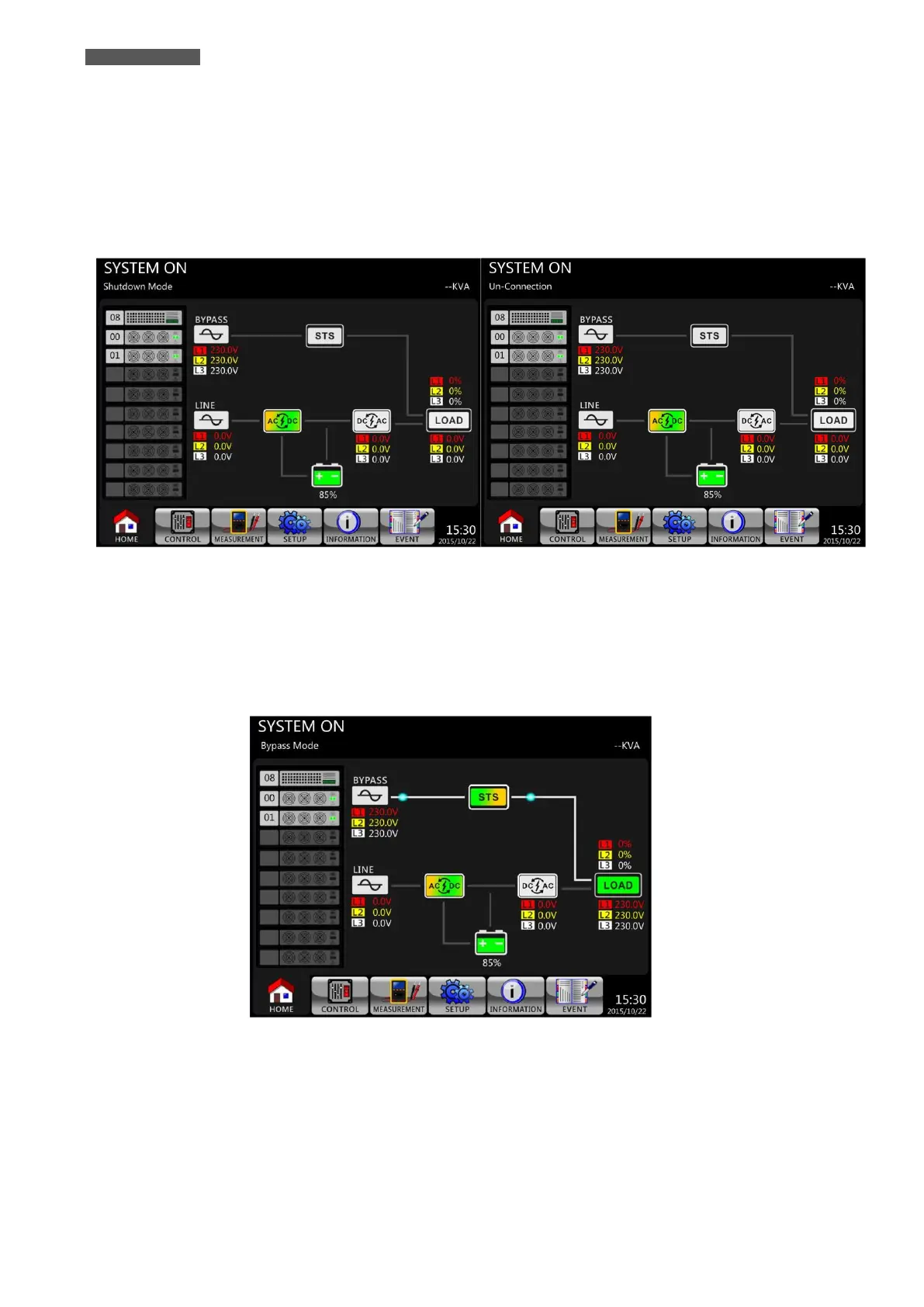
If the Bypass Mode Setting is Disabled: first the UPS enters Shutdown Mode (Figure 11.12) and then
enters Un-Connection state (Figure 11.13).
Bypass Mode Setting is Disabled
Figure 11.12 - LCD Panel indicates Shutdown Mode
Figure 11.13 - LCD Panel indicates Un-Connection state
If the Bypass Mode Setting is Enabled: the UPS stays in Bypass Mode and No AC Input is indicated on LCD
Panel (Input Led is OFF). The LCD diagram is shown below (Figure 11.14).
Bypass Mode Setting is Enabled
Figure 11.14 - LCD Panel indicates Bypass Mode and NO AC input is indicated













 To Next Page