ENGLISH
UPS EVO DSP PLUS Modular 77 User’s manual
2. Switch OFF the external Input Breaker to disconnect the Main AC Input Line to the UPS. Wait until the LCD
Panel is OFF.
3. Switch OFF the Battery Breaker (if exists) or the Battery Breaker of External Battery Box (if exists), if the
UPS will disconnect from the Main AC Input Line power for a long time.
11.3.2 Turn OFF Operation in Line Mode
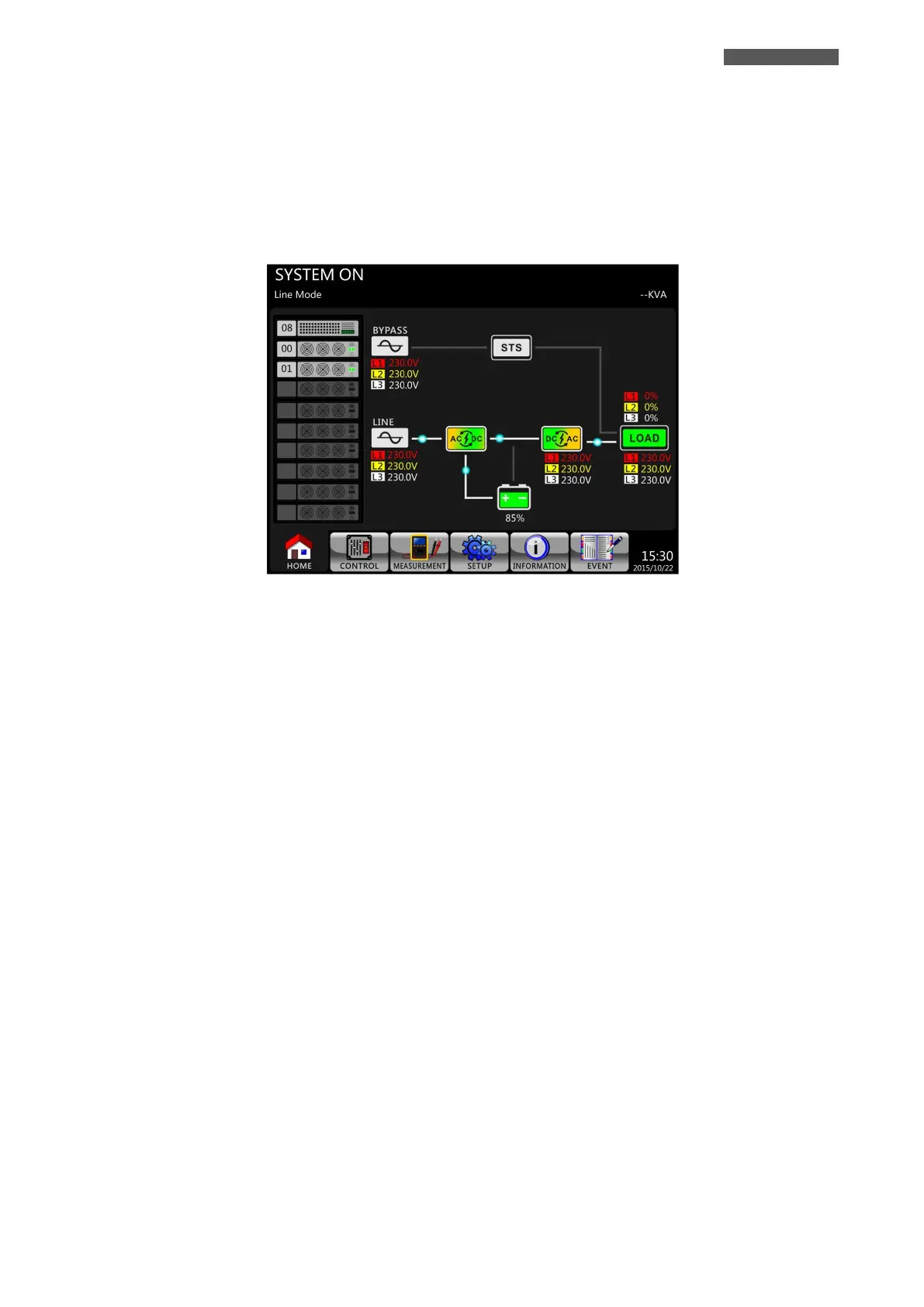
The LCD diagram is shown below (Figure 11.15) when the UPS operates in Line Mode.
Figure 11.15 – LCD Panel indicates Line Mode
Please follow below steps:
1. Press Power On/Off Button for 2 seconds on Control Panel to turn OFF the UPS. Or use the Menu-Control-
System Turn OFF to turn off the UPS.
2. After turning OFF, the UPS will transfer to Standby Mode or Bypass Mode, depending on the Bypass Mode
Setting.
3. Proceed as explained in the chapter 11.3.1.













 To Next Page