ENGLISH
User’s manual 78 UPS EVO DSP PLUS Modular
11.3.3 Turn OFF Operation in Battery Mode
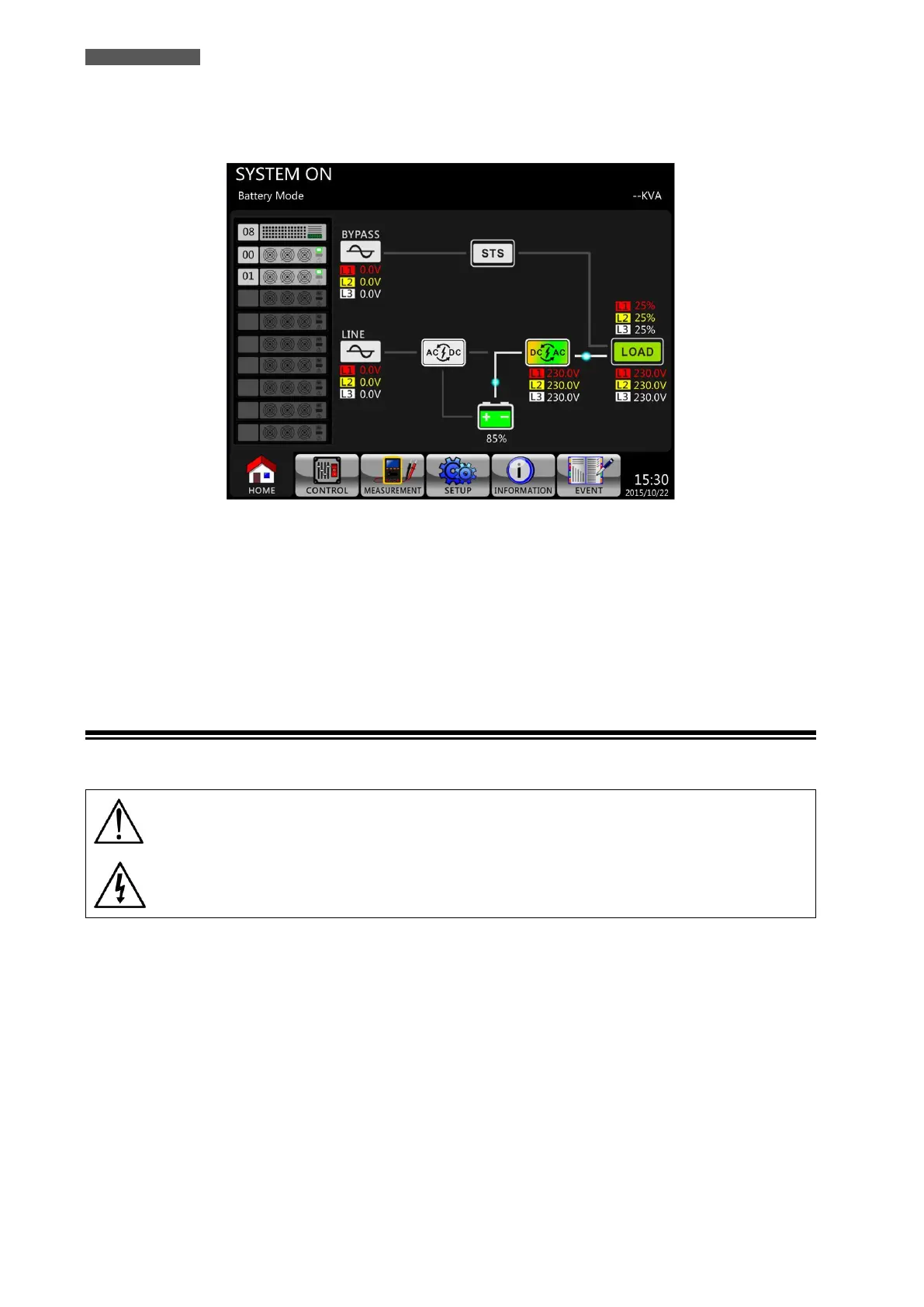
The LCD diagram is shown below (Figure 11.16) when the UPS operates in Battery Mode.
Figure 11.16 – LCD Panel indicates Line Mode
Please follow below steps:
1. Press Power On/Off Button for 2 seconds on LCD Panel to turn OFF the UPS. Or use the Menu-Control-System
Turn Off to turn OFF the UPS..
2. After turning OFF, the UPS will transfer to Standby Mode.
3. Proceed as explained in chapter 11.3.1.
11.4 Maintenance Bypass (Manual Bypass)
Follow the following instruction to transfer to Maintenance Bypass and to UPS protection.
Maintenance and service may only be performed by authorized technical personnel.
The procedure of switching into Maintenance Bypass shall only be executed by
authorized technical service personnel.
During Maintenance Bypass operation, loads are fed directly from Bypass mains.
Therefore, no protection against mains disturbances or interruptions is present.













 To Next Page