MX32v2
ANALOG AND DIGITAL CONTROLLER
USER MANUAL
Revision D.0
7.7.1 2. Start Recording
• Yes: Launches the recording of calibration measurements for the selected detectors. From
this moment onwards, all the calibration measurements are recorded for these detectors.
“Start recording” is then displayed. The calibration of the detectors with the help of the
standard gas can begin.
For a detector in which the cell has been changed, it is important to adjust the detector
locally to obtain a 4-20mA output corresponding to the detector range.
For detectors connected to the analog input module, perform the adjustments directly on the
module (see page28 ).
Attention: During calibration, the standard gas must be injected for at least thirty seconds.
• No: Exits the recording procedure
7.7.2 3. Stop recording
• Yes: Detector calibration having finished, this validates the end of calibration measurement
recording for the detectors previously selected. From this moment onward, no calibration
measurement is recorded. “Stop recording” is then displayed.
• No: Exits the end of the recording procedure.
7.7.3 4. Validation
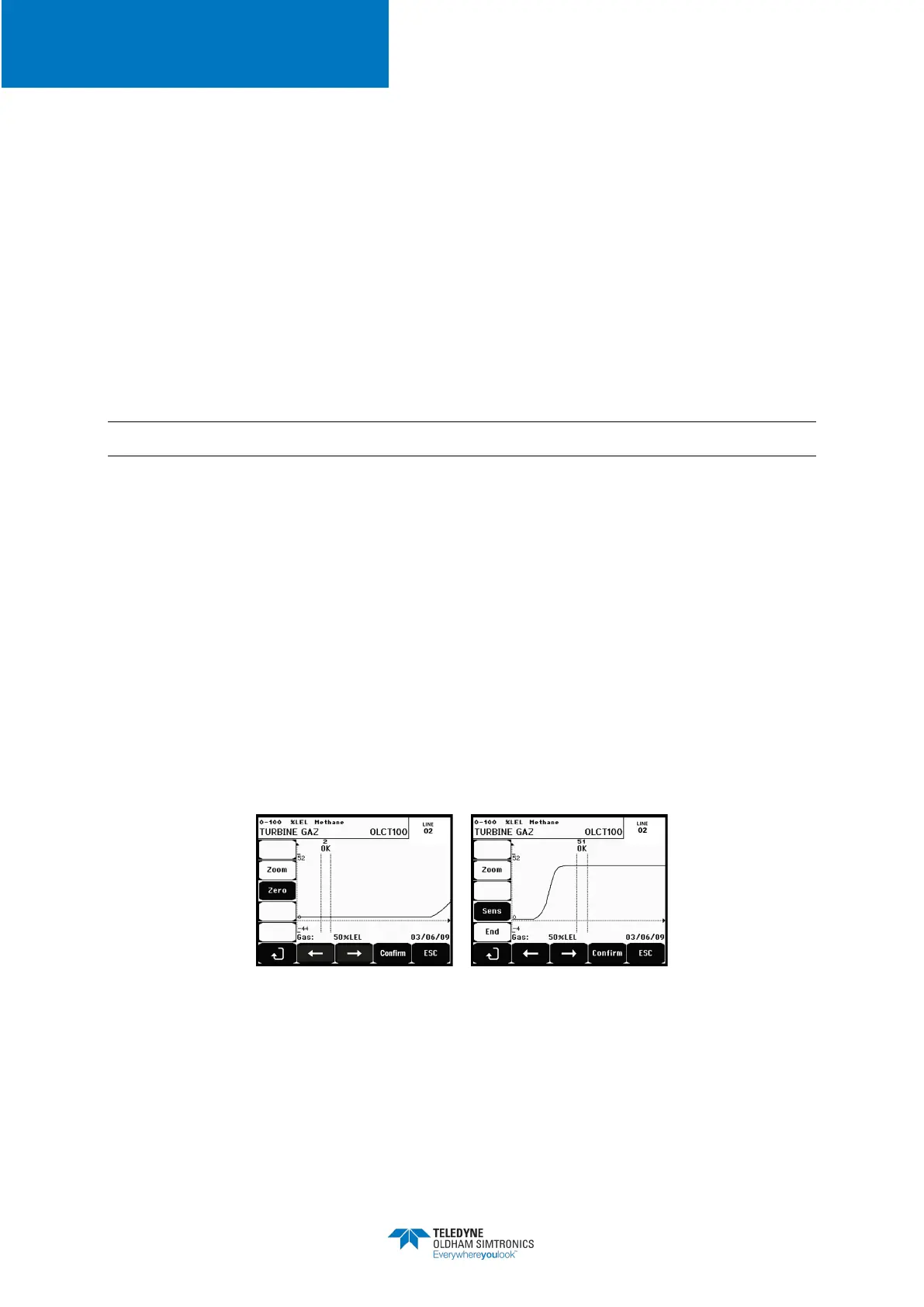
This allows the adjustment and validation of zero and detector sensitivity once calibration is
completed.
Figure 39: Adjustment of zero (left) and sensitivity (right)


 To Next Page