Document 57.0009.0427
49
GTH-4017EX GTH-4514EX GTH-4013EX
November 2008 Section 4 - Maintenance Procedures
TABLE D
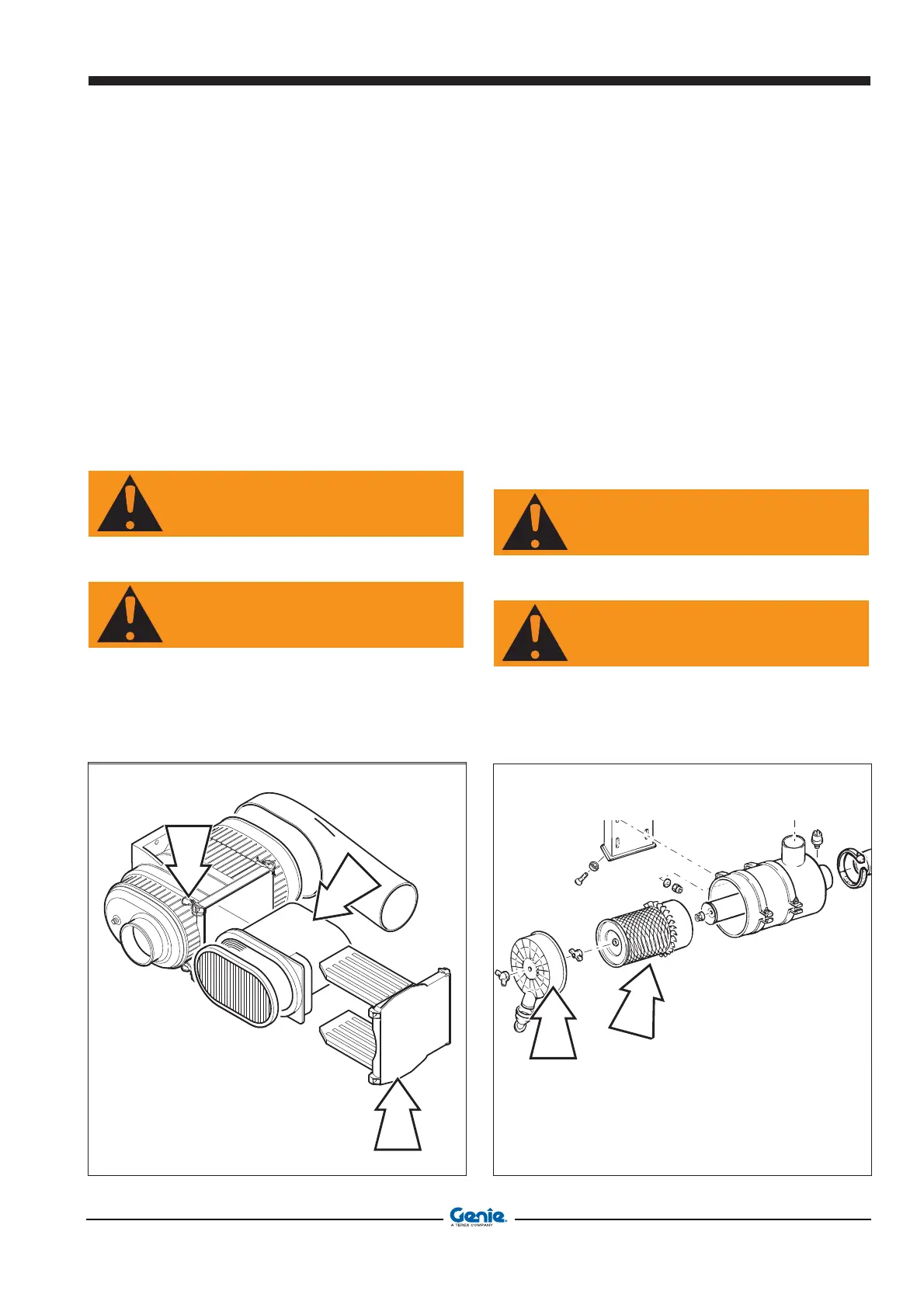
D-7 CHANGE THE MAIN CARTRIDGE OF THE
ENGINE AIR FILTER (GTH-4013EX)
Changing the main cartridge air filter:
- Stop the engine and engage the parking brake.
- Unlatch the four fasteners A.
- Remove cover B.
- Pull out the external cartridge C.
- Clean the filter bowl.
- Refit the clean cartridge, or a new one, using some
grease on the seal and make sure it is properly
positioned.
- Close the cover B.
WARNING
As soon as the warning lamp on the cab dashboard
switches on, replace the outer element.
WARNING
Do not wash the cartridge using water or other kind
of solvents.
A
B
C
B
C
CHANGE THE MAIN CARTRIDGE OF THE
ENGINE AIR FILTER (GTH-4017EX - GTH-
4514EX)
Changing the main cartridge air filter:
- Stop the engine and engage the parking brake.
- Unscrew the screw of the cover B.
- Remove cover B.
- Pull out the external cartridge C.
- Clean the filter bowl.
- Refit the clean cartridge, or a new one, using some
grease on the seal and make sure it is properly
positioned.
- Close the cover B.
WARNING
As soon as the warning lamp on the cab dashboard
switches on, replace the outer element.
WARNING
Do not wash the cartridge using water or other kind
of solvents.


 To Next Page
 Loading...