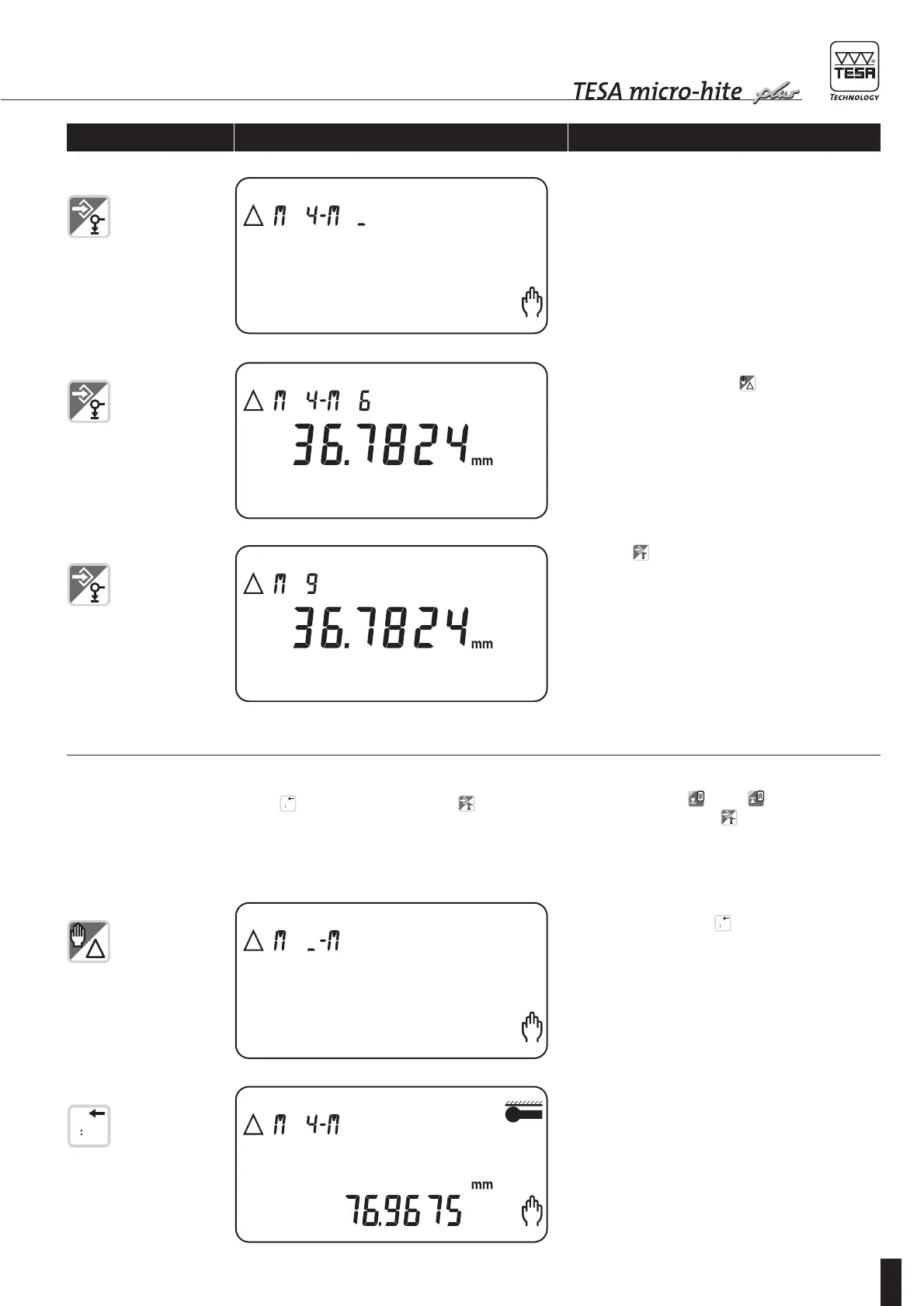
5 Enter second numbered value through numerical
keys (e.g. 06), then confirm by pressing ENTER.
Bright sign _ following second letter M will blink.
6 At this stage, you may either let another distance be
calculated by pressing key or a new measure-
ment be taken.
7
Press key once again to have this value input in
the logbook.
Each value will thus be suitably documented so as to
allow any subsequent calculation in DELTA mode.
9 Display shows selected numbered value.
8 Enter first numbered value through numerical keys
(e.g. 04), then press for displaying. Bright
sign _ between both letters M will blink.
Enabling keys/gauge Displaying Explanation
If key is activated instead of , the value
appears on the auxiliary display. This allows you to
view all numbered values one after the other by acti-
vating both keys and . To acknowledge
desired value, press key .









 To Next Page