2
3
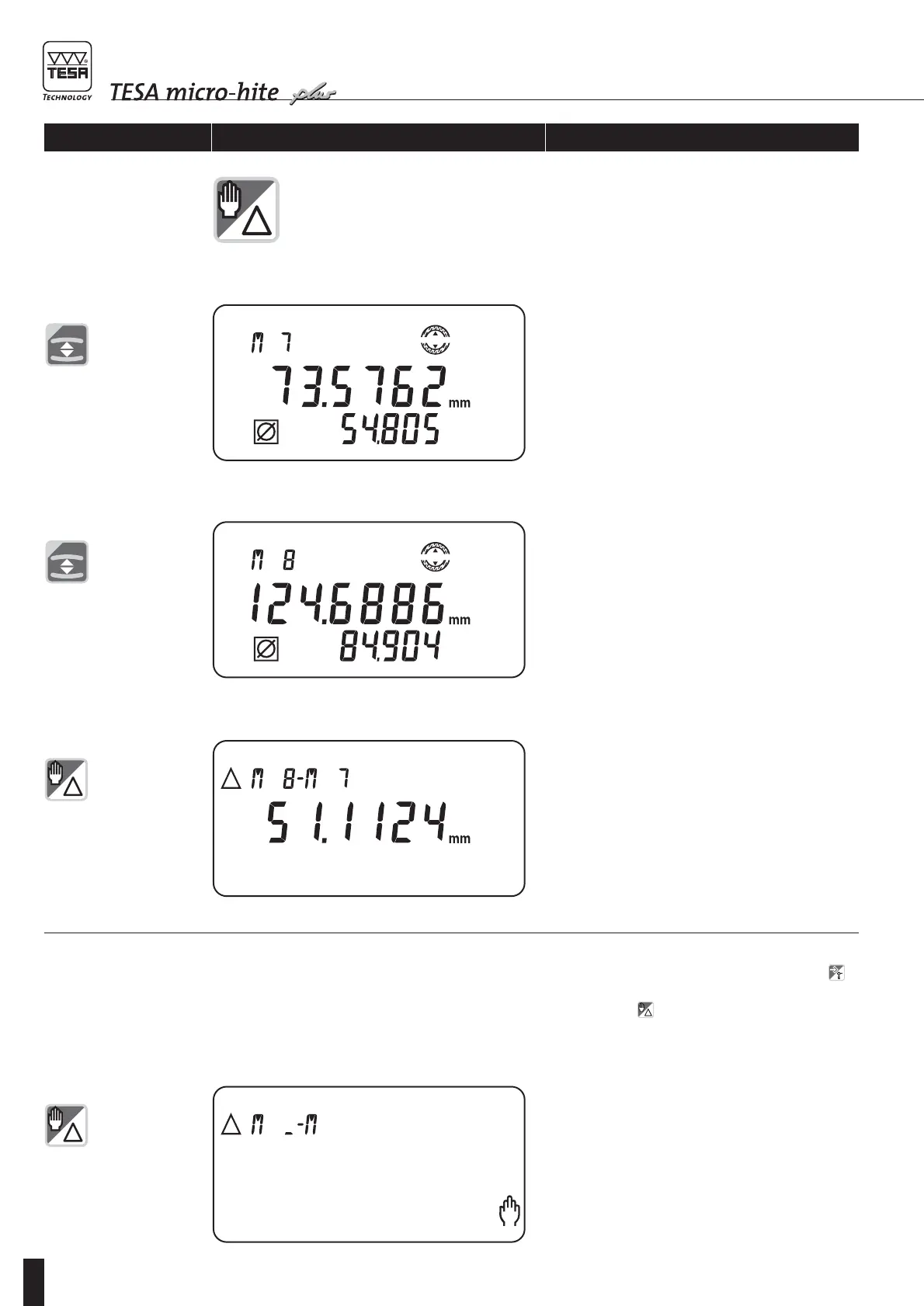
Display shows calculated distance between the last
two measured workpiece features.
4 Enter first numbered value through numerical keys
(e.g. 04), then confirm by pressing ENTER. Bright
sign _ between both letters M will blink.
Enabling keys/gauge Displaying Explanation
4.13
Calculating
distances
At this point, there are three ways of proceeding
provided automatic numbering is activated (dip
switch 6 on On):
1 Capture new numbered value (M09); in this case,
the one obtained in delta mode will not be regis-
tered.
2 Store numbered value M09 by pressing key .
3 Calculate another distance (M? - M?) by pressing
function key .









 To Next Page