10
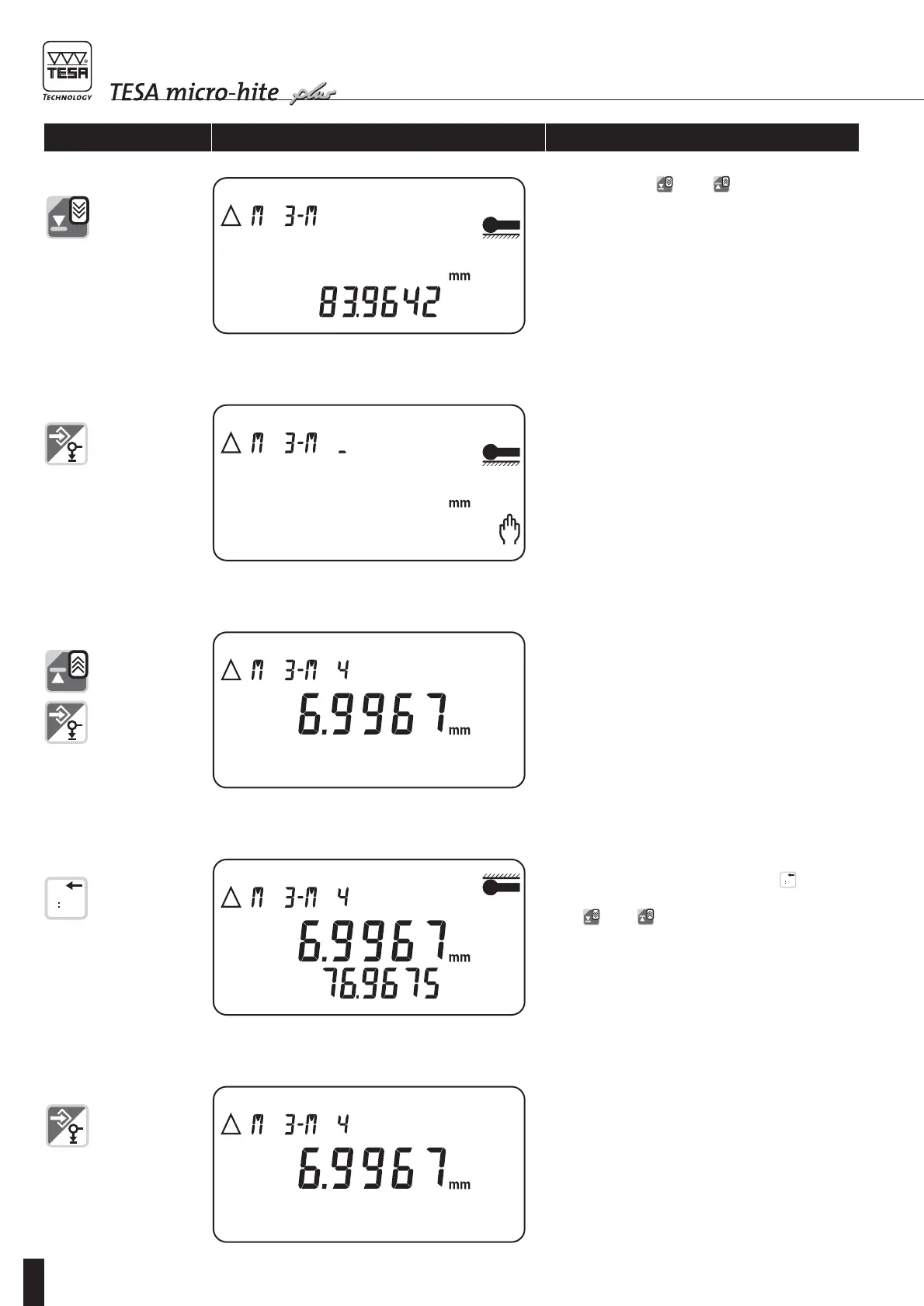
Press both keys and to display all num-
bered values subsequently.
11 Press ENTER to confirm.
Ready for entering second numbered value. Bright
sign _ following second letter M will blink.
Enter relevant value number, then press ENTER to
confirm.
Press this key once again to register this value if
you wish to.
13 Additional possibility:
Access the logbook by pressing key and have
all values displayed subsequently by pressing both
keys and .
– Main display shows DELTA value.
– Auxiliary display shows second numbered value
you have selected.
14 Press ENTER to confirm.
Enabling keys/gauge Display Explanation









 To Next Page