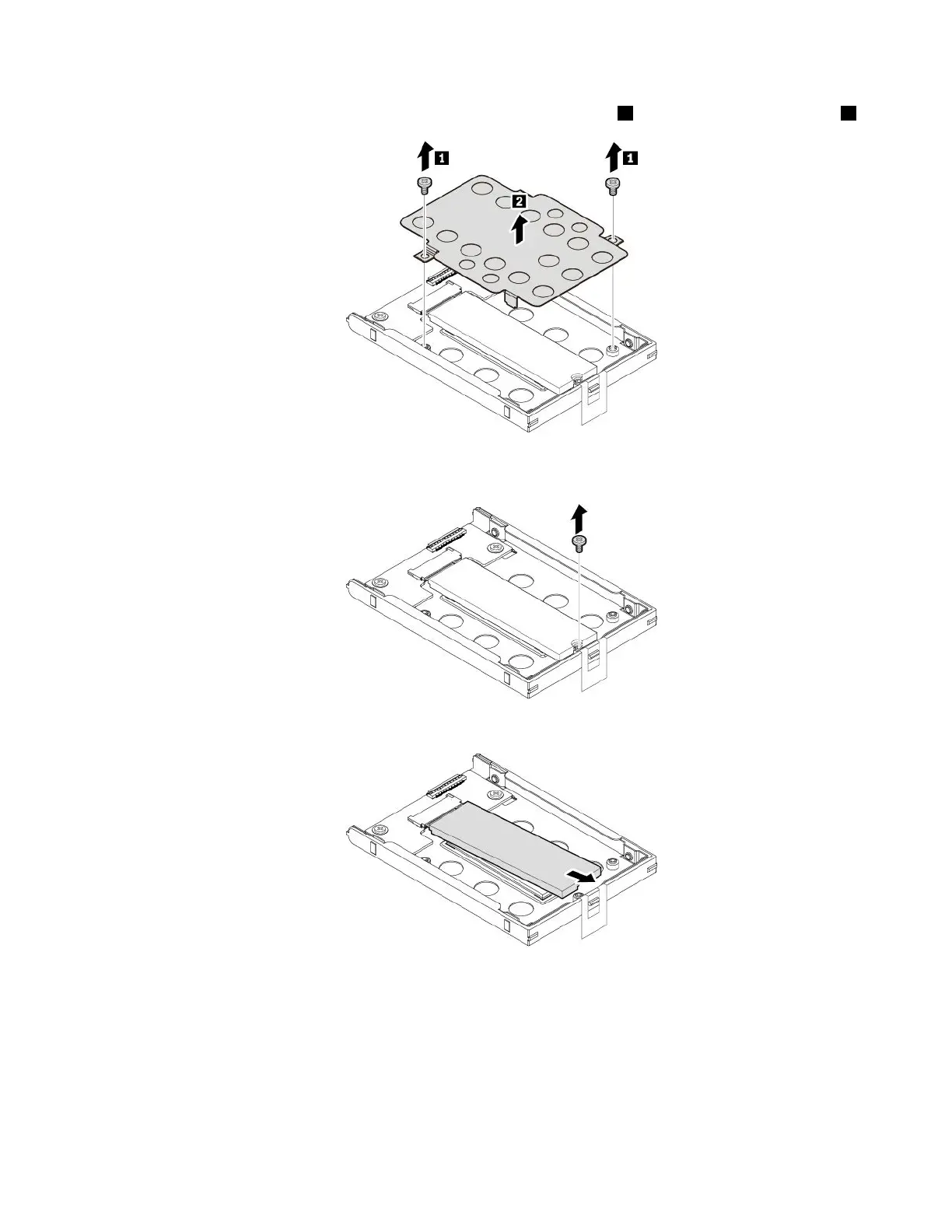
9.RemovethetwoscrewsthatsecuretheM.2solid-state-driveadapter1,andthenremovetheadapter2.
10.RemovethescrewthatsecurestheM.2solid-statedrive.TheM.2solid-statedriveisreleasedfromthe
securedpositionandpivotsupward.
11.GentlypulltheM.2solid-statedriveoutoftheslot.
ToinstallthenewM.2solid-statedrive,dothefollowing:
Chapter9.Replacingdevices119



 To Next Page