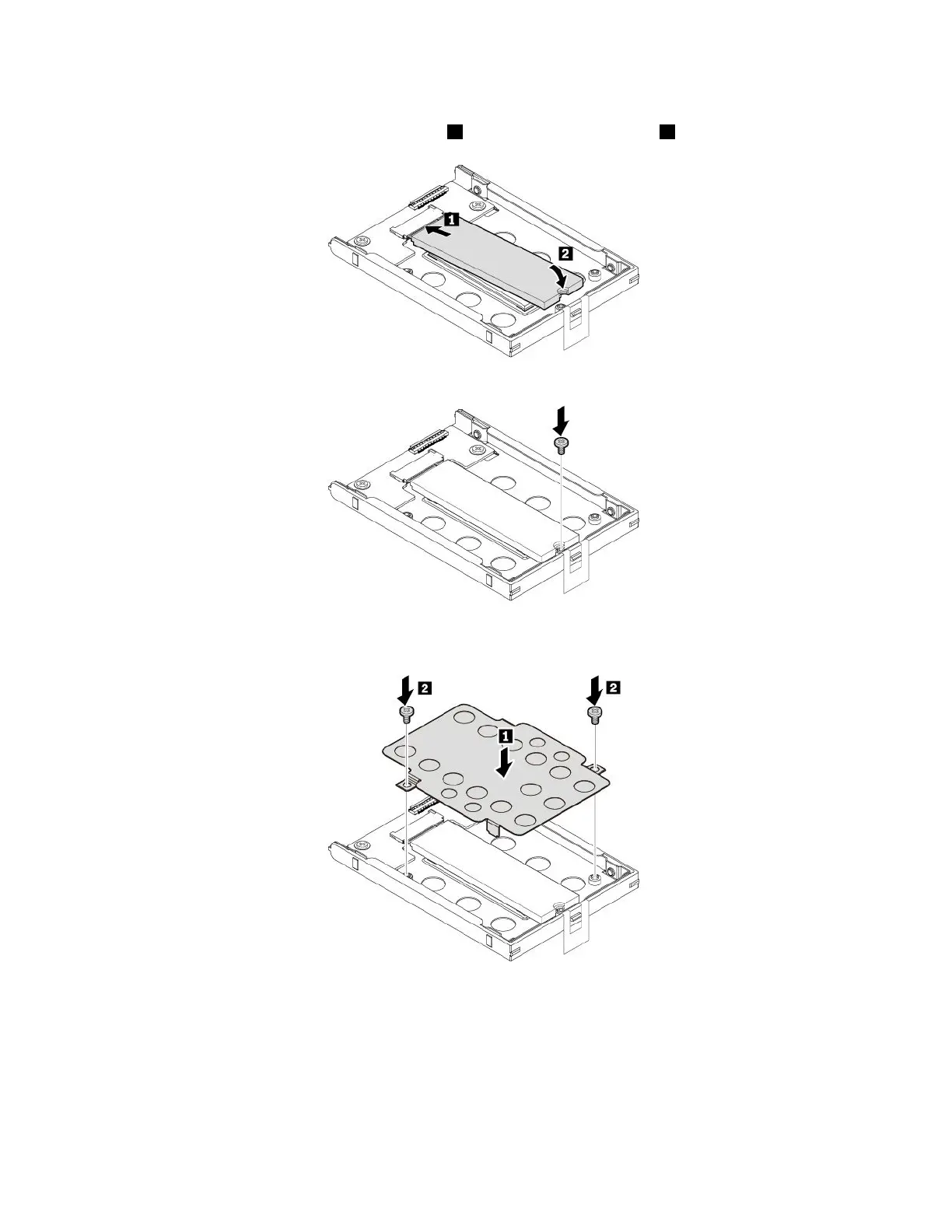
1.AlignthenotchinthenewM.2solid-statedrivewiththeslotkeyintheM.2slot.Insertthesolid-state
driveintotheM.2slotuntilitissecuredtightly
1andthenpivotitdownward2.
2.InstallthescrewtosecuretheM.2solid-statedrive.
3.InstalltheM.2solid-state-driveadapterandtheninstallthetwoscrewstosecuretheM.2
solid-state-driveadapter.
120T470UserGuide



 To Next Page