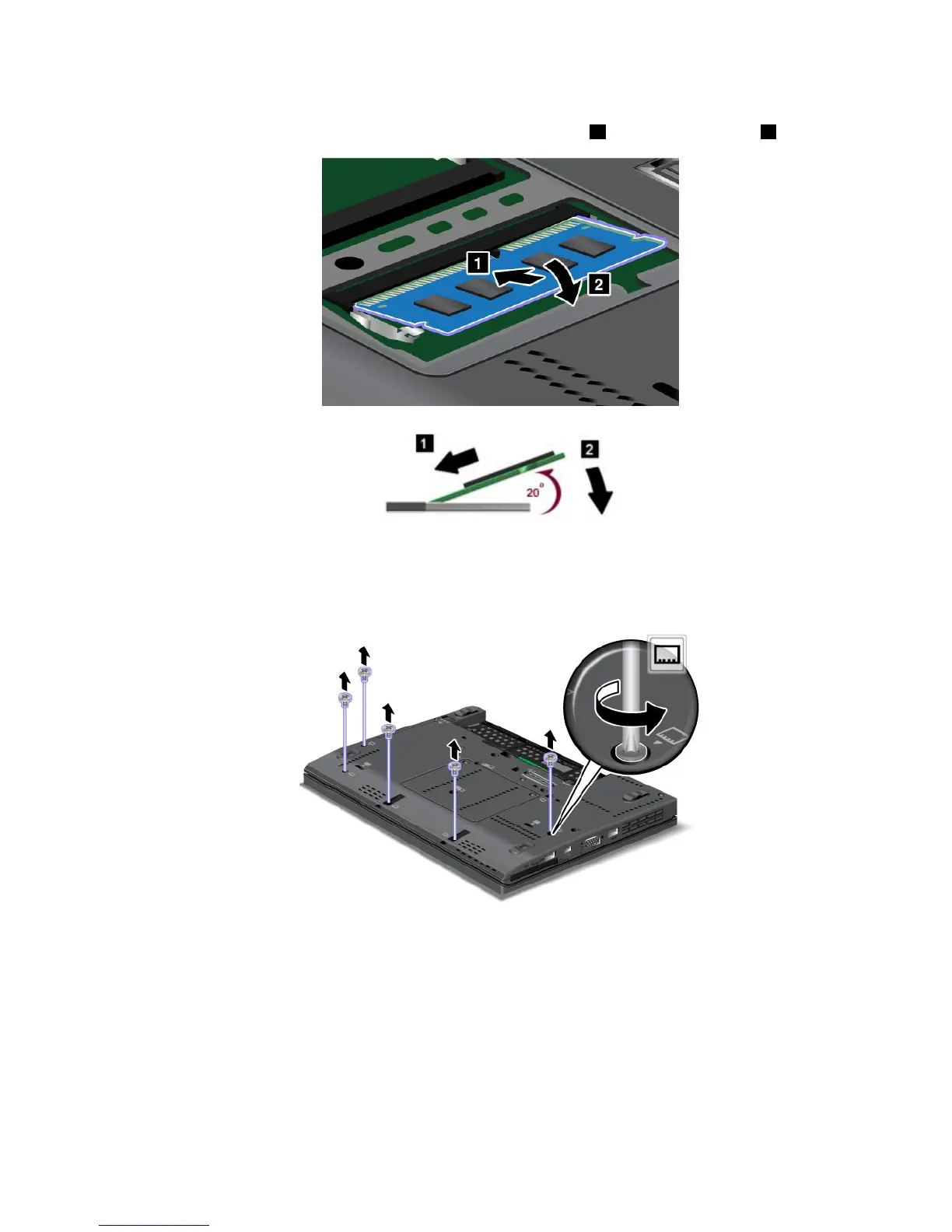
6.Withthenotchedendofthememorymoduletowardthecontactedgesideofthesocket,insertthe
memorymoduleintothesocketatanangleofabout20degrees1;thenpressitinrmly2.
7.Pivotthememorymoduledownwarduntilitsnapsintoplace.
8.Makesurethatthememorymoduleisrmlyxedintheslotandcannotbemovedeasily.
9.Reinstallthememoryslotcoverandtightenthescrewstosecureit.
10.Reinstallthebattery.See“Replacingthebattery”onpage69.
11.Turnthecomputeroveragain.Connecttheacpoweradapterandallcables.
Checkingthetotalamountofmemoryinstalledinyourcomputer
Tomakesurethatthememorymodulesareinstalledcorrectly,youcancheckthetotalamountofmemory
yourcomputerhasbydoingthefollowing:
1.Turnthecomputeron.
2.Whenthelogoscreenisdisplayed,pressF1.TheThinkPadSetupprogramopens.TheInstalled
memoryitemshowsthetotalamountofmemoryinstalledinyourcomputer.
Chapter6.Replacingdevices77



 To Next Page