10 I
www.inavi.com
MIC
RESET
micro SD
GPS
SD FORMAT
STATE
micro SD
A/V OUT
GPS
Microphone RESET
Micro SD Memory Card Slot
USB
MIC
RESET
REC
micro SD
GPS
SD FORMAT
STATE
micro SD
A/V OUT
GPS
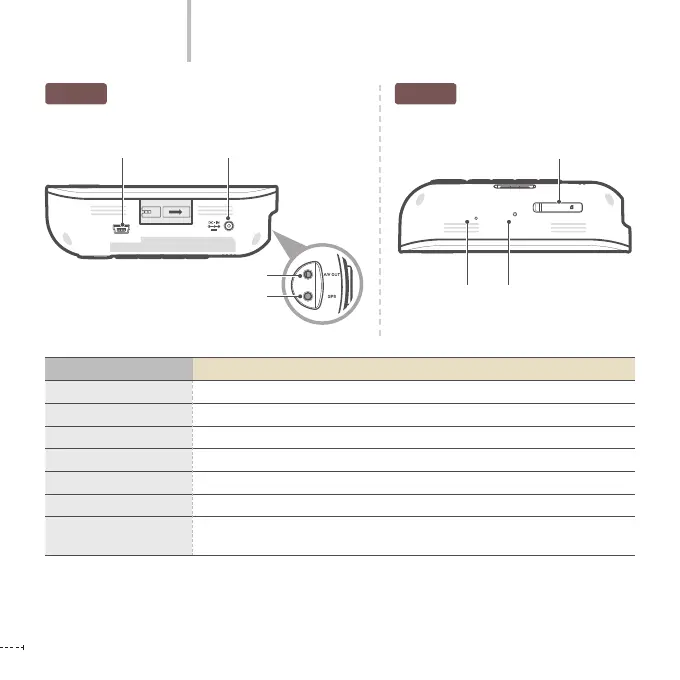
USB terminal Power IN Terminal
BottomTop
Part Names
Name Function Description
USB Terminal
By interworking with iNAVI Navigation, it plays and manages the recorded video.
Power IN Terminal
Connects the power cable.
A/V OUT Terminal
Outputs recorded video and/or video, which is currently recording to external devices.
GPS Terminal
Connects the GPS antenna.
Micro SD Memory Card Slot
Saves the recorded video.
Microphone
A built-in microphone records sound while recording the video.
RESET
Press this to reboot the black box when operation is stopped and the function does
not work.
A/V OUT Terminal
GPS terminal



 To Next Page