www.inavi.com
I 49
Chapter 03 I Menu
Black Box Setting > Additional Functions - 1
PC Viewer
1
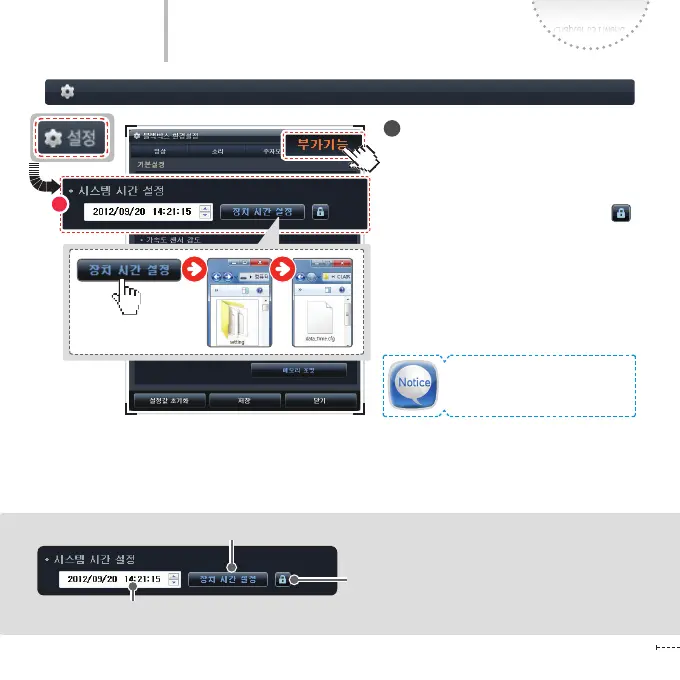
System Time
You can set the date and time of the
product.
- To modify the time and save it, rst unlock
the settings by clicking the checkbox
on the right side.
- The time set in the PC is displayed. You can
modify the time by clicking each number.
- After modifying the date and time, click
the Set Device Time button to save the
changes.
- After inserting the saved micro SD card
to the product, turn the power on; the
changed date and time is applied for the
product.
1
Directly modify the date and time by placing the mouser cursor on the Date/Time.
To save the modied date and time, rst unlock the
settings by clicking the lock icon.
Modify the date and time by clicking the Up and Down arrows.
The date and time is saved as
‘date_Time.cfg’ in the ‘Setting’
folder of the micro SD folder.



 To Next Page